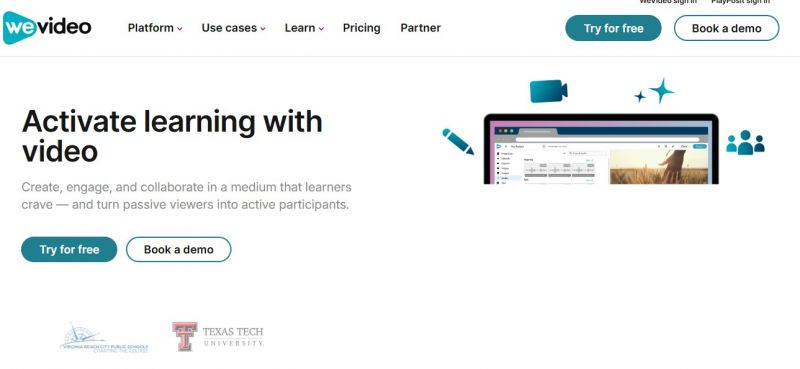
WeVideo is a video editing platform that enables users to create, edit, and share videos from any device with an internet connection. Founded in 2011 and headquartered in Mountain View, California, WeVideo offers a range of tools suitable for individuals, educators, and businesses
Key Features
Cost Information And Plans
Students grasp green‑screen projects very quickly.
Chromebook support fits 1:1 school deployments.
Stock library boosts creativity in history/science lessons.
Project assignments keep media and rubrics organized.
Real‑time collaboration supports group video projects.
Some teachers still “don’t know how to use it”.
New users sometimes lost finding published projects.
Audio track editing tools feel too basic.
Limited special effects like reverse and advanced FX.
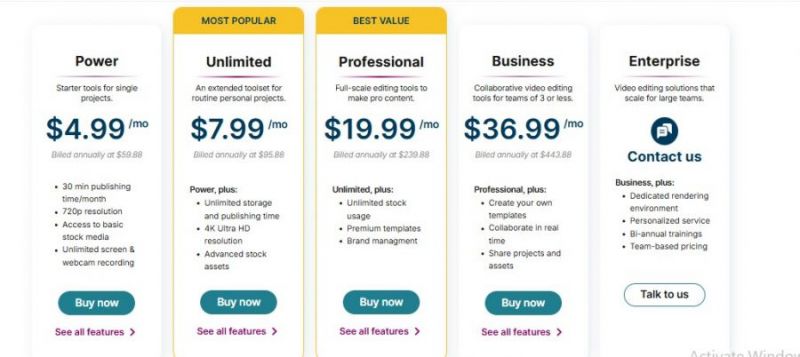
*Price last updated on Dec 26, 2025. Visit wevideo.com's pricing page for the latest pricing.

Posted: Jul 9, 2026
I started using WeVideo Education for student video assignments, and it quickly became one of the easiest tools to manage in class. My students did not need advanced editing knowledge to create decent-looking videos, which saved me a lot of teaching time. The cloud-based access was the biggest benefit because students could continue their projects from school or home without needing one specific device.
Posted: Jul 9, 2026
I tried WeVideo Education because I wanted a reliable video tool for a few classroom projects, but the pricing felt hard to justify for how often I used it. The features are good, especially cloud editing and screen recording, but if your school only does video assignments once in a while, it may feel like overkill. Some students also experienced slow loading when working with larger projects, which interrupted the flow of class. I think it is better for schools that use video regularly across multiple subjects. For occasional use, I found the value a bit weak.