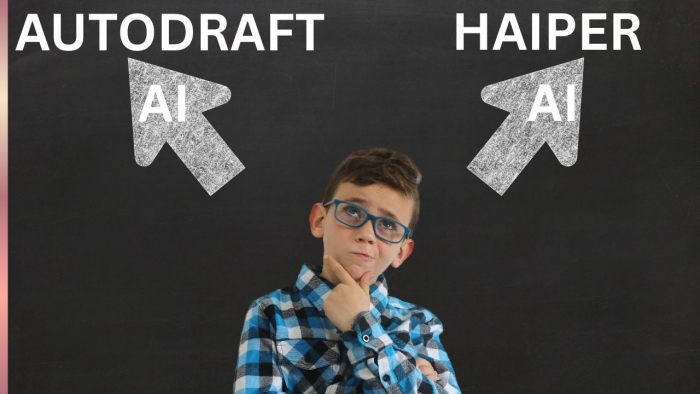
I run a workflow where creating ideas isn’t the problem.
I can sit down and write 5 video concepts in a single hour. Hooks, storylines, angles, that part is handled.
The real problem starts after that.
Turning those ideas into actual videos is where things begin to slow down. Not in a dramatic way. Just small friction points, scenes not matching, visuals resetting, tone shifting, that quietly stretch a 20-minute task into something that never gets finished.
That’s exactly why I tested Haiper AI and Autodraft AI.
Not to explore tools.
But to fix a bottleneck:
Which one actually helps me finish videos faster, not just start them?
The first time I used Haiper, I genuinely thought I had found a shortcut.
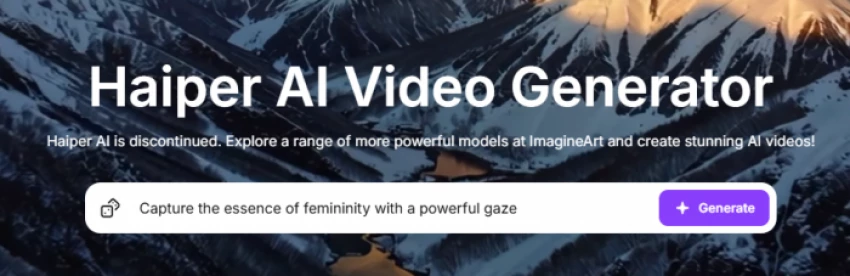
You type a prompt, hit generate, and within seconds, you get something that looks cinematic enough to post. The lighting feels intentional, motion looks smooth, and everything appears polished at a glance.
It creates a very specific type of confidence, the kind that makes you believe the rest of the process will be just as easy.
Autodraft didn’t give me that feeling.

Its first output felt simpler. Less dramatic. Almost underwhelming compared to Haiper. But it also felt stable, like it was built to be part of something larger rather than just a standalone clip.
My Take
Haiper optimizes for instant satisfaction.
Autodraft optimizes for long-term usability.
Rating
Haiper: 9/10
Autodraft: 7/10
The real test wasn’t the first clip. It was the second, third, and fourth.
With Haiper, each new scene required me to re-establish context. Even when I tried to keep prompts consistent, subtle changes kept creeping in. The environment shifted slightly, the tone drifted, and the video started feeling like a collection of clips rather than a single piece.
Autodraft behaved differently.
Once I set the initial structure, the following scenes didn’t feel like new attempts. They felt like extensions. Characters stayed consistent, the environment held its logic, and I didn’t have to “fight” the tool to keep things aligned.
Scorecard
Continuity felt like this in real usage:
| Experience Factor | Haiper AI | Autodraft AI |
| Scene connection | Breaks often | Holds steady |
| Character stability | Inconsistent | Consistent |
| Narrative flow | Fragmented | Structured |
My Insight
This is where the tools stop looking similar.
One generates clips. The other builds sequences.
At first, Haiper feels faster.
You generate something quickly, it looks good, and you move on. But what I didn’t realize initially was how much time I was spending fixing things later.
Adjusting prompts. Regenerating scenes. Trying to match tone manually.
That time doesn’t feel heavy in the moment.
But it accumulates across the entire video.
With Autodraft, the opposite happened.
It felt slightly slower in the beginning, but once the structure was set, I didn’t have to go back and fix things. The process moved forward without interruption.
Quick Breakdown
Haiper → Fast start, slow finish
Autodraft → Slower start, faster finish
My Take
Speed isn’t about output generation.
It’s about how little you have to redo.
This is where my experience changed the most.
With Haiper, I felt dependent on the output. I would generate something and then adjust my expectations based on what I got. It was reactive.
With Autodraft, I felt in control. I could guide the structure, shape the flow, and move forward intentionally. It felt less like generating content and more like building it.
My Scorecard
| Control Aspect | Haiper AI | Autodraft AI |
| Direction control | Low | High |
| Editing flexibility | Limited | Strong |
| Workflow clarity | Unpredictable | Structured |
My Take
The more control you have, the less mental fatigue you experience.
Creating one video is easy.
The real test starts when you try to create five, then ten, then daily.
That’s where I noticed the biggest difference between Haiper AI and Autodraft AI.
With Haiper, the first few videos felt fast. I could generate clips quickly, stitch them together, and get something that looked good enough to post. But as I tried to repeat that process across multiple videos, the inconsistency started compounding.
Every new video felt like starting from scratch.
I had to rethink prompts, adjust visual styles, and manually ensure things didn’t drift too far from what I had done earlier. There was no real sense of continuity, not just within a video, but across videos.
And when you’re trying to scale content, that becomes a problem.
Because scaling isn’t just about speed.
It’s about repeatability.
Autodraft behaved very differently.
Once I built a structure for one video, I could reuse that logic for the next. The way scenes connected, the way characters behaved, the way the flow progressed, it didn’t reset every time.
It felt like I was building a system instead of repeating effort.
That’s when the shift became clear.
Haiper helped me create content.
Autodraft helped me create consistently.
And consistency is what actually drives growth.
My Take
If you’re making occasional videos, both tools can work.
If you’re trying to scale, only one of them reduces effort over time.
My Rating (Scaling Perspective)
Haiper AI: 6.5/10
Autodraft AI: 9/10
Haiper’s biggest strength is also its biggest trap.
It produces visually appealing clips, sometimes better than expected. But those clips don’t always connect well.
Autodraft doesn’t chase visual perfection. It focuses on making sure everything works together.
So the decision becomes:
Do you want individual clips to look better?
Or do you want the entire video to work better?
Rating Style Comparison
Visual appeal → Haiper: 9/10, Autodraft: 7.5/10
Usability across video → Haiper: 6.5/10, Autodraft: 8.5/10
My Insight
A video is judged as a whole, not scene by scene.
After repeated use, the limitations become predictable.
Haiper starts struggling when the project requires continuity across multiple scenes. It doesn’t carry forward enough context to maintain consistency.
Autodraft starts losing edge when the expectation shifts toward cinematic realism. It maintains structure, but it doesn’t aim to impress visually in isolation.
My Take
Each tool breaks exactly where the other excels.
That’s why comparing them as direct alternatives is misleading.
Initially, I tried to choose one.
That didn’t work.
Because I was forcing one tool to solve two different problems.
Once I separated the roles, everything improved.
Autodraft became the base, where the video takes shape
Haiper became the enhancer, used only for high-impact moments
Final Workflow Score
Combined usage efficiency: 9/10
My Take
These tools are not competitors.
They’re layers.
If I had to describe the difference in one line:
Haiper makes you feel like you’re progressing
Autodraft makes sure you actually finish
And over multiple videos, finishing is what matters.
Final Scorecard
| Tool | Final Score | Verdict |
| Haiper AI | 7/10 | Strong visuals, weak continuity |
| Autodraft AI | 8.5/10 | Strong structure, reliable output |
Before this, I thought better visuals would improve my videos.
After using both tools, I realized:
The real bottleneck isn’t quality
It’s consistency
And the tool that solves consistency…
ends up saving the most time.
Be the first to post comment!

A client message comes in.“Can you share a presentation in 10 minutes?”There’s n...
Sakshi Dhingra8 hours ago

The rise of AI-driven platforms has made it easier than ever to engage in rolepl...
Sakshi Dhingra2 days ago

Imagine running a small business, juggling customer queries, product information...
Sakshi Dhingra2 days ago
Creating presentations used to be a tedious and time-consuming task for me. Whet...
Sakshi Dhingra2 days ago

Over the past few years, I have experimented with many study platforms, flashcar...
Sakshi Dhingra3 days ago
Just a few years ago, creating a professional video meant cameras, lighting, mic...
Sakshi Dhingra3 days ago