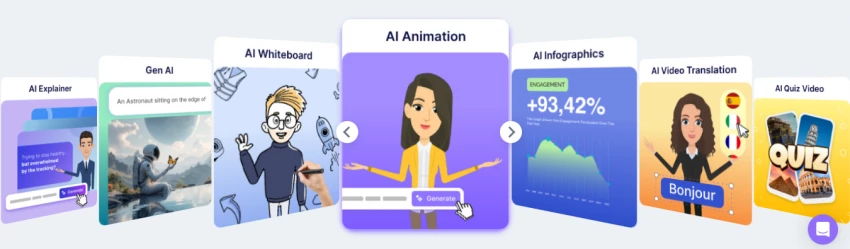
Just a few years ago, creating a professional video meant cameras, lighting, microphones, and hours of editing. Today, AI video tools have completely transformed that workflow.
Platforms like HeyGen allow users to generate talking-avatar videos simply by typing a script. The AI handles everything from voice generation to lip synchronization and presentation.
Businesses now use these tools for marketing campaigns, onboarding videos, product explainers, and educational content. But as the market has grown, several new platforms have emerged offering different strengths, some focusing on realistic avatars, others on automated video editing or content repurposing.
If you're exploring options beyond HeyGen, the tools below represent some of the most capable alternatives currently available.
Quick Overview of the Best HeyGen Alternatives
Platform
Primary Use Case
Avatar Support
Synthesia
Corporate training videos
Yes
VEED
Video editing & social media
Limited
Pictory
Blog-to-video creation
No
Luma AI
Cinematic AI video generation
No
Vidnoz
Free AI avatar videos
Yes
InVideo AI
Marketing video creation
Limited
Descript
AI voice & video editing
No
Animaker
Animated explainer videos
Animated avatars
Each of these platforms approaches AI video creation differently, which is why they are often considered strong alternatives depending on the type of content you want to produce.
How we evaluated these HeyGen alternatives
A useful HeyGen comparison needs more than a feature checklist. A platform may advertise hundreds of avatars but still require extensive work to create a believable two-minute video.
We therefore evaluated each platform against a practical presenter-video workflow.
The reference project was a short employee-onboarding video explaining a fictional company’s hybrid-working policy. It included an opening introduction, three policy points, a branded closing screen, subtitles, and a second-language version.
The evaluation focused on the following areas:
Test area
Questions considered
Avatar delivery
Did the presenter look natural when speaking full sentences?
Lip-sync
Did mouth movement remain aligned with the voice?
Voice quality
Did the delivery have appropriate pauses, emphasis, and pronunciation?
Script control
Could individual lines and scenes be revised without rebuilding the video?
Visual editing
Could we add screen recordings, text, images, B-roll, and branded layouts?
Localization
Was it practical to produce another language version?
Export readiness
How much correction was required before the video felt publishable?
Overall value
Did the workflow save enough time to justify using it instead of HeyGen?
Presentation quality remains partly subjective, so the ranking gives greater weight to workflow reliability than to one unusually impressive demo clip.
Synthesia is widely considered one of the most direct competitors to HeyGen. The platform specializes in AI presenter videos designed for professional communication and corporate training.
Organizations frequently use Synthesia to produce onboarding videos, internal announcements, and multilingual training materials. Instead of recording presenters repeatedly for different languages, companies can simply generate localized versions using AI avatars.
The platform offers a large library of presenters and supports numerous languages, making it attractive for international teams. Synthesia also includes collaboration tools and brand management features, which are useful for companies producing video content at scale.
Our practical observations
The strongest part of Synthesia was consistency.
The presenter maintained a similar visual style across scenes, and the editor made it easy to keep titles, colours, and supporting graphics aligned. The generated delivery was most convincing when the script used short, direct sentences.
Long sentences with several clauses sounded less natural. Breaking them into separate lines improved the pauses and made the presenter appear less mechanical.
Pronunciation also required review. Company names, abbreviations, technical terms, and uncommon names should be previewed individually rather than trusted automatically.
The generated video did not feel identical to footage of a real employee, but it was suitable for structured communication where clarity mattered more than cinematic emotion.
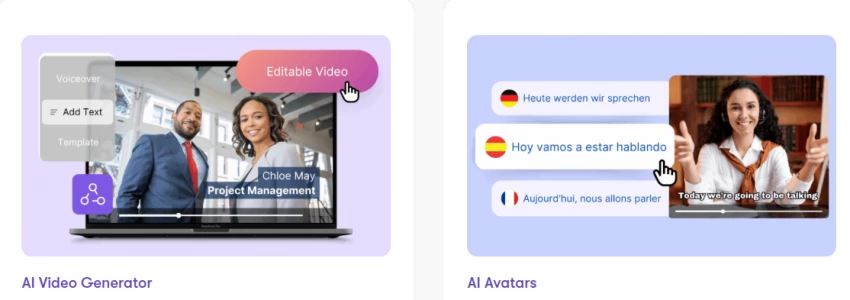
Localization is another major reason to consider Synthesia. The same video can be adapted for multiple languages without recording the presenter again, although every translated version should still be reviewed by a fluent speaker. Synthesia says its custom avatars can use cloned voices in 29 languages, while stock voice options extend across more than 160 languages.
Where Synthesia performs better than HeyGen
Synthesia feels more controlled when a company needs repeatable templates, shared branding, team collaboration, and multiple language versions.
HeyGen may feel more immediately creative for personalized avatars and marketing-led presenter clips. Synthesia’s advantage is the predictability of its business-video workflow.
Testing takeaway: Synthesia produced the most dependable business-ready draft, even though short script revisions were still necessary to improve pauses and emphasis.
Limitations
Synthesia is not the best option for creators wanting dramatic camera movement, cinematic scenes, or fast-changing social-video styles. Its polished corporate look can also become repetitive if every scene uses the presenter in the same position.
Best suited to
Synthesia is our first choice for:
Corporate training
Employee onboarding
Compliance videos
Internal announcements
Product education
Multilingual knowledge bases
Verdict
Synthesia ranks No. 1 because it replaces the central HeyGen workflow without forcing business users to sacrifice scene control, localization, or brand consistency.
VEED
VEED takes a different approach compared with HeyGen. Rather than focusing entirely on AI presenters, VEED is designed as a complete video editing platform with AI tools integrated into the workflow.
Users can record videos, add subtitles, edit clips, generate voiceovers, and create social media content within the same interface. The platform also includes AI features such as automatic caption generation and translation.
Our practical observations
VEED gave us more freedom to change the visual rhythm of the test video.
Adding captions, supporting footage, and a branded end screen felt more natural than it did in several avatar-first tools. The timeline also made it easier to treat the presenter as one video element rather than the entire format.
However, the avatar experience was not equally convincing across every option. Some presenters appeared more natural than others, making avatar selection an important part of the process.
The large number of editing tools can also make the workflow feel busier. A beginner who wants only to paste a script and generate a presenter may find Synthesia or HeyGen more direct.
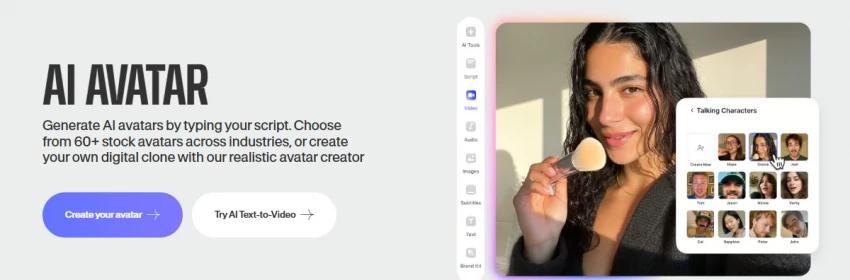
VEED says users can choose from more than 50 avatar styles or create a custom avatar using their face and voice.
Testing takeaway: VEED required more manual editing than Synthesia, but it gave us much better control over when the avatar appeared and what viewers saw between presenter segments.
Limitations
The full editor is an advantage only when the user plans to edit. People looking for a nearly automatic presenter-video workflow may see the additional controls as unnecessary complexity.
Best suited to
VEED makes sense for:
Social media managers
YouTube creators
Marketing teams
Product demonstrations
Subtitle-heavy videos
Videos mixing presenters and screen recordings
Verdict
Choose VEED over HeyGen when the avatar is only one part of your video and you need stronger control over captions, footage, layout, and final editing.
Pictory focuses on transforming written content into videos. Instead of relying on avatars, the platform automatically converts scripts, blog posts, and articles into narrated video content.
This approach is particularly useful for marketers who want to repurpose blog content into videos for social media or YouTube.
The system automatically selects visuals, generates voice narration, and creates a finished video based on the input text.
Our practical observations
Pictory performed best when the source material was already concise and clearly structured.
An article containing short sections and descriptive subheadings translated more effectively than one containing long paragraphs and several ideas in each section.
The automatic scene selection saved time, but the initial visuals occasionally interpreted a keyword too literally. A sentence about “building customer trust,” for example, may trigger generic business imagery rather than evidence supporting the claim.
The result should therefore be viewed as a structured first edit rather than a finished publication.
Testing takeaway: Pictory saves the most time after the writing is finished; it does not replace the thinking required to create a strong script.
Limitations
Pictory does not directly reproduce HeyGen’s talking-presenter experience. Users specifically seeking digital humans should choose Synthesia, VEED, or Vidnoz instead.
Best suited to
Pictory works well for:
Blog-to-video repurposing
Article summaries
Faceless YouTube videos
Webinar highlights
Educational summaries
Content marketing teams
Verdict
Pictory replaces HeyGen only when the presenter is optional and the real goal is turning existing text into reusable video content.
Luma AI
Luma AI represents a more experimental side of AI video creation. The platform focuses on generating cinematic video scenes using artificial intelligence.
Creators use Luma to produce realistic environments, visual effects, and generative video sequences. This makes it particularly popular among filmmakers and designers experimenting with AI-driven visuals.
Our practical observations
Luma was most useful when generating a brief visual sequence rather than a full informational video.
The output could create atmosphere that stock footage would struggle to match, but precise continuity remained difficult. Objects, environments, or movement could change between generations, and several attempts were sometimes needed to find a usable result.
For that reason, Luma works better alongside an editor or avatar tool than as a complete replacement.
Testing takeaway: Luma can make a HeyGen video look more cinematic, but it cannot independently replace HeyGen’s presenter.
Limitations
There are no traditional talking avatars, structured training templates, or complete presenter-video workflows. Generative results may also require repeated prompting.
Best suited to
Luma AI is suitable for:
Cinematic B-roll
Concept videos
Creative advertising
Background scenes
Visual transitions
Experimental social content
Verdict
Treat Luma as a source of creative footage, not as a direct HeyGen replacement.
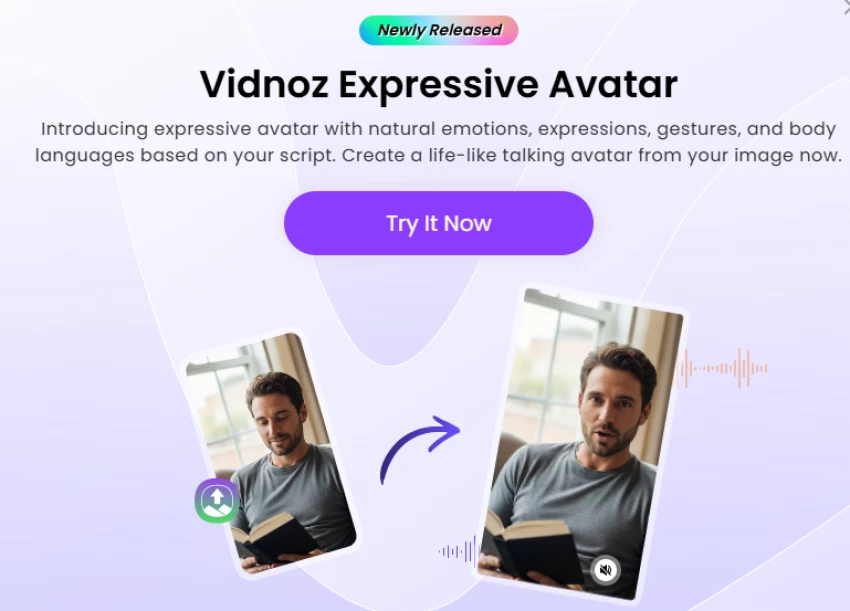
Vidnoz has gained attention as a free AI avatar video generator. The platform offers numerous digital presenters and templates designed for marketing videos.
Users can enter a script, choose an avatar, and quickly generate a video where the presenter delivers the message.
Our practical observations
Vidnoz was easy to understand without a long setup process. Templates gave the project an immediate structure, which is useful for users who have a script but no idea how the supporting slides should look.
The difference became clearer when looking closely at the final delivery.
Some avatar and voice combinations worked well for straightforward informational sentences, but the emotional range was limited. Longer scripts also made repetitive gestures and facial movements more noticeable.
The result was acceptable for a quick explainer, internal update, or draft. It required more careful avatar selection and script editing before we would use it for a prominent customer-facing campaign.
Testing takeaway: Vidnoz lowers the barrier to creating an avatar video, but the fastest template is not always the most believable one.
Limitations
Output quality can vary noticeably between presenters and voices. Free or lower-cost options may also include usage, resolution, branding, or generation restrictions.
Best suited to
Vidnoz is useful for:
First-time avatar users
Short internal videos
Simple explainers
Budget-conscious creators
Testing scripts before producing a premium version
Verdict
Vidnoz is the most practical low-commitment HeyGen alternative, but it does not consistently match the polish of Synthesia or HeyGen.
InVideo is widely known for its large template library and automated video generation features. The platform allows users to create marketing videos by describing an idea or entering a script.
The AI then generates scenes, visuals, voiceovers, and transitions automatically.
Our practical observations
InVideo AI was strongest at creating visible progress from a short idea.
A simple description produced a script and an initial sequence without requiring us to choose every clip manually. That is valuable when the user needs a starting point rather than a perfect presenter.
The first draft still needed review. Some stock footage matched individual words in the script but did not support the broader meaning. The video improved after replacing generic visuals and shortening the voiceover.
The editing experience is also more prompt-driven than a traditional editor. This can be faster for broad changes but less precise when the user wants to adjust one small visual detail.
Testing takeaway: InVideo AI builds a complete marketing-video draft faster than most avatar platforms, but its automatically selected footage should never be published without a scene-by-scene review.
Limitations
It is not the closest replacement for HeyGen when realistic presenter performance is the main requirement. It is better understood as a broader AI production platform.
Best suited to
InVideo AI is a good option for:
Promotional videos
Faceless YouTube content
Product announcements
Social clips
List videos
Fast marketing drafts
Verdict
Use InVideo AI instead of HeyGen when automated storytelling, B-roll, and voiceover matter more than keeping a digital presenter on screen.
Descript is best known for its AI-powered audio and video editing tools. One of its most popular features allows users to edit videos by modifying the transcript.
The platform also includes voice cloning technology called Overdub, which allows creators to generate narration using synthetic versions of their own voice.
Our practical observations
The transcript editor was the clearest advantage.
Removing an unnecessary sentence from the written transcript also removed that section from the recording. This felt more direct than repeatedly cutting a conventional video timeline.
For a creator willing to record a rough voiceover or webcam presentation, Descript can preserve more natural delivery than a digital avatar while still reducing editing time.
The trade-off is obvious: someone must still provide the original performance. It does not replace the camera as completely as HeyGen does.
Testing takeaway: Descript is the better option when authenticity matters more than avoiding recording altogether.
Limitations
Descript is not primarily an avatar generator. It will not create the same presenter-led workflow from a script alone.
Best suited to
Descript is useful for:
Podcasters
Course creators
Interview editors
YouTube presenters
Screen-recorded tutorials
Teams editing spoken content
Verdict
Choose Descript when you would rather improve a real recording than replace the speaker with an AI avatar.
Animaker
Animaker takes a completely different approach to video creation. Instead of realistic presenters, the platform focuses on animated characters and storytelling.
Users can create explainer videos, product demonstrations, and educational content using animated scenes and characters.
Testing takeaway: Animaker creates a more distinctive video than a standard talking avatar, but that distinction requires more manual scene-building.
Limitations
It cannot provide a realistic spokesperson. Animation may also feel too informal for executive communication, compliance training, or high-trust sales videos.
Best suited to
Animaker works for:
Animated explainers
Classroom content
Children’s education
Process demonstrations
Character-led brand stories
Informal training
Verdict
Animaker is a creative HeyGen alternative when realism is unnecessary and an illustrated explanation will communicate the idea more effectively.
HeyGen alternatives compared by workflow
The tools become easier to compare when the decision is based on the job rather than the number of AI features.
Your priority
Best choice
Reason
Corporate training
Synthesia
Structured scenes, avatars, branding, and localization
Avatar plus full editing
VEED
Combines presenters with a broad video editor
Affordable avatar testing
Vidnoz AI
Lower barrier for short presenter videos
Marketing video from one prompt
InVideo AI
Generates scripts, visuals, voices, and transitions
Article-to-video conversion
Pictory
Built around repurposing written content
Editing a real presenter
Descript
Transcript-based spoken-video editing
Animated explainers
Animaker
Character and scene-based storytelling
Cinematic AI footage
Luma AI
Generative scenes rather than presenter videos
Which alternative looks most realistic?
Synthesia was the most consistent option in this comparison for professional presenter videos.
That does not mean every avatar will be indistinguishable from a real person. Naturalness depends on the selected presenter, voice, script, sentence length, language, and subject matter.
The most realistic output usually comes from following a few simple practices:
Keep individual sentences short. Avoid placing several technical terms in one line. Preview names, abbreviations, and product terminology. Add visual changes so the avatar is not centred on screen continuously. Use punctuation to guide pauses. Do not expect a neutral digital presenter to deliver intense emotion convincingly.
A polished avatar cannot compensate for a poorly written script.
Final Thoughts
fter comparing the eight tools, Synthesia is our No. 1 HeyGen alternative for 2026.
It provides the closest replacement for HeyGen’s central script-to-avatar workflow while adding the structure, localization, collaboration, and brand consistency required for business video production.
VEED ranks second because it gives creators greater editing flexibility. Vidnoz is the most accessible option for beginners, while InVideo AI is better for marketing teams that want complete videos rather than continuous digital presenters.
The remaining tools are valuable, but they replace only part of the HeyGen workflow.
Our final recommendation: Choose Synthesia for repeatable professional avatar videos, VEED for creative editing, and Vidnoz for affordable experimentation.
No AI video generator completely removes the need for human review. The script, pronunciation, visual relevance, pacing, and factual accuracy still determine whether the final video feels useful or merely automated.