There’s no time to open PowerPoint and start from slide one. No time to think about structure, flow, or design.
This used to be stressful.
Now it’s different.
You open an AI tool, type a rough idea, and within seconds, you have something that already looks like a presentation. Not perfect, but usable. Something you can refine instead of building from scratch.
That shift, from creating to refining, is exactly why AI presentation tools matter right now.
How the tools were evaluated
To make the comparison practical, the tools were assessed around a common business presentation workflow rather than their marketing claims alone.
The test focused on generating a short presentation from a written brief, reviewing the structure produced by the AI, checking whether slides repeated the same ideas, replacing visuals, rewriting weak text, and examining the available export or editing workflow.
Each tool was judged on five areas:
Testing area
What was examined
First-draft speed
How quickly the tool produced a complete presentation structure
Content quality
Whether the generated slides were specific, logical, and free from obvious repetition
Visual consistency
Whether typography, spacing, images, and layouts felt connected
Editing effort
How much work was needed before the deck became presentable
Workflow fit
Whether the tool worked naturally with PowerPoint, Google Slides, or team collaboration
This comparison is not based only on which tool creates the most attractive opening screen. The better question is: Which tool leaves you with the least frustrating cleanup?
You don’t really “build” slides here. You describe what you want, and it gives you a full structure instantly. Headings, flow, even spacing feels thought through.
It feels closer to writing a doc than designing slides.
What works well is how quickly it removes the blank screen problem. You always have a starting point.
Where it starts slipping is when you go deeper. Some slides look polished at first but feel repetitive when you read them closely. The wording often needs rewriting if you’re sending it to a serious client. Also, exported slides sometimes don’t look exactly the same as inside the tool.
Takeaway: Gamma removes the blank-page problem better than the other tools, but its speed can conceal repetitive writing that only becomes obvious during a careful edit.
Gamma works best for
Gamma is a strong choice for consultants, founders, marketers, teachers, and creators who need a visually coherent first draft quickly. It is less ideal when the final file must follow a rigid corporate PowerPoint template.
Gamma offers a free option as well as paid plans, although current limits and pricing should be confirmed on its official website before purchasing
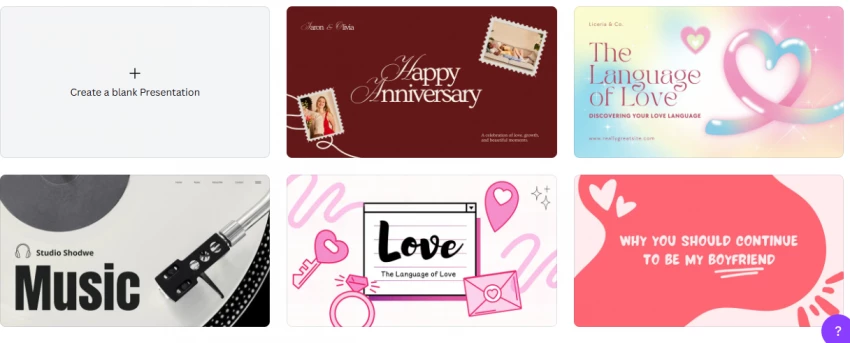
The AI helps you generate slides, but the real strength is still the design system. Fonts, layouts, colors, everything feels visually balanced without much effort.
It’s the easiest tool if you care about presentation aesthetics.
But the content side feels light. The AI gives you a structure, but not depth. You often end up rewriting most slides to make them meaningful. Also, many outputs start to feel similar if you use it repeatedly.
Takeaway: Canva AI can produce the shell of a presentation, but Canva’s design library, not its writing model is the main reason to use it.
Canva works best for
It is particularly useful for marketing decks, event presentations, social campaigns, training material, portfolios, classroom slides, and visually led proposals.
Canva also offers free and paid tiers. Some AI features, premium assets, brand controls, and higher usage allowances may depend on the selected plan.
Pitch
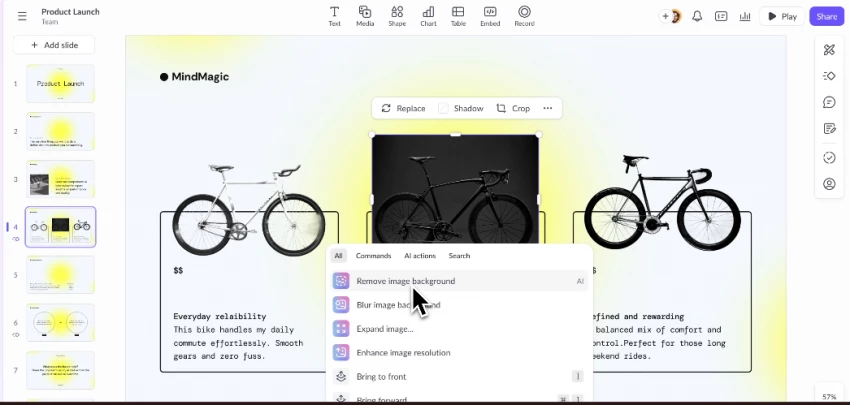
Pitch is not trying to be the fastest tool. It’s built for teams.
The experience feels structured. You can collaborate, edit together, and keep everything aligned.
It’s useful when presentations are part of a workflow, not a one-time task.
But for quick generation, it feels slower. You don’t get that instant “ready draft” feeling like Gamma. It also takes a bit of time to get used to how everything is organized.
Takeaway: Pitch is not the best tool for generating a disposable deck in a few minutes; it is better for organisations that repeatedly create and revise presentations together.
Pitch works best for
Pitch suits startups, agencies, sales teams, product teams, and remote organisations that need comments, shared templates, brand consistency, and collaborative editing.
SlidesAI
This is for when you already have content, but don’t want to turn it into slides manually.
You paste your text, and it converts it into a structured presentation inside Google Slides.
It doesn’t try to be fancy. It focuses on speed and structure.
That’s what makes it useful.
You don’t have to think about slide breaks, headings, or flow. It does that automatically and gives you a clean draft you can quickly edit.
It works best when you already know what you want to say, but don’t want to spend time formatting it into slides.
Where it starts slipping is design. The output is simple and sometimes feels basic. You still need to adjust visuals if you want something more polished. Also, if your input text isn’t clear, the slides can feel uneven or poorly split.
Takeaway: SlidesAI saves formatting time more reliably than it creates original presentation ideas.
SlidesAI works best for
It is a practical option for students, educators, researchers, trainers, and professionals who already have the content and primarily need help converting it into slides.
Plus AI
This one is for people who don’t want to switch tools.
It works inside PowerPoint and Google Slides. That alone makes it practical.
You can generate slides, improve existing ones, and keep your original templates.
The limitation is that it doesn’t push design forward. It stays safe. Outputs are clean but not impressive. Also, most features are behind a paywall, so you don’t really get much before committing.
Takeaway: Plus AI does not always create the most impressive first draft, but it can create the least disruptive handoff for professional presentation workflows.
Plus AI works best for
It suits consultants, sales teams, analysts, executives, and organisations that already rely on Microsoft PowerPoint or Google Slides.
Which AI presentation maker creates the best first draft?
Gamma produced the strongest starting point when the goal was to move from a short prompt to a complete presentation quickly.
Its generated decks generally require less initial layout work than those produced by tools that focus primarily on converting existing content. It is particularly effective at creating a sense of structure before the user has decided on every slide.
However, the best first draft is not automatically the best final file.
Canva offers better visual refinement. Plus AI fits established business workflows more naturally. SlidesAI handles prepared content efficiently, while Pitch provides stronger collaboration for teams.
Which tool requires the least editing?
The answer depends on the type of editing involved.
Editing requirement
Better choice
Reorganising an early idea
Gamma
Replacing visuals and changing the design
Canva
Collaborating with colleagues
Pitch
Converting finished writing into slides
SlidesAI
Maintaining a PowerPoint or Google Slides workflow
Plus AI
For a web presentation, Gamma may require the least work. For a branded marketing deck, Canva provides a better editing environment. For an existing corporate template, Plus AI may prevent the most rework.
My final recommendation
There is no single best AI presentation maker for every user.
Choose Gamma when speed and initial structure matter most. It creates the quickest convincing first draft, but the writing and exports require careful review.
Choose Canva when presentation design is the priority. Its AI content needs improvement, but its editing tools and visual library make refinement easier.
Choose Pitch when presentations are created by a team. Its collaboration and shared-workspace approach matter more than instant slide generation.
Choose SlidesAI when your content is already written. It is most valuable as a text-to-slides formatter rather than an independent presentation strategist.
Choose Plus AI when PowerPoint or Google Slides is non-negotiable. Its outputs are more conservative, but the native editing workflow can save significant rebuilding time.
My overall choice for creating a presentation from a rough idea is Gamma. For branded marketing presentations, I would use Canva. For recurring professional decks built in an existing corporate template, Plus AI is the more practical option.
The biggest lesson from using these tools is simple:
The best AI presentation maker is not the one that generates the prettiest first slide. It is the one that creates the most useful starting point for the software, audience, and editing process you already have.