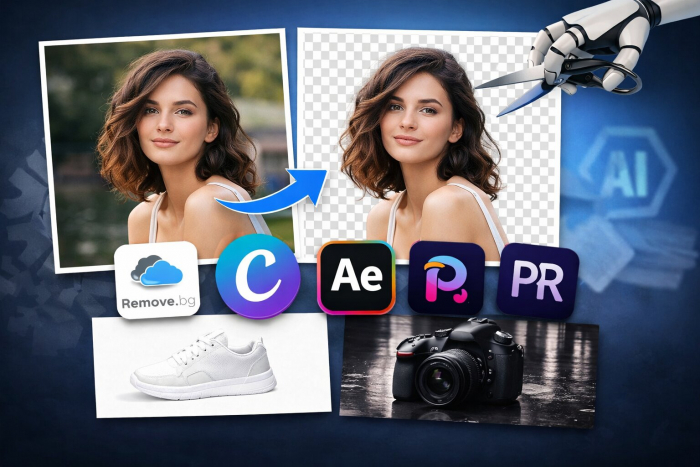
I tested these tools because background removal is something I deal with almost every day. Whether it is product images, thumbnails, or quick social media creatives, this task shows up more often than expected. On the surface, it looks simple, but in practice, it is where most tools start failing.
The biggest issues I noticed were around edges and fine details. Hair was the most difficult. Many tools either cut it too aggressively or leave behind soft, blurry edges. Transparent objects, shadows, and uneven lighting also created problems.
What I actually cared about was clear. Accuracy came first. If edges were not clean, the image was not usable. Speed mattered because this is usually repetitive work. Ease of use mattered when handling multiple images. Pricing also became important because costs increase quickly with volume.
One thing became obvious early. Most tools claim one-click removal, but very few handle real-world images consistently.
I started with Remove.bg because it is often treated as the standard. In my experience, it was the fastest and most consistent tool. Portraits came out very clean, especially around hair and facial edges. Even product images with shadows were handled well most of the time.
What stood out was reliability. I could upload different types of images and still expect usable results. Pricing is usage-based, which matters a lot at scale. It typically costs around $0.20 to $0.23 per image, or you can use subscription plans starting around $9 per month for credits depending on usage.

The limitation showed up with very complex backgrounds or multiple subjects where it sometimes misread edges. Also, if you process images in bulk, the cost adds up quickly. This is best for users who want high accuracy without manual editing.
Then I tested Canva since it is already part of many workflows. The biggest advantage here is convenience. I could remove a background and immediately continue designing without switching tools.
The background remover is part of Canva Pro, which usually costs around $12 to $15 per month, while the free version has limited access. In daily use, this tool works well for simple images and fast content creation. It is especially useful for social media posts where speed matters more than precision.
However, I noticed that edge quality drops with complex visuals. Hair, shadows, and fine details are not handled as cleanly as more specialized tools. It is not a major issue for everyday content, but it becomes noticeable for professional work.
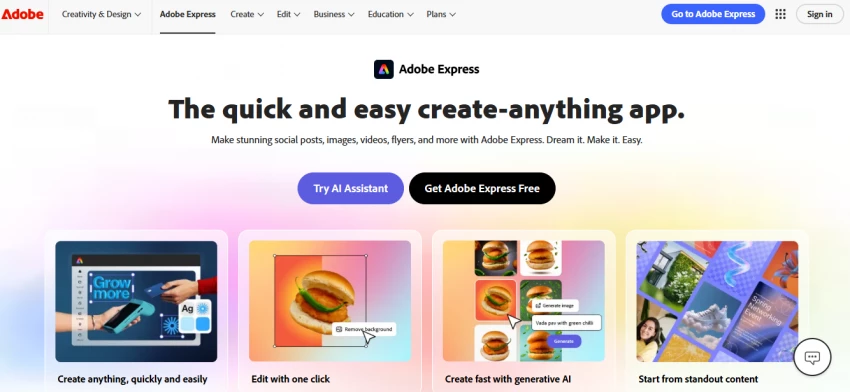
With Adobe Express, the experience felt more balanced. The background removal quality was closer to Remove.bg than Canva in many cases. Edges were cleaner, and outputs looked more refined, especially for well-lit images. (https://www.adobe.com/in/express/)
Pricing typically starts around $9.99 per month, with a limited free plan available. What I found useful was the ability to refine and edit the image immediately after removal. This reduces the need to switch between tools.
However, it is not as fast as Canva, and it still struggles with very fine details like complex hair or transparent edges. It works best for users who want both decent accuracy and an integrated editing workflow.
PhotoRoom was the most impressive for product images. It is clearly optimized for e-commerce use cases. Objects were cut out cleanly, and features like automatic shadows and background generation made outputs look more professional without extra effort.
Pricing includes a free version with limitations, while the Pro plan is usually around $12.99 per month. I noticed it performs very well with product edges, especially for packaging and reflective surfaces. (https://www.photoroom.com/)
The limitation is that it feels specialized. It is excellent for product visuals but less flexible for general creative work.

When I tried Pixa, formerly pixelcut, I noticed it is built for speed. It works well when processing multiple images quickly, which is useful for bulk content creation.
Pricing includes a free plan, with paid plans starting around $9.99 per month. The interface is simple, and results are generated quickly.
However, accuracy was inconsistent. Some images came out clean, while others needed manual fixes. It is useful when speed matters more than precision, but not ideal for high-quality outputs.
Finally, I tested Slazzer. It delivered decent results for basic images where the subject was clearly separated from the background.
Pricing is flexible, usually around $0.13 per image or about $11 per month for subscription plans. It works fine for simple use cases.
However, it struggled with complex scenes. Edge detection was not as sharp, and outputs sometimes required additional cleanup. It feels like a functional option but not one I would rely on consistently.

| Tool | My Experience | Pricing | Rating | Best For |
| Remove.bg | Very fast and consistent with clean edges | $0.20 per image or subscription | ~4.7 | High-quality cutouts |
| Canva | Convenient workflow but less precise edges | $12 to $15 per month | ~4.7 | Social media content |
| Adobe Express | Balanced quality with editing integration | $9.99 per month | ~4.6 | Editing + removal |
| PhotoRoom | Excellent for product images | $12.99 per month | ~4.6 | E-commerce visuals |
| Pixelcut | Fast but inconsistent | $9.99 per month | ~4.5 | Bulk processing |
| Slazzer | Decent but not highly reliable | $0.13 per image or subscription | ~4.4 | Basic use cases |
After using all these tools across different types of images, a few patterns became clear.
No tool consistently handles fine details perfectly. Hair, soft edges, and transparent objects remain difficult across all platforms. Even the best tools get close, but not perfect.
Free tools often limit output quality. Images may look fine on screen but lose detail when downloaded in higher resolution. This becomes noticeable in professional use.
Paid tools improve consistency more than raw accuracy. The difference is not just better outputs, but fewer failed results.
Another important observation is that many tools perform well only in ideal conditions. Clean backgrounds and well-lit subjects produce good results, but real-world images expose limitations quickly.
Best overall tool: Remove.bg
Best free option: Canva
Best for social media: Canva
Best for product images: PhotoRoom
If I had to choose one tool for daily use, I would pick Remove.bg when accuracy matters. It delivers the most consistent results without requiring extra work.
For everyday content creation, Canva makes more sense because it combines removal and design in one workflow. It saves time even if the output is not perfect.
Adobe Express is a strong middle option. It is worth paying for if you want better quality than Canva and still need editing tools in the same place.
Tools like Pixelcut and Slazzer are useful in specific situations, but I would not rely on them for consistent professional results.
The final decision depends on your use case. Background removal is not just about cutting out an image. It is about how clean and usable that output is for your workflow.
Share your thoughts about this article.
Be the first to post a comment!

How this comparison was builtEvery price, limit, credit rule and feature stateme...
Sakshi Dhingra2 hours ago

Gening AI is free, needs no login, and forgets everything the moment you close t...
Nitin2 days ago

My Quick Answer: If you want the single best free collage maker right now, I rec...
Sakshi Dhingra2 days ago

Transparency note before you read further. I have not performed hands on testing...
Deepak Mehra3 days ago

OpenFuture AI is not an app that edits photos or writes copy. It is a directory:...
Harpreet Singh3 days ago

Meta has released Muse Glimmer, a 30-billion-parameter open-weight AI model desi...
Nitin3 days ago