A booking tool can make scheduling easier, but the wrong system can simply move the administrative work somewhere else.
A freelancer may only need a clean booking link and automatic reminders. A salon or clinic may need staff schedules, deposits, intake forms, and recurring appointments. A sales team may need lead routing and round-robin allocation. A busy professional may not need a client booking system at all, they may need an AI calendar that automatically protects time for tasks and focused work.
These are different problems, yet many AI booking tool comparisons treat them as though they are the same.
This guide examines Calendly, Setmore, Cal.com, SimplyBook.me, Reclaim AI, AnveVoice, and Motion according to the scheduling workflow each platform is designed to support. The recommendations are based on documented product capabilities, current pricing information, and practical business requirements, not unsupported claims of original hands-on testing.
The Best AI Booking Tools at a Glance
Tool
Best for
What it primarily manages
Starting paid price
Calendly
Freelancers and professional meetings
External meeting bookings
$10 per seat/month annually
Setmore
Independent service providers
Appointments, reminders, and payments
$5 per user/month annually
Cal.com
Teams requiring routing and customization
Team and infrastructure-level scheduling
$12 per user/month annually
SimplyBook.me
Salons, clinics, trainers, and service businesses
Services, providers, clients, and bookings
From $0
Reclaim AI
Professionals protecting productive time
Tasks, habits, focus time, and meetings
Free; Starter from $12 per seat/month
AnveVoice
Businesses exploring voice-led interactions
Voice conversations and website actions
Free; paid plans from $39/month
Motion
Professionals combining tasks and calendars
Tasks, projects, meetings, and daily planning
$19 per seat/month
Pricing can change and may vary by billing cycle, region, usage, or selected features. Verify the final amount before subscribing.
First Decide Which Scheduling Problem You Have
The term “AI booking tool” now covers several different software categories.
Scheduling problem
Tool category needed
Suitable options
Clients need to choose an available meeting time
Meeting scheduler
Calendly or Cal.com
Customers book paid services with staff members
Appointment management system
Setmore or SimplyBook.me
Meetings must be distributed among team members
Routing and team scheduler
Cal.com or Calendly Teams
Tasks keep losing calendar space to meetings
AI calendar optimizer
Reclaim AI or Motion
Customers prefer speaking instead of completing forms
Voice interaction layer
AnveVoice
Projects, deadlines, and meetings must share one plan
AI work planner
Motion
This distinction matters because Reclaim AI and Motion are not direct substitutes for SimplyBook.me. Similarly, a full service-business platform may be unnecessary for a consultant who only wants to share a discovery-call link.
Best for Individuals and Freelancers
Calendly
Calendly is the most straightforward choice for people who primarily schedule calls rather than manage a service business.
Users can create event types, connect calendars, define availability, add buffers, automate reminders, and share booking links. Its Standard plan currently starts at $10 per seat per month with annual billing, while Teams starts at $16 per seat per month. Calendly also offers a permanent free plan for basic personal scheduling.
Calendly supports payment collection through services such as Stripe, allowing consultants and other professionals to charge clients during the booking process.
Where Calendly fits operationally
Calendly works best when the workflow is:
Choose meeting type → select available time → answer a few questions → receive confirmation
That makes it suitable for:
discovery calls;
consultations;
interviews;
customer onboarding;
sales demonstrations;
paid one-to-one sessions.
Where it becomes limiting
Calendly is less suitable when the business needs inventory-style service management, multiple treatment rooms, class capacity, memberships, detailed client records, or a point-of-sale workflow.
Its team and routing capabilities are useful, but service businesses may still need a more specialised appointment system.
Practical decision
Choose Calendly when meetings are the product or the gateway to the product. Choose a service-booking platform when the appointment itself involves staff, locations, resources, or recurring customer management.
Rating: 4.7 on G2
Setmore
Setmore sits between a basic meeting scheduler and a full appointment-management platform.
Its free plan supports up to four users, while paid access adds features such as SMS reminders, recurring appointments, two-way calendar syncing, branding controls, payments, and team collaboration. Setmore currently advertises paid plans from $5 per user per month with annual billing.
This makes it more suitable than a standard meeting-link tool for tutors, coaches, photographers, wellness professionals, repair services, and small local businesses.
The useful difference
A meeting scheduler normally asks, “When are you available?”
Setmore also needs to answer:
Which service is being booked?
How long does it take?
Which employee provides it?
What does it cost?
Should the customer pay in advance?
Does the customer need reminders?
Can the appointment repeat?
Setmore supports payment collection through providers including Square and Stripe, without adding its own charge beyond the payment provider’s transaction fees.
Where it may fall short
Businesses with many branches, complex service categories, memberships, extensive intake requirements, or advanced marketing workflows may outgrow its simpler structure.
Practical decision
Choose Setmore when Calendly feels too meeting-oriented but SimplyBook.me appears more complex than the business currently requires.
Best for Businesses and Teams
Cal.com
Cal.com is designed for users who want greater control over booking logic, team routing, APIs, and scheduling infrastructure.
Its individual plan is free and includes unlimited event types and bookings. The Teams plan starts at $12 per user per month with annual billing and adds round-robin scheduling, managed event types, routing forms, team workflows, notifications, analytics, and APIs. The Organizations plan starts at $28 per user per month annually and adds broader administrative, security, and organizational controls.
Where Cal.com creates more value
Cal.com is useful when the business needs to control what happens before a booking reaches a calendar.
For example, a routing form can ask about company size, region, product interest, or customer type before assigning the meeting to an appropriate team member.
This makes it suitable for:
sales teams;
recruitment teams;
customer success departments;
multi-department organizations;
software businesses embedding scheduling into their products.
The setup trade-off
Greater flexibility creates more configuration work.
A solo freelancer who only needs one meeting link may gain little from routing logic, APIs, organizational permissions, and team event management. Cal.com becomes more valuable when scheduling is part of a wider business process rather than a standalone administrative task.
Practical decision
Choose Cal.com when booking rules need to adapt to the customer, team, department, or application, not simply display available time slots.
SimplyBook.me
SimplyBook.me is a fuller booking system for businesses where appointments involve specific services, staff members, locations, or customer requirements.
Its feature set includes customizable booking websites, service providers, calendar synchronization, intake forms, deposits, payments, waiting lists, memberships, promotions, reminders, and business analytics.
The platform offers a free plan, with paid subscriptions increasing according to booking volume and the number of custom features required. Current plans range from free access to Premium at $59.90 per month, with separate enterprise arrangements available.
Why feature count is not the main question
SimplyBook.me offers a large number of configurable features, but businesses should not activate everything immediately.
Each additional feature introduces another rule that staff and customers must understand. For example:
deposits affect refunds and cancellations;
intake forms create data-handling responsibilities;
memberships affect access and renewal logic;
multiple providers require accurate availability;
locations introduce travel and staffing constraints;
waiting lists require timely notifications.
The platform is most valuable when these operational requirements genuinely exist.
Where it fits best
SimplyBook.me is suitable for:
salons and spas;
clinics and wellness providers;
fitness businesses;
training providers;
tutors and education services;
multi-provider professional services;
businesses selling appointments, classes, or packages.
Practical decision
Choose SimplyBook.me when the business is managing appointment operations, not merely arranging meetings.
Reclaim AI addresses a different problem from traditional booking software.
Instead of primarily helping customers reserve appointments, it automatically places tasks, habits, breaks, focus time, and meetings into the user’s calendar. When conflicts arise, it can adjust flexible items while attempting to preserve priorities.
Reclaim currently offers a free individual plan. Its Starter plan begins at $12 per seat per month, while higher tiers provide additional AI agents and team functionality.
The scheduling problem Reclaim solves
A booking link only protects the time already marked unavailable.
It does not automatically recognise that a proposal needs two hours, a report is due tomorrow, or a recurring habit should move when a meeting appears.
Reclaim is designed to place those flexible commitments into the calendar and reorganize them when the schedule changes.
Important limitation
Reclaim should not be selected as the main booking platform for a salon, clinic, or other service business. It does not replace provider management, service menus, deposits, client intake, or location-based scheduling.
Practical decision
Choose Reclaim when the biggest problem is not acquiring bookings but preventing meetings from consuming all available working time.
Best AI-First Automation Tools
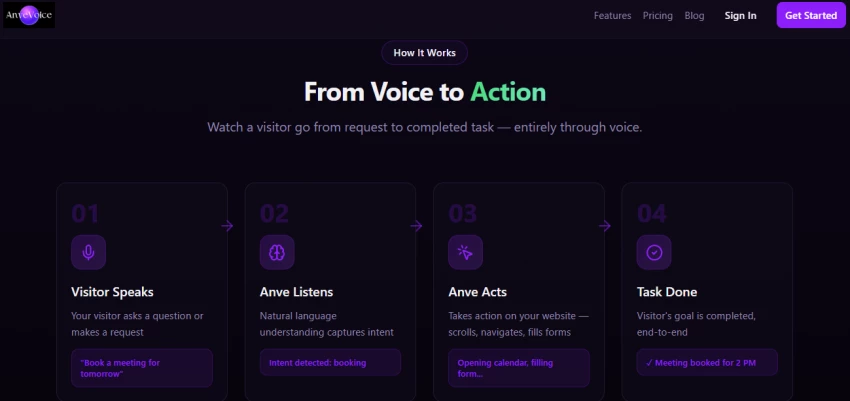
AnveVoice
AnveVoice differs substantially from the established scheduling platforms in this article.
Its current product positioning centres on voice AI embedded into websites. The available Shopify listing describes voice bots, website embedding, analytics, API access, and paid plans beginning at $39 per month.
This makes it better understood as a voice interface that may support customer actions rather than a mature, standalone appointment-management platform comparable to Calendly or SimplyBook.me.
Why the distinction matters
A voice agent may help customers navigate a website, provide information, complete fields, or initiate a booking flow. However, the underlying calendar, availability rules, staff schedules, payments, reminders, cancellations, and customer records still need to be managed somewhere.
Businesses considering a voice layer should confirm:
Requirement
Question to ask
Calendar connection
Which calendars and booking platforms are supported?
Conflict prevention
How are double bookings prevented?
Escalation
What happens when the AI cannot understand the caller?
Confirmation
Does the customer receive email or SMS confirmation?
Cancellation
Can the voice system modify existing appointments?
Languages
Which accents and languages are reliably supported?
Privacy
Where are voice recordings and customer details stored?
Pricing
Is usage limited by calls, minutes, tokens, or interactions?
Practical decision
Do not select AnveVoice solely because voice booking sounds more advanced. First establish whether customers genuinely prefer voice interaction and whether the system connects reliably with the business’s existing booking infrastructure.
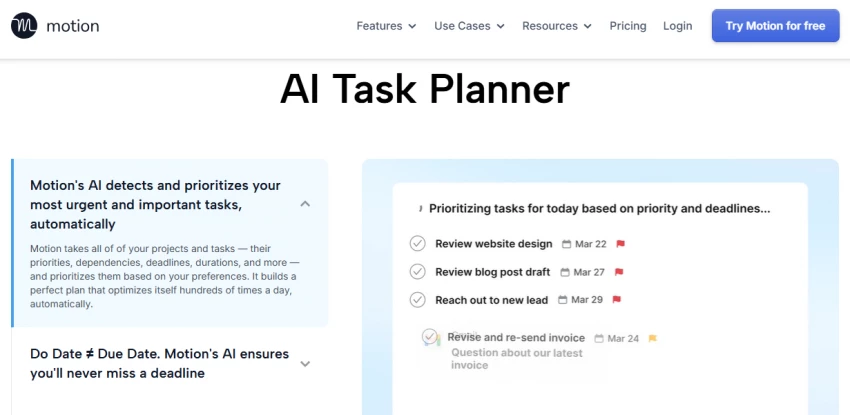
Motion combines an AI calendar with tasks, projects, meeting scheduling, documents, and planning tools.
Its Pro AI plan currently starts at $19 per seat per month and includes AI calendar management, projects and tasks, meeting support, documents, notes, and automatic task planning.
Motion’s calendar is designed to prioritize tasks, identify deadlines at risk, arrange work around meetings, and recalculate the schedule when plans change.
Where Motion differs from Reclaim
Both tools protect working time, but their product emphasis differs.
Requirement
Reclaim AI
Motion
Automatically place tasks on the calendar
Yes
Yes
Protect habits and recurring routines
Strong focus
Available within broader planning
Project and task management
More calendar-centred
Central part of the platform
Documents and workspace features
Limited compared with Motion
Included
External client booking
Secondary capability
Available but not its sole focus
Best fit
Calendar optimization
AI-assisted work management
Hidden adoption cost
Motion may replace several tools, but only when users move their tasks, projects, deadlines, and planning habits into the platform.
A team that continues managing tasks elsewhere may pay for functionality it does not fully use. The relevant cost is therefore not only the subscription; it is also the effort required to change the team’s work process.
Practical decision
Choose Motion when tasks, projects, meetings, and deadlines need to be planned together. Choose a simpler scheduling tool when only client bookings need to be managed.
Comparison Table
Tool
Starting Price
Rating
Best Use Case
Key AI Feature
Calendly
$10/month
4.7
Individuals
Smart scheduling
Setmore
$9/month
4.6
Freelancers
Automated reminders
Cal.com
$12/month
4.7
Teams
Smart routing
SimplyBook.me
$9.9/month
4.6
Service businesses
Booking automation
Reclaim AI
$8/month
4.7
Productivity
Predictive scheduling
AnveVoice
$30/month
4.5
Voice booking
AI voice assistant
Motion
$19/month
4.6
Teams
Schedule optimization
A Five-Minute Buying Checklist
Before selecting a platform, answer these questions:
Question
Why it changes the decision
Are people booking meetings or paid services?
Determines whether you need Calendly-style scheduling or a service platform
Does each booking require a specific employee or location?
May require Setmore or SimplyBook.me
Do leads need qualification before scheduling?
Makes routing forms valuable
Should customers pay or leave a deposit?
Narrows the suitable plans and integrations
Are no-shows a serious cost?
Prioritizes SMS reminders, deposits, and cancellation rules
Do internal tasks lose time to meetings?
Points toward Reclaim or Motion
Does the system need to connect with business software?
Makes APIs and integrations important
Will several employees administer the platform?
Requires permissions and governance
Are customers likely to book by phone or voice?
May justify a voice interface
Can staff maintain a more complex system?
Prevents buying features the team will not use
Final Recommendations
Calendly is the safest general recommendation for freelancers and professionals who primarily schedule meetings.
Setmore offers a better balance for small service businesses that need appointment reminders, recurring sessions, customer payments, and multiple staff accounts.
Cal.com is the strongest option for customizable team routing, APIs, and scheduling infrastructure.
SimplyBook.me is the most complete choice in this group for businesses managing services, providers, clients, locations, and appointment-specific rules.
Reclaim AI is better for people whose real problem is protecting focus time and fitting tasks around meetings.
Motion is the stronger option when calendar planning must be connected with project and task management.
AnveVoice should be considered an emerging voice interface rather than a proven replacement for a complete booking platform. Confirm its calendar integrations, escalation process, privacy controls, and booking management capabilities before adoption.
The best tool is therefore not the one with the longest feature list. It is the one that removes the most expensive scheduling failure from the business without introducing an unnecessarily complicated workflow.