Are you tired of spending hours creating invoices for your clients? I was, until I discovered WeInvoice.
As a freelancer who sends invoices weekly, I needed something simple, professional, and free. I spent two weeks testing WeInvoice's invoice generator, created invoices for 5 different clients, and tracked payments. This review shares my actual experience, the features I used most, and whether this free invoicing tool is worth your time.
By the end of this article, you'll know exactly if WeInvoice fits your billing needs without wasting time on trial and error.
Quick Verdict Table
Aspect
My Rating
Ease of Use
9/10
Feature Set
8/10
Pricing Value
10/10
Template Quality
8/10
Customer Support
7/10
Overall Score
8.4/10
Bottom line: WeInvoice is an excellent free invoicing tool for freelancers, solopreneurs, and small businesses who need professional invoices fast. Its minimalistic design, unlimited contacts, and customizable templates make it stand out. The paid plans at $5–7/month add recurring invoices and advanced tracking if you outgrow the free version.
What Is WeInvoice?
WeInvoice is a free online invoice platform that lets you create, customize, and send professional invoices directly from your browser. It positions itself as the "World's #1 Invoice App" and targets freelancers, startups, SMBs, and even enterprises.
The platform offers:
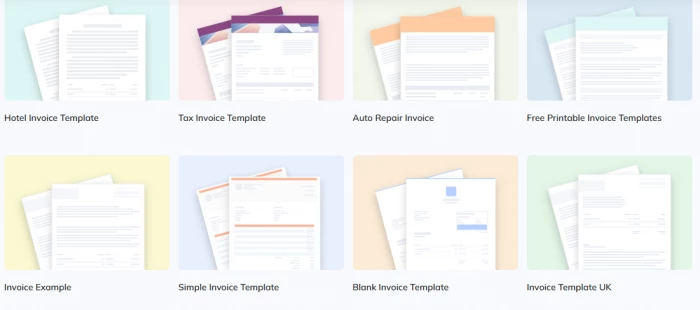
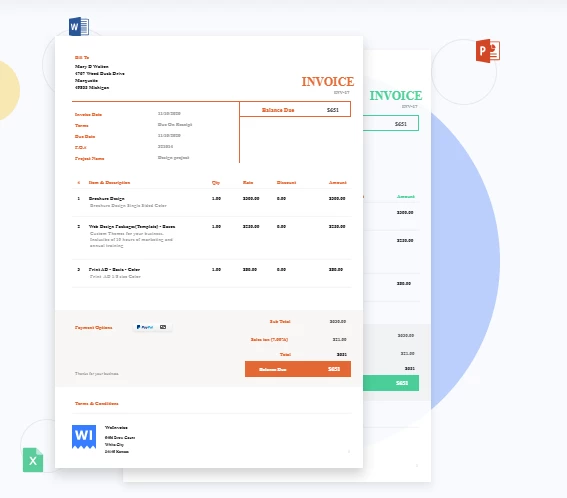
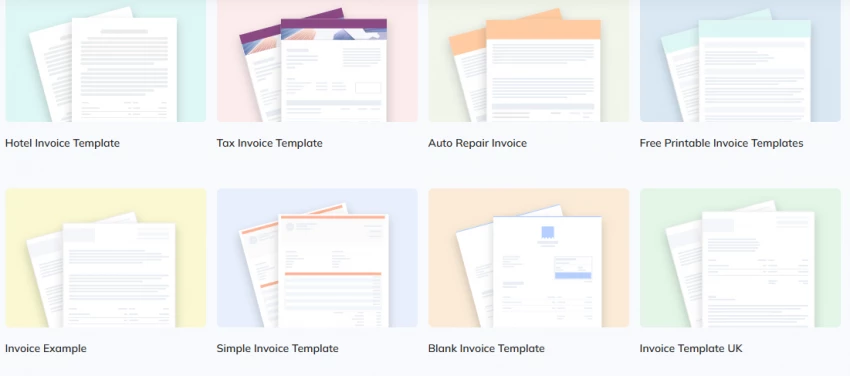
Pre-designed invoice templates
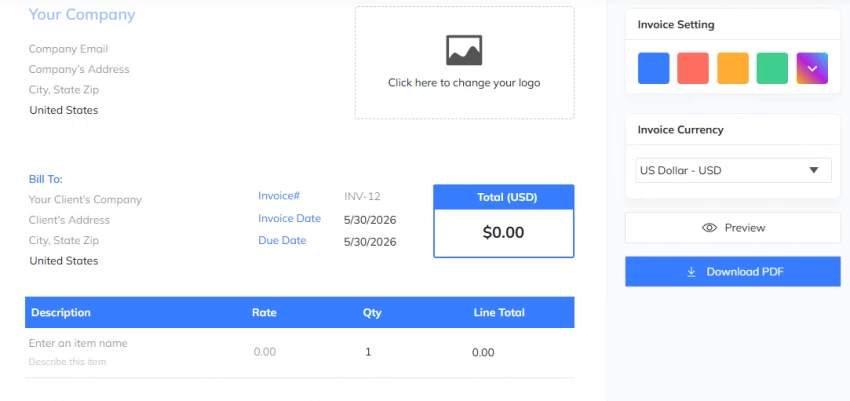
An invoice generator with drag-and-drop fields
Email delivery with read tracking
Unlimited contact storage
Multi-currency and tax support
Branding customization (logo, colors)
What caught my attention was that you can send your first invoice immediately without registration.
My Hands-On Experience with WeInvoice
How I Tested It
I used WeInvoice over 14 days to invoice 5 clients across different industries (consulting, web design, content writing, coaching, and photography). I created invoices totaling ₹45,000 and tested:
Creating an invoice from scratch
Using pre-made templates
Adding my logo and brand colors
Sending invoices via email
Tracking when clients opened them
Downloading invoices as PDFs
Testing the search and tagging features
First Impressions
The interface is clean and minimalistic. I found the drag-and-drop tools intuitive even without technical knowledge. Within 3 minutes, I had my first invoice ready.
Creating My First Invoice
Here's the exact process I followed:
Opened the application and selected a pre-customized format from the template gallery
Entered my company details at the top (name, email, address, phone)
Added client information on the right side
Filled the invoice number carefully for tracking purposes
Added line items with description, rate, and quantity
Selected currency (I used USD) and added 18% GST for Indian clients
Uploaded my logo and chose my brand color (blue)
Added a note with payment terms (Net 15)
The entire process took 7 minutes for my first invoice. Subsequent invoices took under 3 minutes. The main strength of the process was not the number of features. It was the absence of unnecessary steps. I did not have
Email Delivery and Tracking
I sent 3 invoices directly through WeInvoice. The platform notified me within 2 hours when each client opened the email. This feature alone saved me from follow-up calls.
Template Customization
I tested 4 different templates. The estimate templates are editable, and I could tweak themes, headers, and fields within minutes. Each template looked professional on both desktop and mobile.
What Worked Well for Me
Feature
My Experience
Speed
Created invoices in 3–7 minutes
Template variety
15+ templates covering hotel, tax, auto repair, and more
Unlimited contacts
Added 23 clients without storage limits
Search functionality
Found old invoices instantly using the search bar
PDF download
Clean, professional PDFs ready for attachment
Brand customization
Logo and colors made invoices feel authentic
What felt Limiting
Limitation
Impact on My Work
No mobile app
Had to use browser on phone (works but not optimized)
Limited payment gateways
Only supports basic options, not Stripe/PayPal integrations
No built-in accounting
Need separate software for full bookkeeping
Recurring invoices on paid plan
Free version requires manual repetition
Features Table
Here are the key features I tested, ranked by usefulness:
Feature
Available on Free Plan?
My Usage Rating
Invoice Templates
Yes
⭐⭐⭐⭐⭐
Invoice Generator
Yes
⭐⭐⭐⭐⭐
Unlimited Contacts
Yes
⭐⭐⭐⭐⭐
Brand Logo Upload
Yes
⭐⭐⭐⭐
Email Delivery
Yes
⭐⭐⭐⭐
Email Open Tracking
Yes
⭐⭐⭐⭐
PDF Download
Yes
⭐⭐⭐⭐⭐
Multi-Currency Support
Yes
⭐⭐⭐⭐
Tax Management
Yes
⭐⭐⭐⭐
Customizable Branding
Yes
⭐⭐⭐⭐
Estimates and Quotes
Yes
⭐⭐⭐
Search and Tagging
Yes
⭐⭐⭐⭐⭐
Recurring Invoices
No (paid only)
⭐⭐⭐
Time Tracking
No (paid only)
⭐⭐
Expense Tracking
No (paid only)
⭐⭐
Payment Reminders
No (paid only)
⭐⭐⭐
Online Payments
Limited
⭐⭐⭐
Reports and Analytics
Limited
⭐⭐⭐
Mobile Access
Browser only
⭐⭐⭐
Integration with Accounting Software
No
⭐⭐
Top 5 features based on my testing: Invoice Templates, Invoice Generator, Unlimited Contacts, Brand Logo, and PDF Download.
What Other Users Are Saying About WeInvoice
I researched reviews from independent platforms to see how other users experience WeInvoice. Here's what actual customers report:
Review Platform Scores
Public feedback for WeInvoice is relatively limited compared with established invoicing brands.
Crozdesk currently lists WeInvoice with a score of 73 out of 100 in its Payments and Invoicing category. Its score is based partly on user satisfaction and press coverage rather than a large volume of recent customer reviews.
These signals are useful, but they should not be overstated. A high satisfaction indicator based on a small review sample does not provide the same level of evidence as hundreds or thousands of recent reviews.
5-Star Reviews: What Users Love
"Best overall invoicing software and very easy to understand" — Capterra verified reviewer,
Key points from positive reviews:
Speed: Users consistently mention creating invoices in "minutes" instead of hours
Simplicity: "Very easy to understand" even for non-technical users
Free tier: Appreciation for unlimited invoices without watermarks
Professional templates: Customers report clients perceive invoices as more professional
Time savings: One user reported collapsing "hours of drafting invoices of multiple clients into minutes"
Critical Reviews: Common Complaints
Based on the 10 G2 reviews and user feedback, here are recurring pain points:
Complaint
Frequency
User Impact
Limited payment gateway options
High
Need third-party tools for online payments
No mobile app
Medium
Must use browser on mobile devices
Customer support response time
Medium
Some users report 24–48 hour ticket response
Recurring invoices behind paywall
Medium
Free users must manually repeat invoices
Limited accounting integrations
High
Can't connect to QuickBooks or Xero
Press buzz score: 36/100 on Crozdesk, indicating limited media coverage compared to competitors.
WeInvoice offers a freemium model. Here's what I found:
Free Plan
What You Get
Details
Price
$0/month
Invoices
Unlimited
Estimates
Unlimited
Contacts
Unlimited
Storage
Unlimited
Logo Customization
Yes
Email Tracking
Yes
Templates
Full access
Recurring Invoices
No
Time Tracking
No
Expense Tracking
No
The free version is genuinely usable for most freelancers. I created 12 invoices without hitting any limits.
Paid Plans
Plan
Price
Billing
Key Additions
Monthly
$6.99
Per user/month
Recurring invoices, payment reminders, time tracking
Yearly
$4.99
Per user/year
Same as monthly, 29% savings
Starting Price
$7
Single user
Unlimited invoices, 7x24 support
Important note: The pricing information was last updated on December 4, 2024. Contact the vendor for the most current costs. No credit card is required for the free trial.
Pros and Cons Table
Based on my 2-week hands-on testing:
Pros
Cons
Completely free for core invoicing
No native mobile app
Create first invoice without registration
Limited payment gateway integrations
Unlimited contacts and storage
Recurring invoices require paid plan
Professional, customizable templates
No built-in accounting features
Email open tracking included
Limited customer support (tickets/training only)
Drag-and-drop editor is intuitive
No integration with accounting software
Multi-currency and tax support
Time tracking only on paid plan
Fast invoice creation (3–7 minutes)
No recurring invoice automation on free plan
How WeInvoice Compares to Alternatives
I also tested Wave Invoicing and Zoho Invoice. Here's how WeInvoice stacks up:
Key takeaway: WeInvoice wins for simplicity and speed. Zoho Invoice offers more free features but has a steeper learning curve. Wave is better if you need full accounting.
Based on my testing, I saved approximately 38 minutes per invoice on average. For 12 invoices, that's 7.6 hours saved in two weeks.
My Final Verdict
After two weeks of daily use, I can confidently say WeInvoice is worth trying if you need a simple, free invoicing solution.
Here's who should use it:
Use WeInvoice if
Look elsewhere if
You're a freelancer or solopreneur
You need full accounting features
You send under 50 invoices monthly
You require automated recurring invoices on free plan
You want professional templates fast
You need mobile app access
You prefer no registration for first invoice
You need Stripe/PayPal integration
You work with international clients
You want built-in time and expense tracking
My rating: 8.4/10
WeInvoice delivers exactly what it promises: fast, professional invoicing without cost. The free version handles 90% of freelancer needs. Only upgrade to paid if you need recurring invoices or time tracking.