Technology
13 min read
Best AI Tools for Blogging: Enhance Your Content Creation

AI has made it easier to produce a blog post. It has not made it easier to produce a blog post that deserves to rank, earn links or be quoted by another website.
Almost every major AI writing platform can now generate a title, outline and 1,500-word draft. That is exactly why those outputs are becoming less valuable. When thousands of publishers use similar prompts and similar source material, they end up publishing similar advice in slightly different words.
The real advantage does not come from finding one tool that writes everything. It comes from assigning different tools to research, drafting, verification, optimization and editing while keeping original experience and editorial judgment at the centre.
The best AI blogging workflow does not remove the writer. It removes the repetitive work that keeps the writer away from original research, examples and analysis.
This guide compares the most useful AI tools for bloggers by the job they perform rather than by the size of their feature lists.
| Tool | Best role in a blogging workflow | Main strength | Main limitation |
|---|---|---|---|
| ChatGPT | Planning, drafting and restructuring | Flexible across many content tasks | Can produce generic claims without strong context |
| Claude | Long-form drafting and editorial revision | Handles lengthy material and detailed instructions well | Facts still require independent verification |
| NotebookLM | Source-grounded research | Answers from selected sources with citations | Quality depends on the sources you provide |
| Perplexity | Early-stage web research | Finds sources and provides a quick topic overview | Should not replace opening and checking original sources |
| Surfer | Search-content optimization | SERP-based entities, structure and content guidance | Scores can encourage over-optimization |
| Frase | Briefs and competitor research | Combines research, questions and content planning | Generated briefs still need editorial refinement |
| Jasper | Brand-controlled marketing content | Stores brand voice, audience and company knowledge | More useful for teams than occasional bloggers |
| Grammarly | Final editing and tone control | Grammar, clarity and paragraph-level revision | Cannot verify whether a claim is true |
| Canva | Blog graphics and social assets | Fast templates and accessible visual tools | Template-heavy designs can look repetitive |
| Originality and plagiarism tools | Final quality-control checks | Helps identify copied or highly derivative passages | AI-detection scores are not proof of authorship |
ChatGPT is the most versatile option for bloggers who want one tool to handle several stages of production.
It can turn rough notes into an outline, identify gaps in an argument, rewrite a confusing section, create comparison criteria and adapt a draft for different audiences. OpenAI describes it as useful for turning ideas into polished writing, drafting posts and editing material as the author’s thinking develops.
Its weakness appears when bloggers provide only a title and ask for a complete article. The result will often contain predictable introductions, obvious benefits, repetitive transitions and conclusions that merely restate earlier sections.
A better prompt gives it evidence and constraints:
Using the attached interview notes, product documentation and survey results, build an article outline. Separate verified findings from my observations. Highlight questions that the supplied evidence cannot answer. Do not create statistics, user experiences or product claims.
This changes ChatGPT from an automatic article generator into a reasoning and organization layer.
Best use: Outlining, restructuring, comparison frameworks and targeted rewriting
Do not rely on it for: Unchecked statistics, current pricing or invented product testing
Claude is particularly useful when the input is long. A blogger can provide research notes, interview transcripts, style requirements and an existing draft, then ask it to reorganize the material without losing important details.
It is valuable for developmental editing rather than simple proofreading. For example, it can identify where an argument jumps too quickly, where two sections repeat one another or where the conclusion is unsupported by the evidence.
A useful editing instruction is:
Act as a critical editor. Mark every paragraph that contains a conclusion stronger than the supporting evidence. Identify repeated ideas, generic statements and sections that could have been written without first-hand knowledge. Suggest a more defensible replacement for each one.
This produces more editorial value than asking Claude to “make the article better.”
Best use: Long-form revision, tone consistency and reasoning across large drafts
Do not rely on it for: Treating confident language as proof of factual accuracy
NotebookLM is one of the more useful research tools for bloggers working with reports, PDFs, transcripts and official documentation.
Instead of asking a general model to answer from broad learned knowledge, the blogger adds selected sources to a notebook. NotebookLM can then answer questions using direct quotations, text and images from those sources while showing citations that lead back to the relevant passage.
That makes it useful for:
The important limitation is that source grounding does not guarantee source quality. Uploading five weak affiliate articles will produce a well-cited summary of weak affiliate articles.
For a stronger notebook, prioritize official documents, original studies, regulatory filings, product documentation, interview transcripts and reputable reporting.
Best use: Evidence extraction and document-based research
Do not rely on it for: Deciding whether the original sources are credible
Perplexity is useful at the beginning of a project when the blogger needs to understand the shape of a topic.
It can surface relevant companies, studies, terminology and competing viewpoints quickly. This is helpful when deciding which questions deserve their own sections.
However, an AI-generated research summary should be treated as a map, not as the destination. Open the original links, confirm that the source actually supports the statement and check its publication date.
A practical workflow is:
This reduces the chance that one AI summary becomes the unverified foundation for an entire article.
Best use: Source discovery and early topic exploration
Do not rely on it for: Final citations without checking the original material
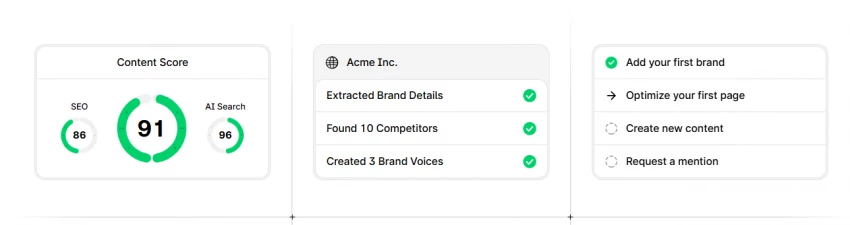
Surfer analyses high-ranking pages and recommends topics, entities, questions and structural changes. Its Content Editor now includes guidance aimed at both conventional SEO and AI-search visibility.
The best time to use it is after the research and first draft are complete.
Starting with an optimization score can cause the article to copy the shape of existing results before the writer has developed an independent angle. That often produces a longer version of what is already ranking rather than a better answer.
Use Surfer to check:
Do not add a phrase repeatedly only to increase the content score. An SEO score is a diagnostic signal, not a measure of expertise or truth.
Best use: Finding coverage gaps and refining on-page relevance
Do not rely on it for: Determining whether the article offers original value
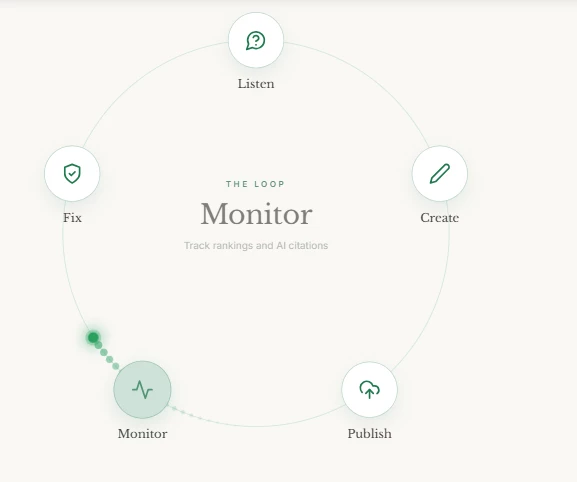
Frase is useful for publishers who need a repeatable briefing process before assigning work to a writer.
It can collect common questions, competitor headings and topical patterns into one workspace. This helps editors understand the baseline information readers are likely to expect.
The resulting brief should still be divided into two layers:
| Baseline layer | Differentiation layer |
|---|---|
| Definitions readers need | Original test or experiment |
| Common questions | Interview or expert commentary |
| Core comparison points | Proprietary data |
| Relevant entities | First-hand screenshots |
| Standard use cases | Contrarian or unexpected finding |
Most generic AI articles contain only the baseline layer. The differentiation layer is what gives another publisher or AI answer engine a reason to reference the page.
Best use: Editorial briefs and competitor-gap research
Do not rely on it for: Producing the article’s unique insight automatically
Jasper is less about generating an isolated blog post and more about maintaining consistency across a marketing team.
Its brand features allow organizations to store audience information, style guidance, company knowledge and examples of existing writing. Jasper says its Brand Voice system can analyse supplied content and create a personalized voice from those examples.
This becomes useful when several writers, freelancers or departments publish under the same brand.
A documented voice system should contain more than labels such as “friendly” or “professional.” Include:
The greater benefit is not that every article sounds identical. It is that articles follow the same standards for clarity, evidence and audience awareness.
Best use: Team-scale brand consistency and marketing workflows
Do not rely on it for: Making generic source material authoritative
Grammarly works well after the writer has settled the article’s facts, structure and argument.
It can identify grammar problems, unclear sentences, awkward phrasing and tone inconsistencies. Its current platform includes paragraph rewrites, tone suggestions, proofreading and personalized writing guidance across supported apps and websites.
The danger is accepting every recommendation automatically. Editing software may simplify a sentence that intentionally uses technical precision or remove personality from a conversational passage.
A useful final edit should ask:
Grammarly can help with the third and fourth questions. The editor remains responsible for the first, second and fifth.
Best use: Grammar, clarity and tone polishing
Do not rely on it for: Fact-checking or editorial judgment
Canva is useful for bloggers who need featured images, diagrams, quote cards, Pinterest graphics and social-media previews without using separate design software.
Its greatest value comes from repurposing. A strong article can become:
A comparison graphic
Avoid adding decorative stock imagery merely to break up text. Visuals should explain something that takes longer to understand in paragraph form.
For example, an article comparing ten tools may benefit from a workflow diagram showing where each product fits. Ten unrelated screenshots would add less value.
Best use: Diagrams, featured images and content repurposing
Do not rely on it for: Replacing original visual evidence or screenshots from real testing
Plagiarism checking remains useful because it can locate exact or closely matching passages published elsewhere.
AI detection is more uncertain. A detector may flag human writing or fail to identify AI-generated material. Its result should not be treated as proof that a writer did or did not use AI.
A stronger quality-control review looks for signals that matter to the reader:
The editorial question should not be “Can this pass an AI detector?” It should be “Could another qualified person verify how this article reached its conclusions?”
A solo blogger does not need every platform.
| Blogging setup | Practical tool combination |
|---|---|
| Solo blogger on a budget | ChatGPT or Claude, Grammarly and Canva |
| Research-heavy publisher | NotebookLM, ChatGPT or Claude, plus manual source verification |
| SEO content team | Frase or Surfer, a general AI assistant and Grammarly |
| Multi-brand marketing team | Jasper, Surfer and a formal editorial approval process |
| News publication | Web research, primary sources, transcription tools and strict human editing |
| Product-review website | Research assistant, testing template, screenshot tools and structured comparison database |
Buying overlapping subscriptions often creates more friction than value. Choose one primary drafting assistant, one research system and one final editing or optimization layer.
The following workflow keeps AI involved without allowing it to become the source of every idea.
1. Define the editorial contribution
Before choosing keywords, write one sentence explaining what the article will add that existing pages do not.
Examples include an original test, a pricing comparison, an expert interview, a proprietary dataset or a clearer explanation of a confusing process.
If that sentence cannot be written, the topic may not yet justify another article.
2. Build an evidence pack
Collect product documentation, studies, reports, screenshots, interviews and competitor claims.
Label each item as primary evidence, secondary reporting or opinion. This prevents an AI-generated summary from being treated as equivalent to an original source.
3. Map the reader’s decision
Identify what the reader must understand, compare or decide after reading.
A strong outline follows that decision path rather than copying the heading sequence of ranking competitors.
4. Draft from evidence
Ask the writing assistant to use only the supplied research for factual claims. Tell it to mark unresolved questions instead of guessing.
Add personal observations, interpretations and examples manually.
5. Run an originality review
Highlight every section that could have been produced without the evidence pack.
These are usually generic explanations, obvious benefits and filler transitions. Replace them with findings, examples or shorter wording.
6. Optimize without flattening the article
Use an SEO tool to find missing coverage, but preserve the article’s original structure and voice.
Do not trade a clear argument for a higher keyword score.
7. Perform a claim-level fact check
Review names, prices, dates, statistics, quotes and product capabilities separately.
Open the original source for every consequential claim. Add an update date and disclose the review methodology when the article depends on hands-on testing.
A useful section in a blog post should ideally contain three elements.
Evidence shows where the information came from. This might be an official source, original measurement, screenshot or interview.
Experience explains what happened when the writer or reviewer applied the information in a real situation.
Explanation tells the reader why the finding matters and how it should affect a decision.
Consider the difference:
“Surfer helps improve SEO by suggesting keywords.”
That statement is accurate but generic.
A stronger version would be:
“Surfer identified six entities missing from the draft, but three were only loosely related to the search intent. We added the two that clarified the comparison and rejected the rest. The final content score was lower, but the article remained easier to read.”
The second version contains an observable process, editorial judgment and a practical lesson. It is more useful and more quotable.
Google does not prohibit content simply because AI was involved. Its guidance focuses on whether the page is helpful, reliable and created primarily for people. It also warns that using generative AI to publish large numbers of pages without adding value may violate its scaled-content-abuse policy.
Google’s newer guidance for visibility in AI-powered search also emphasizes unique, expert-led, non-commodity material. It says established SEO practices remain relevant rather than requiring a separate collection of supposed “GEO tricks.”
That changes the role of AI tools.
They are useful for reducing the cost of organizing information, exploring alternatives and improving language. They are far less useful when asked to invent the evidence, experience and judgment that make a page worth retrieving.
The best AI tool for blogging is not necessarily the one that produces the longest draft or promises a complete post from one keyword.
ChatGPT and Claude are strong general-purpose assistants. NotebookLM is valuable for source-grounded research. Surfer and Frase help identify search and coverage gaps. Jasper supports brand consistency across teams, while Grammarly and Canva improve the final presentation.
The strongest setup is usually a small stack rather than a collection of overlapping subscriptions.
Use AI to accelerate research organization, outlining, revision and optimization. Keep source selection, original testing, interpretation and final accountability with the human author.
That is the difference between using AI to publish more words and using it to build a better blog.
Share your thoughts about this article.
Be the first to post a comment!

A marketing team in 2023 that wanted a two-minute product explainer typically bo...
Sakshi Dhingra2 weeks ago

Two years ago, an AI presenter on screen was a talking point. Today it is a line...
Parveen Verma3 weeks ago

Quick answer: ChatGPT is owned and operated by OpenAI Group PBC, a for-profit pu...
Sakshi Dhingra3 weeks ago

Here is the exact moment most people end up asking this question. You have final...
Nitin1 month ago

A stolen password does not always look suspicious to a login system. If the user...
Deepak Mehra1 month ago

The short versionA Claude API key is created in the Claude Console at platform.c...
Harpreet Singh1 month ago