Technology
14 min read
Autodraft: Animation Tool for Creators and Its Alternatives
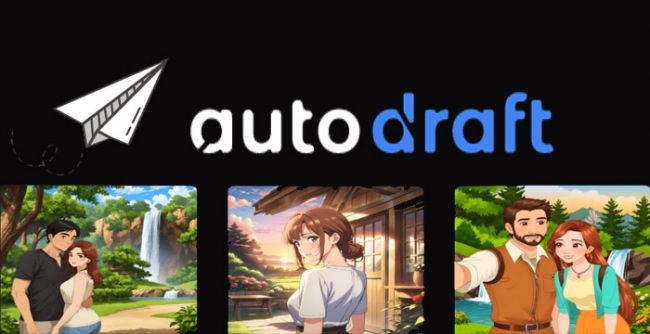
AI animation tools are getting easier to find, but creating a complete animated story is still different from generating a few good-looking images.
That is where AutoDraft AI is trying to position itself.
Instead of focusing only on text-to-image or text-to-video generation, AutoDraft combines character creation, backgrounds, expressions, lip-syncing, voiceovers, props and animation controls inside a single creator-focused workflow.
The platform is particularly aimed at YouTubers and storytellers creating cartoon videos regularly. AutoDraft currently describes itself as an AI animation platform for YouTubers and says creators can generate characters, backgrounds and voices automatically.
But having many AI features does not automatically make a tool the right choice for every creator. The more useful question is where AutoDraft actually fits into a production workflow—and when another animation platform may make more sense.
AutoDraft AI is a browser-based creative platform built around 2D characters, animated storytelling and reusable visual assets.
You can generate characters from prompts, create backgrounds from storyboards and references, add voiceovers, manage layers, apply effects and animate characters using predefined actions and expressions.
According to AutoDraft, the platform currently includes more than 1,000 action controls, over 100 expressions and lip-syncing options, custom props and editing features including chroma key and layer management. It also supports desktop/laptop and mobile platforms.
That combination is important.
Many general-purpose AI generators are impressive at producing one image or short video clip. AutoDraft is more interested in what happens after the first image: keeping a character usable across multiple scenes and giving creators enough controls to build a story around it.
For this update, GeniusFirms reviewed AutoDraft's current product pages, pricing, published workflow, animation controls and publicly available documentation in August 2026.
We also compared its current positioning with competing animation platforms.
We did not complete a paid AutoDraft production project or independently benchmark rendering speed, generation accuracy or output quality. Therefore, this article does not present subjective star ratings or claim measured performance where no controlled test was completed.
That distinction matters when evaluating generative software because output quality can change depending on prompts, art style, characters and the complexity of the project.
AutoDraft covers several stages that would otherwise require separate creative tools.
You can describe a character using a prompt and generate assets that can then be reused inside an animation project.
This becomes especially useful for story-driven channels.
Generating one attractive character is relatively easy with modern AI. Maintaining the appearance of that character while changing expressions, actions and scenes is a much harder production problem.
Character reuse is therefore one of the areas worth paying attention to when comparing AutoDraft with general AI image or video generators.
AutoDraft can generate backgrounds from prompts, storyboards, sketches and reference material.
The platform specifically emphasizes maintaining a consistent visual style between generated assets.
For a creator producing an episodic cartoon, this can be more useful than simply having access to dozens of art styles.
A bedroom that completely changes between two consecutive shots can break visual continuity even when both individual images look good.
Once characters exist, creators can work with actions and facial expressions rather than generating every frame from scratch.
AutoDraft currently advertises 1,000+ action controls as well as 100+ expressions and lip-syncing options.
This makes its workflow closer to a simplified animation studio than a standard prompt-and-download AI generator.
AutoDraft also includes AI voice generation.
Its current website says users can generate voiceovers from hundreds of voice presets.
Having voice creation inside the same environment can reduce the number of files that need to be generated elsewhere, downloaded and imported again.
AutoDraft includes effects, chroma key tools and layer management alongside its AI generation features.
These controls matter because AI-generated assets almost always need some level of adjustment before becoming part of a finished video.
The difference between a novelty AI tool and a production-oriented one often appears at this stage: how much control remains after AI produces the first result?
Consider a creator producing a YouTube cartoon about a detective entering an abandoned library.
The project could begin with generating the detective as a reusable character. Instead of creating every pose independently, the creator could build the character first and then use AutoDraft's available expressions and actions as the story progresses.
A background could then be generated for the library using the same intended visual style.
The creator could place the character into the scene, choose an appropriate action, add dialogue through the voiceover tools and use lip-syncing to connect the voice with the character.
Additional props could be placed around the scene before the final composition is adjusted using layers and effects.
That workflow illustrates the main reason to consider AutoDraft.
The value is not simply that AI can draw a character. The value is having character generation, scene creation, movement, expressions, dialogue and editing connected inside one workflow.
For creators making one isolated AI image, that structure may be unnecessary.
For someone making recurring cartoon episodes, it can become much more relevant.
One of the biggest problems in AI storytelling is continuity.
A prompt may create an excellent character once and then alter the face, clothes, hairstyle or proportions when the next scene is generated.
AutoDraft's focus on consistent character and background assets appears designed specifically around this problem. Its official site describes the platform as capable of creating animation backgrounds and other assets in more than 100 consistent styles.
For story creators, that can matter more than photorealism.
AutoDraft's positioning is unusually specific.
Its website calls it an AI animation tool for YouTubers and highlights cartoon storytelling rather than attempting to serve every possible type of AI video creator.
That narrower focus can be an advantage if your content includes children's stories, horror cartoons, educational animations, nursery rhymes or other recurring illustrated characters.
Generative tools can feel fast until something is almost—but not quite—right.
Having actions, expressions, props, layer controls, chroma key and editing features means creators have options other than repeatedly entering new prompts.
That is a meaningful difference between generating an asset and actually building a scene.
AutoDraft is not automatically the better option simply because it uses AI.
Its strongest use case is also its biggest limitation: it is heavily oriented toward character-driven 2D animation and storytelling.
If your primary goal is corporate training, Vyond may provide a workflow better suited to business communication. If you mainly need social posts and quick visual content, Canva may be simpler. If you require advanced compositing, motion graphics and precise professional control, After Effects operates at a substantially deeper level.
Credit-based AI generation is another consideration.
A polished animated story may require repeated generation and revision of characters, backgrounds and other assets. Creators should therefore evaluate the cost according to their actual production volume, rather than comparing subscription prices alone.
AutoDraft uses a credit-based pricing model.
As of August 2026, its official pricing page lists the following paid options:
| Plan | Monthly Billing | Credits |
|---|---|---|
| Base | $27/month | 1,000 credits/month |
| Pro | $105/month | 4,000 credits/month |
| Base – annual billing | $22/month equivalent | 12,000 credits/year |
| Pro – annual billing | $86/month equivalent | 50,000 credits/year |
| Enterprise | Contact AutoDraft | Custom |
AutoDraft also promotes free signup from its main website.
Because AI software pricing and credit allowances change frequently, check the official pricing page before subscribing.
For animation software, credits should be considered alongside revision frequency.
Suppose one creator accepts most generated assets on the first attempt while another regularly creates four or five variations before choosing one.
Even if both publish the same number of videos, their credit consumption could be very different.
For that reason, the most useful test before purchasing a larger plan is to create the type of scene you expect to produce regularly and observe how many generations it takes to reach an acceptable result.
Benefits of Using AutoDraft AI
AutoDraft's biggest potential benefit is workflow consolidation.
Instead of moving between a character generator, image generator, voice service and animation program for every scene, creators can handle several stages inside the same platform.
It can be particularly useful for:
AutoDraft reports that more than 400,000 creators have used its platform, with more than 30 million assets created and over 6 million minutes of animation downloaded. These numbers are claims published by AutoDraft itself and should be treated as vendor-reported figures rather than independent measurements.
That distinction is worth making whenever evaluating software adoption claims.
For businesses, AutoDraft makes the most sense when animation itself is part of the content strategy.
A marketing team could use it for character-based promotions or explainers. An education business could build recurring lessons around the same animated teacher or mascot. A content studio could develop several recurring story formats without drawing every new background and pose manually.
However, businesses mainly producing presentations, internal training or corporate communication may find platforms built specifically around those workflows more convenient.
The right choice depends less on which platform has the longest feature list and more on what kind of content needs to be produced every week.
AutoDraft AI's overall review footprint is still fairly small compared with established animation platforms, so its ratings need some context.
AutoDraft has ratings on G2, AppSumo and Product Hunt, while GetApp currently shows no published user reviews.
| Review Platform | Rating | Total Reviews |
|---|---|---|
| G2 | 4.6/5 | 4 reviews |
| AppSumo | 4.03/5 | 30 verified purchasers |
| Product Hunt | 3.0/5 | 2 reviews |
| GetApp | No rating yet | 0 reviews |
G2 currently gives AutoDraft AI a 4.6/5 rating from four reviews. However, G2 itself notes that there are not yet enough AutoDraft reviews for the platform to provide broader buying insights.
AppSumo provides a much larger, and more interesting, sample. AutoDraft has a 4.03/5 rating based on 30 verified purchasers. Of those ratings, 21 users gave it five stars, while six gave it only one star. The remaining ratings include one four-star and two three-star reviews.
That split tells us more than the average rating alone.
Positive AppSumo reviewers particularly liked the text-to-image generation, Pose Maker, Creative Upscale and the ability to train characters so their appearance remains more consistent across different generations. One verified buyer said character training worked surprisingly well even when experimenting with unusual subjects such as stuffed animals.
At the same time, the lower ratings show that AutoDraft's experience has not been equally consistent for everyone. Some reviewers complained about generation errors, slow output and difficulty getting support when problems occurred. One verified buyer who retested the platform in 2025 reported repeated generation failures and substantially slower results than another inexpensive image generator.
Product Hunt presents another small sample. AutoDraft currently holds 3.0/5 from two reviews, with 263 followers on its Product Hunt profile.
Meanwhile, GetApp lists AutoDraft but currently shows zero user reviews, so there is not enough information there to calculate an independent rating.
The review data suggests that AutoDraft has real strengths, but the user experience can be uneven.
Its 4.6/5 G2 rating looks impressive, but four reviews are too small a sample to treat that score as definitive. AppSumo's 30 verified-purchaser reviews are more useful because they provide a larger pool and include both enthusiastic and highly critical experiences.
The most encouraging feedback revolves around:
The most notable complaints involve generation reliability, speed, support and the economics of custom-model usage.
For potential buyers, this means AutoDraft should probably be tested with your own animation workflow before committing to a larger subscription. A creator making simple cartoon stories may have a very different experience from someone producing dozens of complex scenes every week.
AutoDraft is not the only platform making animation easier.
The closest alternative depends on the reason you were considering AutoDraft in the first place.
| Tool | Best For | Main Difference From AutoDraft |
| Animaker | Cartoon animations and explainers | Strong template and character-builder ecosystem |
| Vyond | Business and training videos | More enterprise-oriented workflow |
| Canva | Quick social and marketing content | Easier general-purpose design ecosystem |
| Renderforest | Template-based branded videos | Strong templates and broader branding tools |
| Adobe After Effects | Professional motion graphics and VFX | Far deeper control but a much higher learning curve |
Animaker is probably the most direct option on this list for users interested in cartoon creation.
It combines AI animation capabilities with character creation, voice tools, subtitles and traditional animation features. Its current platform also includes a dedicated character builder and AI-assisted 2D animation workflow.
Choose Animaker over AutoDraft if: you prefer a more template-driven animation environment and want a large established library of animated characters and assets.
Choose AutoDraft if: AI-generated story characters and maintaining your own visual style across scenes are more central to your workflow.
Vyond takes animation in a more business-focused direction.
The platform supports animated videos, AI avatars, photorealistic content, mixed media, screen recording and other formats. It also provides business-oriented features for collaboration and brand management.
Choose Vyond over AutoDraft if: you are creating employee training, business explainers, sales videos or corporate communication.
Choose AutoDraft if: you are building cartoon stories or recurring entertainment content rather than corporate videos.
Canva has expanded far beyond static graphic design.
Its animation tools can animate designs, while its AI video features can generate video clips from text and incorporate generated audio.
Choose Canva over AutoDraft if: animation is only one small part of your overall social media or marketing workflow.
Choose AutoDraft if: characters, scenes and animated storytelling are the actual product you are creating.
Renderforest combines video creation with a large collection of customizable animation templates and broader tools for visual branding. Its current platform also includes AI animation generation alongside conventional template-based production.
Choose Renderforest over AutoDraft if: you want to produce branded explainers, promos, logo animations and template-based videos quickly.
Choose AutoDraft if: you want more emphasis on original cartoon characters and recurring animated stories.
After Effects belongs in a different category from most of these tools.
Adobe's software is built for professional motion graphics, character animation, compositing and visual effects, with detailed manual control over animation.
That additional control comes with considerably more complexity.
Choose After Effects over AutoDraft if: you require professional compositing, detailed motion design, keyframe control or advanced visual effects.
Choose AutoDraft if: production speed and accessibility matter more than frame-level control.
The easiest way to choose is to start with the finished video rather than the software.
If you imagine a recurring cartoon character telling stories on YouTube, AutoDraft and Animaker deserve closer attention.
If you imagine an employee explaining a company process, Vyond makes more sense.
If you mainly need Instagram posts, short promotional videos and other marketing assets, Canva may be enough.
If you want fast branded templates and promotional animation, Renderforest is a stronger fit.
And if your goal is professional motion graphics or visual effects, After Effects remains a fundamentally more powerful production environment.
AutoDraft's sweet spot sits somewhere between simple AI generation and traditional animation software.
AutoDraft is most interesting for creators who have moved beyond asking, “Can AI generate an animated image?” and are instead asking, “Can I build an entire repeatable cartoon workflow around AI?”
That is an important difference.
Its combination of character generation, backgrounds, actions, expressions, lip-syncing, voiceovers, props and editing controls gives it a clear identity among AI creator tools.
At the same time, creators should not assume that AI removes the need for creative decisions.
Characters still need to remain visually consistent. Scenes need continuity. Voices need to match. Generations may require revision. Pacing still matters.
AutoDraft can reduce some of the mechanical work surrounding those decisions, but it does not replace storytelling itself.
AutoDraft AI is best understood as an AI-assisted cartoon production platform rather than a simple image generator.
Its strongest appeal is to YouTubers, storytellers and small creative teams that repeatedly need characters, backgrounds, expressions, voices and animated scenes.
For business video, Vyond may be the better fit. For fast template-based animation, Animaker or Renderforest deserve consideration. Canva is more practical for general marketing design, while After Effects remains the option for creators who require professional motion-graphics control.
AutoDraft becomes particularly compelling when character continuity and repeated storytelling matter.
That is the part of the product worth evaluating, not simply whether it can generate an impressive first image.
Share your thoughts about this article.
Be the first to post a comment!
What actually happens in the space between the moment an app builder produces a...
Nitin3 weeks ago
A marketing team in 2023 that wanted a two-minute product explainer typically bo...
Sakshi Dhingra1 month ago

Two years ago, an AI presenter on screen was a talking point. Today it is a line...
Parveen Verma1 month ago

Quick answer: ChatGPT is owned and operated by OpenAI Group PBC, a for-profit pu...
Sakshi Dhingra2 months ago

Here is the exact moment most people end up asking this question. You have final...
Nitin2 months ago

A stolen password does not always look suspicious to a login system. If the user...
Deepak Mehra2 months ago