You-TLDR is useful when you do not want to sit through a full YouTube video just to find the main points. Paste a YouTube link, generate a summary, read the transcript, ask questions, and sometimes repurpose the video into notes or written content.
But it is not the only tool doing this.
Some You-TLDR alternatives are better for students. Some are better for Chrome users. Some are better for creators who want to turn YouTube videos into blogs or social posts. Others are better if you only need free summaries without a full subscription.
So instead of saying one tool is the “best” for everyone, this guide compares You-TLDR alternatives by the kind of work you actually want to do.
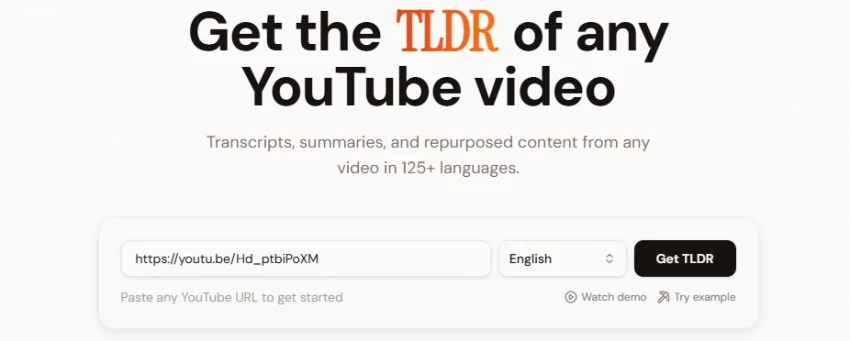
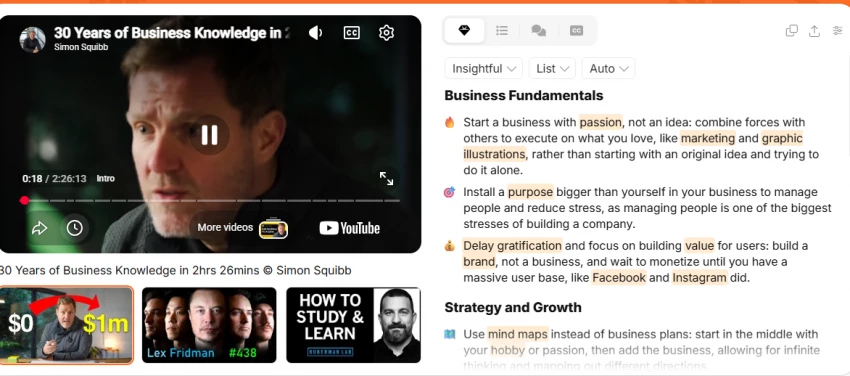
You-TLDR is not a weak tool. In fact, its official website promotes several useful features: YouTube summaries, transcripts, translation, timestamped points, video chat, quizzes, and repurposing into blog posts, LinkedIn posts, X posts, and slides.
The reason people search for alternatives is usually more practical.
They may want:
One thing that can disappoint users with this category is that many tools summarize the video too generally. They give a neat paragraph, but they do not always capture the part you actually came for. That is why timestamped summaries and transcript search are more important than they look at first.
| Workflow | Best Alternative | Why It Makes Sense |
| Fast Chrome-based YouTube summaries | Eightify | Works as a browser extension and is built for quick video takeaways |
| Free YouTube summaries | NoteGPT | Good for simple summaries, notes, and study use |
| YouTube + articles + PDFs | YouTube Summary with ChatGPT & Claude | Useful if you summarize more than videos |
| Study notes from videos | Glasp | Strong for learning, highlights, and knowledge saving |
| Transcripts and meeting-style summaries | Notta | Better if transcription accuracy matters |
| Uploaded video summarization | Happy Scribe | Useful beyond YouTube links and supports video summarization |
| Text summarization after transcript copy | QuillBot Summarizer | Good when you already have transcript text |
| Research-heavy video notes | Otter.ai | Better for transcripts, notes, and searchable audio/video content |
| Simple free YouTube link summaries | TLDR.yt | Lightweight option for quick summaries |
| Creator repurposing | You-TLDR or NoteGPT | Better if you want summaries plus content ideas |
Eightify is one of the most direct You-TLDR alternatives because it works as a YouTube summary Chrome extension. Its Chrome Web Store listing says it creates concise video summaries and extracts key insights from YouTube videos using Claude and ChatGPT. It also says it can summarize videos up to 10 hours long.
This makes Eightify useful if you spend most of your time on YouTube and want summaries without leaving the page.
Where Eightify feels better than You-TLDR:
It is more convenient for browser-first users who want summaries inside their normal YouTube workflow.
Where You-TLDR may still be better:
You-TLDR is stronger if you want a full page with transcript, translation, Q&A, quizzes, downloads, and repurposing features.
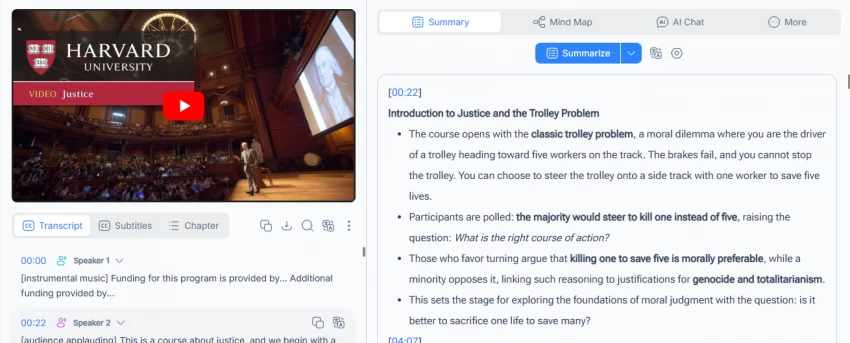
NoteGPT’s YouTube Video Summarizer says users can paste a YouTube link and get a short summary for lectures, tutorials, podcasts, and research videos. This makes it a strong fit for students who want quick notes without building a full content workflow.
The tool feels more study-friendly than creator-focused. If you mainly summarize educational videos, it may be easier to use than a heavier platform.
Where NoteGPT feels better than You-TLDR:
It is simple and useful for study notes, lectures, and quick research.
Where You-TLDR may still be better:
You-TLDR has stronger repurposing features if you want to turn summaries into blogs, social posts, or slides.
YouTube Summary with ChatGPT & Claude is a Chrome extension that says it can summarize YouTube videos, web articles, and PDFs. That makes it different from tools focused only on YouTube.
This is useful if your daily workflow includes videos, articles, PDFs, newsletters, and research pages.
Where it feels better than You-TLDR:
It covers more content types, not only YouTube videos.
Where You-TLDR may still be better:
You-TLDR is more focused on YouTube-specific workflows like transcripts, timestamps, quizzes, and video repurposing.
Glasp is useful if your goal is not just to summarize a video, but to save knowledge from it. It is popular among people who highlight web pages, collect notes, and build learning libraries.
For YouTube learning, this kind of tool makes sense because summaries alone are easy to forget. Highlights and saved notes are better when you want to return later.
Where Glasp feels better than You-TLDR:
It fits long-term learning and knowledge management better.
Where You-TLDR may still be better:
You-TLDR is more direct if you only want a fast video summary and transcript.
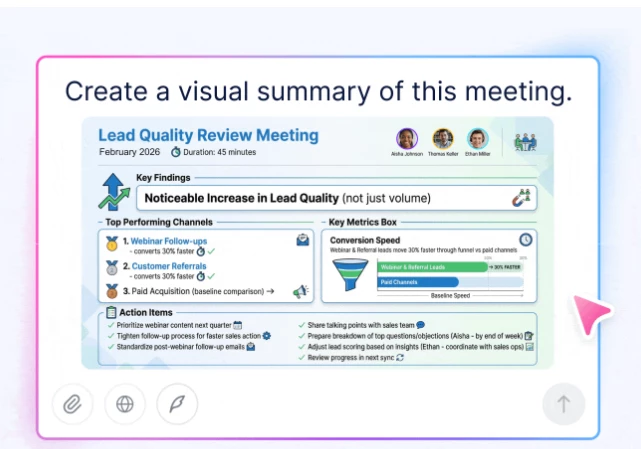
Notta is not only a YouTube summarizer. It is more of a transcription and meeting notes tool. That makes it useful if your main concern is transcript quality, searchable notes, or turning audio/video content into readable text.
If you summarize interviews, webinars, recorded lessons, or business videos, Notta may feel more professional than a basic YouTube summary tool.
Where Notta feels better than You-TLDR:
It is better for transcript-first workflows.
Where You-TLDR may still be better:
You-TLDR is faster for simple YouTube URL summaries.
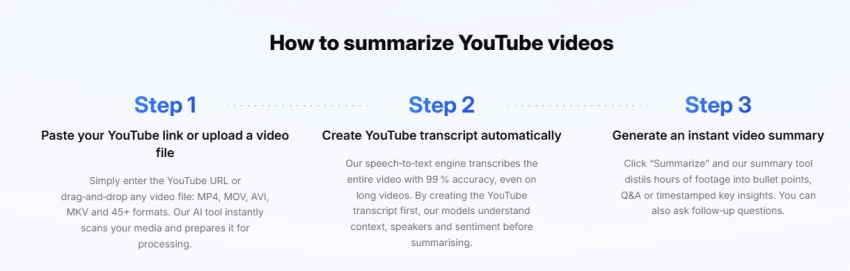
Happy Scribe’s video summarizer says it can summarize YouTube videos and uploaded video files, and its page also highlights security and privacy claims such as SOC 2 Type II and GDPR handling.
This makes it a stronger option for users who work with their own video files, not only public YouTube links.
Where Happy Scribe feels better than You-TLDR:
It is better if you work with uploaded videos, professional transcripts, or secure transcription workflows.
Where You-TLDR may still be better:
You-TLDR is more convenient for quick YouTube summaries and repurposing.
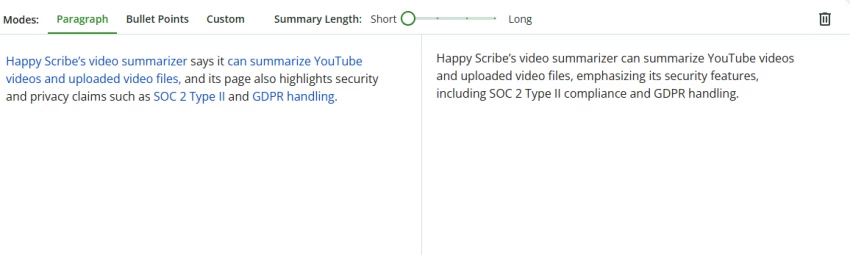
QuillBot is not a YouTube-first summarizer. Its summarizer page says it can summarize pasted text, with free summarization up to 600 words and upgrade options for more.
That means it works best after you already have a transcript. Copy the transcript, paste it into QuillBot, and create a shorter summary.
Where QuillBot feels better than You-TLDR:
It gives more control over text summaries if you already have transcript content.
Where You-TLDR may still be better:
You-TLDR saves time because it pulls the YouTube video, transcript, and summary into one workflow.
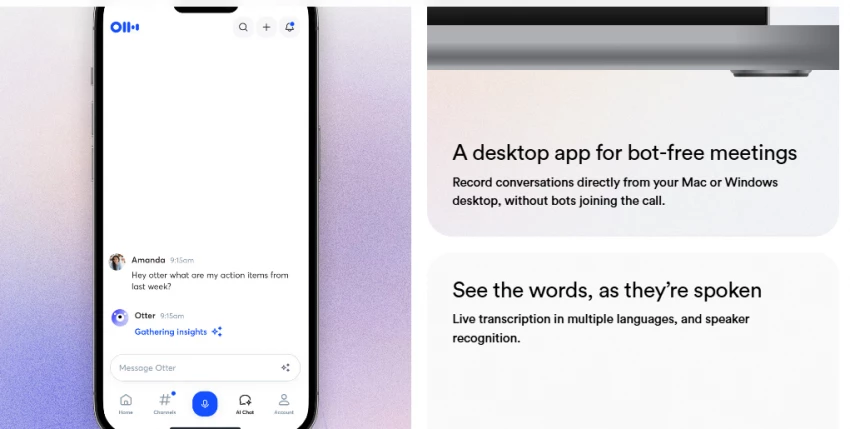
Otter.ai is better known for meeting transcription and notes, but it can be useful if your video summarization work is tied to interviews, webinars, or recorded discussions.
It is not the best choice for casual YouTube browsing. But for researchers, marketers, podcasters, and teams, transcript management can matter more than a quick summary.
Where Otter.ai feels better than You-TLDR:
It is better for searchable notes and transcript-heavy workflows.
Where You-TLDR may still be better:
You-TLDR is simpler for summarizing public YouTube videos.
TLDR.yt positions itself as a simple tool where users paste a YouTube link and get key ideas fast. Its website says it is free to start and no credit card is needed.
This is useful if you do not want a full dashboard or advanced feature set.
Where TLDR.yt feels better than You-TLDR:
It feels lightweight and simple.
Where You-TLDR may still be better:
You-TLDR gives more advanced features like translation, chat, downloads, quizzes, and repurposing.
| Tool | Best For | YouTube Link Support | Transcript Focus | Repurposing Features | Best User |
| You-TLDR | YouTube summaries, transcripts, translation, repurposing | Yes | Strong | Strong | Creators and researchers |
| Eightify | Fast YouTube summaries in browser | Yes | Medium | Limited | Chrome users |
| NoteGPT | Study notes and free summaries | Yes | Medium | Medium | Students |
| YouTube Summary with ChatGPT & Claude | Multi-content summarization | Yes | Medium | Medium | Researchers |
| Glasp | Highlights and knowledge saving | Yes | Medium | Limited | Learners |
| Notta | Accurate transcripts and notes | Indirect/workflow-based | Strong | Medium | Teams and researchers |
| Happy Scribe | Uploaded video summaries | Yes + uploads | Strong | Medium | Professionals |
| QuillBot | Transcript text summarization | No direct video-first workflow | Text only | Limited | Writers |
| Otter.ai | Meetings and recorded discussions | Indirect/workflow-based | Strong | Medium | Teams |
| TLDR.yt | Simple free summaries | Yes | Basic | Limited | Casual users |
| User Type | Best Choice | Why |
| Student summarizing lectures | NoteGPT | Simple notes and quick summaries |
| Researcher watching long interviews | You-TLDR or Happy Scribe | Better transcripts, summaries, and verification |
| YouTube creator repurposing content | You-TLDR | Strong repurposing features |
| Chrome-first user | Eightify | Works directly inside YouTube |
| Writer with transcript text | QuillBot | Good for turning long text into short summaries |
| Team summarizing meetings/webinars | Notta or Otter.ai | Stronger transcript and notes workflow |
| Casual user wanting quick summary | TLDR.yt | Lightweight and easy |
| Knowledge worker saving highlights | Glasp | Better for long-term learning library |
| Multilingual user | You-TLDR | 125+ language support listed officially |
| Uploaded video user | Happy Scribe | Supports more than public YouTube links |
What surprised me most is that You-TLDR is stronger than a basic summarizer. It is closer to a YouTube research and repurposing workspace because it includes transcripts, translation, timestamps, video chat, quizzes, downloads, and content conversion.
That means many “alternatives” only replace one part of it.
Eightify replaces the quick YouTube summary part.
QuillBot replaces the text summary part.
Happy Scribe replaces the transcription and uploaded video part.
Glasp replaces the learning and highlight part.
But fewer tools replace the full YouTLDR workflow.
So if you only need short summaries, you have many options. If you need summaries plus transcripts, translation, chat, and repurposing, You-TLDR is harder to replace.
The biggest limitation is that You-TLDR is still centered around YouTube-first workflows. If you work with recorded meetings, private videos, uploaded files, podcast audio, or professional transcripts, tools like Happy Scribe, Notta, or Otter.ai may fit better.
Another possible issue is summary depth. Like most AI summarizers, it may give a clean overview but miss nuance in opinion-heavy videos, debates, tutorials, or technical content. For serious research, timestamped verification is important. Do not rely only on the summary if the video contains claims, numbers, legal advice, medical advice, or financial information.
You-TLDR may not be the best choice for:
If your workflow is not YouTube-heavy, choose a broader transcription or research tool instead.
The best You-TLDR alternative depends on why you want to switch.
My personal recommendation is this: if your main work is YouTube research and repurposing, stay with You-TLDR or compare it first with NoteGPT and Eightify. If your work goes beyond YouTube, Happy Scribe, Notta, or Otter.ai may be better long-term choices.
| Tool | Best For | Fit as You-TLDR Alternative |
| Eightify | Chrome-based YouTube summaries | 4.5/5 |
| NoteGPT | Student notes and free summaries | 4.4/5 |
| Happy Scribe | Uploaded video and transcription | 4.3/5 |
| YouTube Summary with ChatGPT & Claude | Multi-content summarization | 4.2/5 |
| Glasp | Highlights and knowledge saving | 4.1/5 |
| Notta | Transcript-heavy workflows | 4.1/5 |
| Otter.ai | Meetings and interviews | 4/5 |
| QuillBot | Text transcript summarization | 3.8/5 |
| TLDR.yt | Simple quick summaries | 3.7/5 |
| ChatGPT or Claude with transcript | Custom manual summaries | 3.7/5 |
Overall best quick alternative: Eightify
Best for students: NoteGPT
Best for uploaded videos: Happy Scribe
Best for creators who repurpose YouTube content: You-TLDR
Share your thoughts about this article.
Be the first to post a comment!

The same tool can be a 4.7 on one site and a 3.9 on another. Here is what is rea...
Nitin1 month ago

Here is the number worth pinning above your budget: in Gartner Digital Markets r...
Deepak Mehra1 month ago

What Artlist AI is in 2026Artlist began as a royalty-free music library. By 2026...
Deepak Mehra2 months ago

Most AI tool failures do not announce themselves. There is no crash, no angry em...
Nitin2 months ago

The best AI image generator in 2026 is Nano Banana 2 for speed, FLUX.2 for photo...
Parveen Verma2 months ago

“Useful” is a slippery word for a coding assistant. A tool can be brilliant at o...
Sakshi Dhingra2 months ago