Pica AI is useful because it tries to keep several visual AI tasks in one place. Face swaps, avatars, headshots, background removal, image restoration, and quick edits can all be handled without moving between too many tools. That convenience is exactly why it gets attention.
The problem starts when the project needs a cleaner result. A casual face swap for fun is very different from a face swap that needs to hold expression, lighting, and motion. A profile avatar is not the same as a professional headshot that has to look natural on LinkedIn. Restoring an old photo also needs a different level of detail than making a quick social media image.
That is why this comparison looks at Pica AI alternatives by actual use case, not just by feature lists. Some tools are better for realistic headshots. Some are stronger for video face swaps. Some work better for stylized avatars, while others are more useful for background cleanup, image enhancement, or fast social content.
The main focus here is practical output quality. A good alternative should not only generate a result quickly. It should produce an image or video that does not look obviously broken around the eyes, hairline, jaw, lighting, skin texture, or background. Pricing, privacy, export quality, ease of use, and public reviews also matter because face-based tools involve personal images, not just generic prompts.
This guide compares ten strong Pica AI alternatives with scorecards, exact pricing, key Highlights, review-based strengths and limitations, Where It Works Best, comparison tables, chart placeholders, and a clear final verdict. By the end, choosing the right tool should depend less on which app sounds popular and more on which one actually fits the job.
Quick Comparison Table
The fast version. Detail and sourcing follow in each review.
Tool
Best For
Starting Price
My Score
Best User
DeepSwap
Realistic video swaps
$9.99/mo
8.4/10
Short-form video creators
Magic Hour
All-in-one workflow
$10/mo
8.7/10
Multi-format creators
Remaker AI
Pay-as-you-go editing
$5.99 / 200 credits
8.2/10
Light, occasional users
Reface
Mobile viral content
$12.99/mo
7.6/10
Casual social users
Vidnoz
Multi-face group swaps
$14.99/mo
7.8/10
Group and ensemble shots
HeadshotPro
Volume headshots
$29 one-time
8.0/10
Budget headshot buyers
FaceSwapper.ai
Free quick swaps
Free
7.0/10
One-off, no-account use
How We Evaluated the Alternatives
The tools were compared using six practical criteria:
Evaluation area
What it measures
Identity preservation
Whether the output still resembles the source person
Edge handling
Hairline, jaw, glasses, ears, and partially covered faces
Lighting consistency
Whether the inserted face matches the target scene
Expression retention
Smiles, open mouths, side angles, and moving faces
Workflow friction
Sign-up, upload limits, credit rules, and processing steps
Export usefulness
Resolution, watermark, file type, and commercial-use clarity
1. DeepSwap: Best for Realistic Video Face Swaps
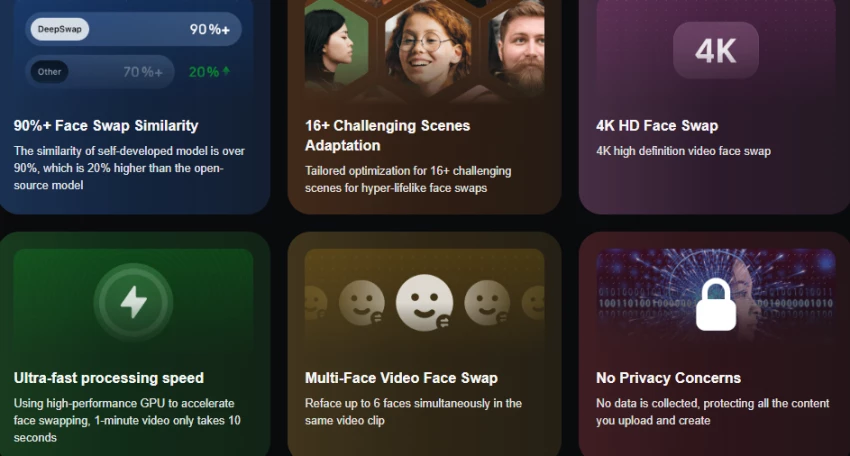
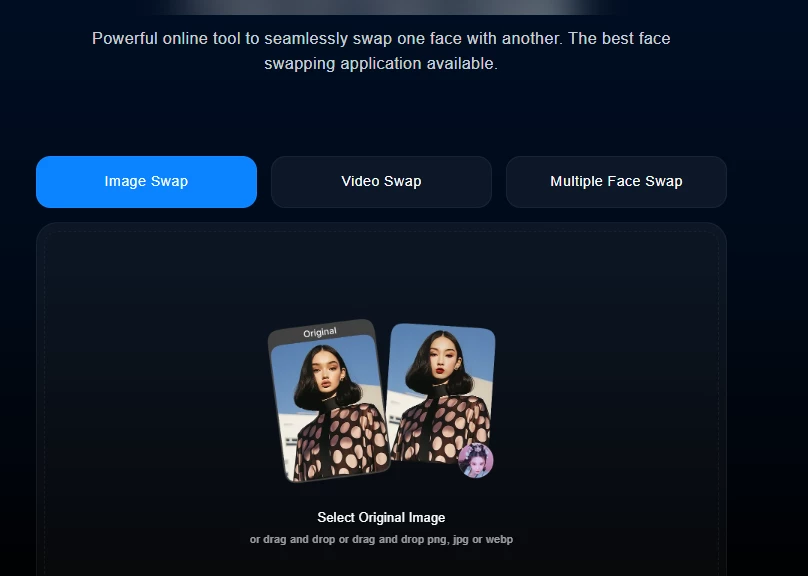
DeepSwap is the closest direct replacement for Pica AI's video swap, and it is sharper at that one job. It is a web-based platform built around face swapping for videos, photos, and GIFs, with a proprietary model the company claims hits over 90 percent face-swap similarity. It also handles up to six faces in a single clip, which Pica AI does not match.
What stood out in testing was consistency across motion. Many tools look fine on a still frame and fall apart once the head turns. DeepSwap held alignment better than most in this group on clean source footage. The trade-off is a credit-metered system that gets confusing, and a free trial that is really just a teaser rather than a usable free tier.
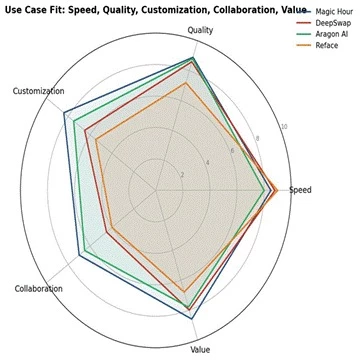
Figure . DeepSwap leads on speed and output quality but trails on collaboration, the typical profile for a focused swap tool.
Highlights
• Video, photo, and GIF face swapping in one web app
• Multi-face swap, up to six faces per clip
• Claimed 90 percent-plus swap similarity on clear, front-facing sources
• 4K HD output with priority processing on paid tiers
• Movie role-play and refacing templates
• Watermark-free downloads on paid plans
Best Use Case
Choose DeepSwap when the main job is video face swaps on reasonably clean footage and quality matters more than price. It is the strongest pure swap pick here for creators who want better-than-Pica results without learning complex software.
Pricing
Plan
Price
Best For
Free trial
Limited, watermarked
Testing the output only
Standard
$9.99/mo (100 credits)
Regular short-form swaps
Pro
$19.99/mo (300 credits)
Higher volume, priority render
Annual
From about $4.17/mo equivalent
Committed monthly users
Scorecard
Evaluation Area
Score
Ease of Use
8.8 / 10
Highlights
8.5 / 10
Output Quality
8.6 / 10
Pricing Value
8.0 / 10
Best Fit
8.5 / 10
Overall Score
8.4 / 10
My Verdict
The best straight upgrade from Pica AI for video swaps. Worth it if swapping is the core task. The credit math is the one thing to watch, so estimate monthly volume before committing to a tier.
2. Magic Hour: Best for An All-in-One Creative Workflow
Magic Hour is the tool to reach for when the work is not just swapping. It is a Y Combinator-backed suite that bundles video face swap, lip sync, image-to-video, text-to-video, headshots, background removal, voice tools, and more in one browser app. For someone using Pica AI as a do-everything tool, this is the closer match in philosophy, and a stronger one in execution.
The free tier is the most useful in this group. It is not a time-limited trial: it grants 400 credits that never expire, gives access to every tool, and exports without a watermark, capped only at 576px resolution and a 200MB upload. That alone makes it easy to test on real footage before paying. Credits on paid plans also never expire, which is unusual and genuinely useful for irregular workloads.
Highlights
• Face swap for video, plus lip sync and animation
• Image-to-video and text-to-video generation
• AI headshots, clothes changer, background remover
• Voice cloning and voice generation
• Individual face-to-face mapping in multi-face clips
• Credits that never expire on every tier, including free
Best Use Case
Pick Magic Hour when the work spans formats and a single subscription beats juggling separate tools. It is the best overall replacement for Pica AI as a general-purpose suite, especially for creators who also want headshots, lip sync, and image generation in the same place.
Pricing
Plan
Price
Best For
Free
$0 (400 credits, no expiry)
Real testing and casual use
Creator
$10/mo annual ($15 monthly)
Solo creators, mixed formats
Pro
$49/mo
Heavy individual production
Business
$249/mo
Teams and API workflows
Scorecard
Evaluation Area
Score
Ease of Use
8.2 / 10
Highlights
9.2 / 10
Output Quality
8.9 / 10
Pricing Value
8.6 / 10
Best Fit
8.7 / 10
Overall Score
8.7 / 10
My Verdict
My overall pick of this list. The free tier makes it risk-free to try, the quality holds up, and the no-expiry credits respect how irregular real workloads are. Start here unless a single specialized task is the whole job.
Remaker AI matches a lot of Pica AI's surface area: face swap, AI headshots, background removal, image upscaling, and video enhancement, all in one place. The difference that matters is the pricing model. Remaker runs on one-time credit packs that never expire rather than a monthly subscription, which fits people who edit in bursts and resent paying through slow months.
In practice the credit model is the main reason to choose it. New users get 30 credits on signup plus 5 free daily, enough to test the tools without paying. Simple face swaps cost only a couple of credits, so light photo work stays cheap. The catch is video: enhancement and generation eat credits fast, which makes monthly cost hard to predict for heavy video users.
Highlights
• Face swap for photos, group photos, and video
• AI headshot generator and image upscaler to 4K
• One-click background and watermark removal
• Credit packs that never expire, no subscription
• Watermark-free downloads on core functions
• Works across web, Windows, Mac, iOS, and Android
Best Use Case
Best when editing happens in occasional bursts and a monthly bill feels wasteful. It suits photo-first users who want swaps, headshots, and cleanup without a recurring commitment.
Pricing
Plan
Price
Best For
Free
30 credits + 5 daily
Trial and light photo use
Starter pack
$5.99 / 200 credits
Occasional editing
Mid pack
$19.99 / 1000 credits
Regular photo work
Large pack
$299 / 20,000 credits
High-volume, one-time buy
Scorecard
Evaluation Area
Score
Ease of Use
8.6 / 10
Highlights
8.3 / 10
Output Quality
8.0 / 10
Pricing Value
8.4 / 10
Best Fit
8.0 / 10
Overall Score
8.2 / 10
My Verdict
A smart pick for irregular, photo-leaning use. The non-expiring packs are the draw. Skip it if the work is mostly video, where the credit burn makes a flat subscription cheaper.
4. Reface: Best for Mobile Viral Content
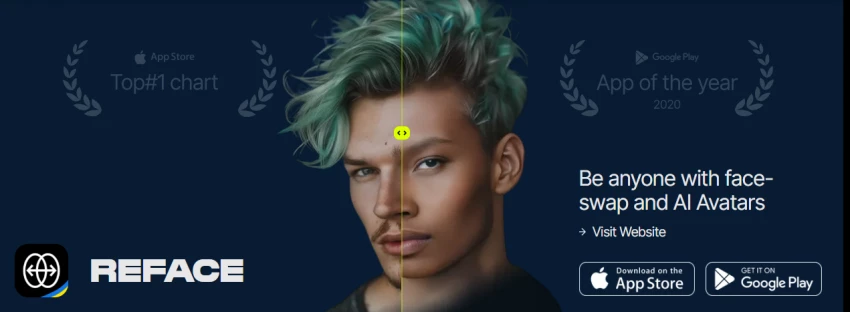
Reface is the mobile-first, entertainment-focused option, and it is probably the most polished app in this group for fast, fun swaps. Beyond face swapping it offers AI avatars, photo animation, restyle effects, hairstyle try-on, and an AI headshot feature, so it overlaps with most of what Pica AI does on the casual side. The core swap loop is genuinely quick and the results are share-worthy for social.
The reason it sits mid-table is value and intent. Reface is built for viral social content, not production reliability. The free tier is constantly nudging toward a subscription with watermarks, ads, and locked templates. Pricing is also messy: it splits across mobile and web, and the weekly plan can quietly cost far more per year than the annual one.
Highlights
• Fast GAN-based face swaps on video, GIF, and photo
• AI avatars across many art styles
• Photo animation with lip-sync and motion
• Restyle effects, hairstyle try-on, age and gender filters
• Large trending template library updated regularly
• AI headshot generation
Best Use Case
Right for individual creators making social content on a phone who value speed and trending templates over production control. Wrong for any workflow needing reliability at volume or professional-grade output.
Pricing
Plan
Price
Best For
Free
$0 (ads, watermark)
Casual one-off swaps
Mobile monthly
$12.99/mo
Regular mobile users
Mobile annual
$24.99 to $29.99/yr
Best value for steady use
Web Premium
$29.99/mo or about $119.99/yr
Heavier web restyle use
Scorecard
Evaluation Area
Score
Ease of Use
9.0 / 10
Highlights
7.8 / 10
Output Quality
7.2 / 10
Pricing Value
6.8 / 10
Best Fit
7.4 / 10
Overall Score
7.6 / 10
My Verdict
Fine as a fun, mobile swap app, and the annual plan is reasonable. I would avoid the weekly plan entirely and would not lean on it for anything beyond casual social posts.
Vidnoz is a web-based AI video platform where face swap is one piece of a broader feature set that also includes avatars, templates, and voiceover tools. Its standout against Pica AI is multi-face handling: it can swap up to ten faces at once in photos and videos, more than anything else tested here, which makes it the natural pick for group shots and ensemble scenes.
The interface is accessible and processing speed is reasonable for standard use. The honest framing from reviewers is that Vidnoz is a solid starting point rather than a production foundation. It works well for occasional needs, but the free tier is limited in resolution and length, and the credit-on-subscription model means serious use pushes you up the tiers.
Highlights
• Multi-face swap, up to ten faces per photo or video
• 4K output and batch processing on paid tiers
• Broad AI video suite: avatars, templates, voiceover
• Photo, video, and GIF swap support
• Credit refund automatically if a swap fails
• Web-based, no install required
Best Use Case
Best when the defining requirement is swapping several faces in one shot, such as group photos or multi-person video scenes, where most rivals cap out at far fewer faces.
Pricing
Plan
Price
Best For
Free
$0 (8 daily credits, limited)
Light, low-res testing
Entry paid
From $14.99/mo
Occasional production needs
Face Swap monthly
Around $10/mo (80 credits)
Dedicated swap users
Half-yearly
About $30 (480 credits)
Better value at volume
Scorecard
Evaluation Area
Score
Ease of Use
8.0 / 10
Highlights
8.2 / 10
Output Quality
7.6 / 10
Pricing Value
8.2 / 10
Best Fit
7.8 / 10
Overall Score
7.8 / 10
My Verdict
The multi-face leader, and worth it specifically for group work. For single-face quality I would look at DeepSwap or Magic Hour instead, but nothing here matches Vidnoz on faces-per-clip.
6. HeadshotPro: Best for Budget Volume Headshots
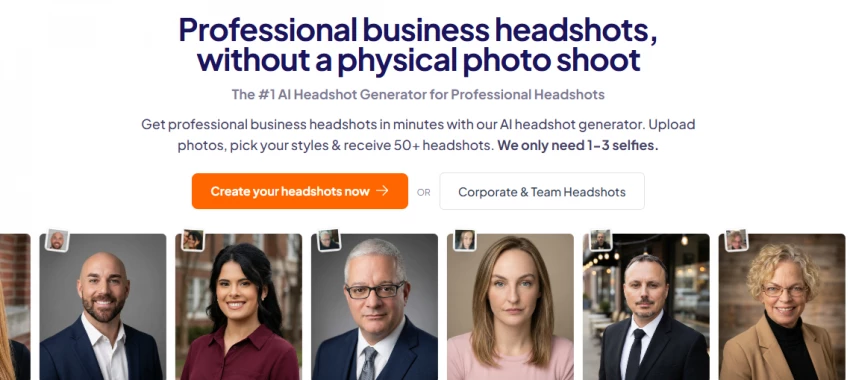
HeadshotPro is the volume-and-value answer in the headshot lane. It generates large batches, often 80 to 120 images per package, at some of the lowest per-image pricing in the category, which can work out to roughly 39 cents per headshot at the top tier. For teams that need many people photographed cheaply, that math is hard to beat.
The honest caveat, which HeadshotPro's own site acknowledges, is that most photos in a batch will not be keepers. The strategy is to generate a lot and select a few. That is fine if the volume and price are the priority, and it is a clear step up from Pica AI's casual headshots for professional use, but it asks for more sifting than a premium tool like Aragon.
Highlights
• High-volume headshot batches, 80 to 120 images
• Lowest per-image pricing among major tools
• Professional lighting and clean backgrounds
• Fast team workflow, completed in under an hour
• Multiple style and background options
• Business and team plans with volume pricing
Best Use Case
Best for budget-conscious individuals and teams who need professional headshots at the lowest cost and are willing to sift a large batch for the keepers.
Pricing
Plan
Price
Best For
Entry
$29
Individuals on a budget
Professional
$39 (about 80 headshots)
Most individual users
Top tier
$59 (high volume)
Maximum images, lowest per-shot
Team
From about $45 per person
Company headshots at scale
Scorecard
Evaluation Area
Score
Ease of Use
8.3 / 10
Highlights
8.0 / 10
Output Quality
8.1 / 10
Pricing Value
8.2 / 10
Best Fit
8.0 / 10
Overall Score
8.0 / 10
My Verdict
The value pick for headshots, especially for teams. I would set expectations on the keeper rate going in. If quality per image matters more than price, Aragon or BetterPic are the better spend.
7. FaceSwapper.ai: Best for Free, No-Account Quick Swaps
FaceSwapper.ai strips the process to the essentials: no account, no payment, no watermark on photo swaps. Upload, swap, download. For the very common case where someone needs a single quick swap and does not want to create yet another login or pay for a subscription, it is the lowest-friction option on this list.
The trade-offs are predictable. Quality is good for casual use but not best in class, the feature set is thin next to the suites, and video support is limited compared with dedicated swap platforms. As a free, zero-commitment alternative to firing up Pica AI for a one-off, though, it does exactly what it promises.
Highlights
• No signup, no account, no payment required
• Watermark-free photo swaps
• Automatic face detection and replacement
• Browser-based, works on any device
• Fast turnaround for standard cases
• Minimal, single-purpose interface
Best Use Case
Best for a single, casual photo swap when creating an account or paying is not worth it, or for testing whether a swap idea is worth pursuing in a stronger tool.
Pricing
Plan
Price
Best For
Free
$0
One-off photo swaps
Account
Not required
Anonymous quick use
Watermark
None on photo swaps
Clean casual output
Video
Limited support
Short, simple clips only
Scorecard
Evaluation Area
Score
Ease of Use
9.2 / 10
Highlights
6.5 / 10
Output Quality
6.8 / 10
Pricing Value
9.0 / 10
Best Fit
7.0 / 10
Overall Score
7.0 / 10
My Verdict
The right call for genuine one-offs. Free, fast, and no strings. For anything recurring or quality-critical, move up to DeepSwap or Magic Hour.
Feature Comparison Table
Tool
Main Feature
AI Highlights
Collaboration
Export Options
Best Workflow
DeepSwap
Video face swap
Multi-face, refacing
Limited
4K HD, watermark-free
Solo video swaps
Magic Hour
All-in-one suite
Swap, lip sync, headshots
Business tier
Up to 4K, no watermark
Multi-format creation
Remaker AI
Photo editing suite
Swap, headshot, upscale
Limited
4K, watermark-free
Burst photo editing
Reface
Mobile swap
Avatars, restyle, animate
None
HD on paid
Mobile social content
Vidnoz
Multi-face swap
Avatars, voiceover
Limited
4K, batch
Group and ensemble
HeadshotPro
Volume headshots
Style variety
Team plans
High-res batches
Team headshots
FaceSwapper.ai
Quick swap
Auto detection
None
Watermark-free photo
One-off swaps
Review and Rating Comparison Table
Ratings below are drawn from public sources where clearly available. Where a current, reliable public rating could not be confirmed, the entry reads not clearly available rather than a guessed number.
Tool
Public Rating
Review Source
Common Praise
Common Complaint
DeepSwap
Not clearly available
Aggregated reviews
Speed and swap quality
Confusing credit system
Magic Hour
Not clearly available
Product Hunt, Reddit
All tools in one place
Credit burn on video
Remaker AI
Not clearly available
Aggregated reviews
No-subscription packs
Video drains credits
Reface
Mixed, app stores
G2, app stores
Polished, fun, fast
Aggressive upsell
Vidnoz
Not clearly available
Aggregated reviews
Multi-face support
Restrictive free tier
HeadshotPro
Generally positive
Independent tests
Volume and value
Low keeper rate
FaceSwapper.ai
Not clearly available
Tester writeups
Zero friction, free
Limited Highlights
Which Tool Should You Choose?
Need
Best Tool
Best overall, mixed formats
Magic Hour
Best single-face video swaps
DeepSwap
Swapping many faces at once
Vidnoz
Pay only when you use it
Remaker AI
Free, no-account one-off swap
FaceSwapper.ai
Fun mobile social content
Reface
Cheap headshots at volume
HeadshotPro
4K print-quality headshots
BetterPic
The simplest way to choose is to name the single most important job, then read across. If the work is varied, a suite like Magic Hour removes the cost and friction of running several tools. If one task dominates, a specialist almost always beats the suite on that task: DeepSwap for video swaps, Vidnoz for crowds, Aragon or BetterPic for portraits. Match the pricing model to the rhythm of the work too: subscriptions reward steady use, one-time packs and photo bundles reward occasional or one-off use.
Final Verdict
Pica AI is useful when the work is casual and mixed, but the better choice depends on the exact output needed. A tool for clean video face swaps should not be judged the same way as a tool for LinkedIn headshots, avatar creation, or quick mobile edits.
For the closest all-round replacement, Magic Hour is the strongest pick. It covers multiple creative tasks, feels more flexible than a single-purpose editor, and is a good starting point for users who want one tool instead of several.
For quick and simple face swaps, FaceSwapper.ai and Reface make more sense. They are easy to use, fast to understand, and better suited for casual users who want results without setup.
For value, Remaker AI works well for occasional editing because it gives more flexibility than a fixed monthly plan. HeadshotPro is a better fit for teams that need consistent business headshots at scale.
The simple way to choose is this: use Magic Hour for an all-in-one Pica AI alternative, DeepSwap for video face swaps, BetterPic for headshots, Reface for mobile edits, and Remaker AI for occasional creative work. Pica AI tries to cover everything, but the best alternatives win because they go deeper into one specific use case.