Software
10 min read
Slidesgo: Overview with Usage Process and Plan Breakdown

Slidesgo originally became popular as a source of ready-made PowerPoint and Google Slides templates. In 2026, that description is no longer complete.
The platform now combines a large template library with an AI presentation maker, a browser-based editor, educational resources and tools that can turn prompts or uploaded documents into editable presentations.
That wider feature set makes Slidesgo more useful than a simple template-download website. It also makes the buying decision more complicated. The platform can save considerable setup time, but it does not remove the need to check content, adjust layouts and make the finished deck look less generic.
Editorial research note: GeniusFirms did not create a paid account or complete an exported presentation for this update. Our assessment is based on a review of Slidesgo’s live template catalogue, public editor pages, AI workflow, official pricing, licensing terms, help documentation and independent customer feedback. Product limits and prices can change, so users should confirm the final terms before subscribing.
Slidesgo is operated by Freepik Company and provides presentation resources for students, teachers, marketers, businesses and other users who do not want to design every slide from scratch.
Its traditional workflow still exists. Users can browse a template, preview its slide layouts and open or download it for PowerPoint, Google Slides or, on supported templates, Canva.
The newer AI workflow is different. Users can enter a topic or upload source material in formats such as PDF, DOCX or TXT. Slidesgo then creates a presentation using one of its professionally designed themes. The resulting presentation can be edited before it is exported as a PPTX file.
This means Slidesgo currently serves two different needs:
| Workflow | Suitable for |
|---|---|
| Ready-made templates | Users who already have their content and mainly need a visual structure |
| AI-generated presentations | Users who need help producing an initial outline, text and slide arrangement |
The distinction matters because a template and an AI-generated deck do not solve the same problem. A template reduces design work, while the AI maker also attempts to reduce content-structuring work.
Now, let us understand it in detail.
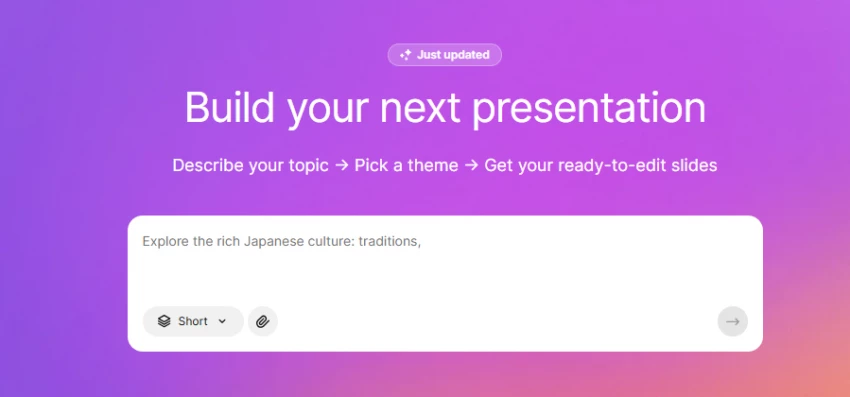
Slidesgo is an online template library that provides pre-designed presentation themes for Google Slides and PowerPoint. The platform focuses on delivering visually structured slide decks that users can customize for various use cases, including business presentations, education, marketing, medical topics, and creative portfolios.
Rather than building slides from scratch, users download structured templates and modify text, images, and branding elements according to their needs. This approach significantly reduces design time, especially for individuals who lack graphic design expertise.
Slidesgo operates under the Freepik Company umbrella, which also manages other visual asset platforms. That association adds some credibility in terms of operational continuity and brand infrastructure.
Slidesgo’s value lies in how its templates are organized and supported.
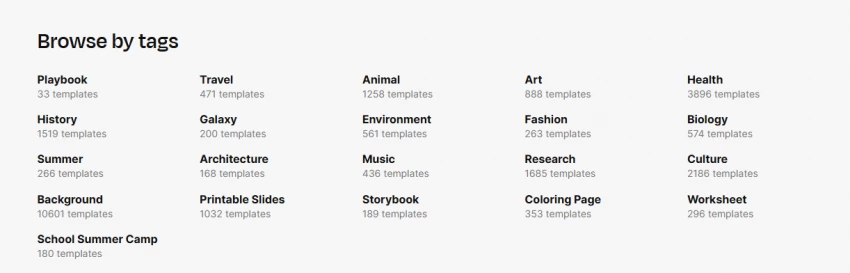
Templates are categorized by:
Topic: Education, business, medical, marketing, pitch decks
Design style: Minimalist, professional, creative, abstract
Color palette: Useful for brand or theme alignment
Slidesclass: Pre-built lesson decks for educators (Premium)
AI-assisted tools: Limited content and layout support (Premium)
Online editor: Browser-based editing without PowerPoint/Slides (Premium)
Team management: Centralized access for schools and organizations
Compliance: FERPA and GDPR-aligned for educational use
Slidesgo is often used by:
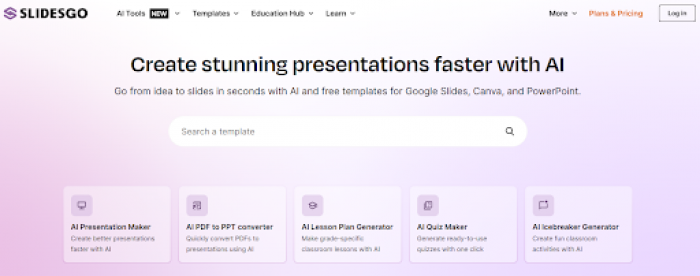
You can use Slidesgo in a few easy steps:
Slidesgo’s current public pricing page describes the following plans:
| Feature | Free | Premium |
| Template downloads | 3 per month | Advertised as unlimited |
| AI-generated presentations | 3 per month | Advertised as unlimited |
| Template access | Selection of basic templates | Full library of 30,000+ templates |
| Online editor | Included | Included |
| Attribution | Required | Not required |
| Slidesclass resources | Not included | Included |
| Advertising | Displayed | Ad-free |
| Team management | Not included | Included |
| AI education tools | Limited | Included |
At the time of this update, the public pricing page displayed Premium at approximately $5.99 monthly or $35.99 billed annually, equivalent to around $3 per month on the annual plan. Taxes and regional pricing may change the final amount.
There is an important inconsistency worth noting. Slidesgo’s current pricing page markets Premium template downloads and AI presentations as unlimited and refers to more than 30,000 templates. Its FAQ still mentions more than 15,000 Premium assets and a security limit of 150 template downloads per month.
That does not necessarily mean the plan is misleading, but the two official pages are not fully synchronized. Anyone planning to generate or download presentations at unusually high volume should confirm the applicable limits with Slidesgo before paying.
Here’s a quick breakdown of user feedback from trusted sources:
Slidesgo’s Trustpilot profile displayed a score of approximately 2.2 out of 5 from 57 reviews when checked for this update.
The distribution was unusually divided. Around 53% of reviewers had awarded five stars, while approximately 42% had awarded one star. This makes the average score less informative than the reasons behind the ratings.
Positive reviews frequently mention attractive templates, convenience and the ability to find a suitable presentation quickly. Negative reviews commonly raise concerns about subscription cancellation, billing, login requirements, Premium restrictions and errors in the AI workflow.
These reviews are individual accounts rather than controlled tests. They do not prove that every subscriber will experience billing or cancellation problems. However, the recurrence of similar complaints is enough to justify caution.
Users considering Premium should save the purchase confirmation, review the renewal date and verify that cancellation has been completed before the next billing cycle.
Slidesgo appears to be a legitimate presentation platform rather than a suspicious download website. It is operated by Freepik Company, provides published terms and privacy policies, and delivers templates through established formats such as PowerPoint, Google Slides and Canva. However, “safe” depends on how the platform is used.
The standard template-download process presents relatively little technical risk when users stay on the official slidesgo.com domain. Users should still avoid unofficial mirror websites, modified template files and advertisements that redirect them to unrelated downloads.
Greater caution is needed when using Slidesgo’s AI tools. The presentation maker can process uploaded PDF, DOC, DOCX, TXT and Markdown files. Slidesgo states that AI instructions and generated results may be stored for internal research and service improvement, although it says this content is not used to train AI models. For that reason, I would not upload confidential client documents, unpublished research, employee records, financial information or files containing personal data.
The main practical concern is billing rather than malware. Slidesgo subscriptions renew automatically, and its official FAQ directs users to cancel through their account’s subscription settings. Some public reviewers have nevertheless reported cancellation errors, unexpected renewals and difficulty resolving billing disputes. These reports do not prove that every subscriber will face the same issue, but they make it sensible to record the renewal date, save the cancellation confirmation and check the next card statement.
Licensing is another part of safe use. Free users generally need to keep the Slidesgo attribution slide, while Premium users receive broader attribution-free rights for eligible downloads. Templates should not be resold, redistributed as editable files or presented as original template designs.
Overall, I consider Slidesgo reasonably safe for downloading presentation templates and creating ordinary school, personal or business slides. I would use the official website, avoid uploading sensitive documents, verify AI-generated content and pay close attention to subscription renewal and licensing terms.
Yes, especially in academic environments.
Why it works well in education:
However, it’s more about presentation structure, not interactive learning.
| Alternative | Better suited to | Main trade-off |
| Canva | Teams needing deeper visual editing, collaboration and multiple content formats | Broader interface can feel excessive when only a PowerPoint deck is needed |
| Gamma | Generating web-style presentations and narratives quickly with AI | Less traditional slide control than PowerPoint-based workflows |
| SlidesAI | Turning existing text into Google Slides or PowerPoint presentations | Smaller template ecosystem than Slidesgo |
| Microsoft Copilot for PowerPoint | Microsoft 365 users who want AI inside PowerPoint | Requires an eligible Microsoft subscription |
| Google Slides | Simple collaboration without a separate template subscription | Users must handle more of the visual design themselves |
Slidesgo remains the better option when the priority is finding a subject-specific template. Canva is stronger for full visual customization, while Gamma is more appropriate when AI-generated structure and storytelling matter more than traditional slide formatting.
After reviewing Slidesgo’s current catalogue, AI workflow, licensing rules, pricing pages and customer feedback, I see it as a strong starting tool rather than a complete presentation solution.
Its most valuable feature is not simply the size of the template library. It is the ability to find layouts built around specific subjects such as classroom lessons, medical topics, marketing plans, research reports and business proposals.
I would use the free plan for an occasional classroom, personal or internal presentation where retaining the credits slide is acceptable. I would consider Premium only when I regularly needed templates, AI generation or attribution-free commercial use.
I would not rely on an untouched Slidesgo template for a major investor pitch or high-profile client presentation. Those situations require stronger branding, original visual decisions and a careful review of every statistic and claim.
Slidesgo can remove the anxiety of beginning with a blank slide. It cannot decide which information matters, verify AI-generated content or make a presentation distinctive without additional editing.
Is SlidesGo AI good?
SlidesGo’s AI-assisted tools can be helpful for generating quick presentation layouts and design suggestions, especially for users who want polished slides without deep design skills. It works well for basic and intermediate presentations, though highly customized or brand-intensive projects may still require manual refinement.
Is SlidesGo AI better than Canva?
SlidesGo and Canva serve overlapping but distinct needs. SlidesGo focuses on ready-made templates that users edit in PowerPoint or Google Slides, while Canva offers an all-in-one design platform with drag-and-drop editing, asset libraries, and advanced layout tools. Canva generally provides broader creative flexibility, but SlidesGo’s templates can be faster to start with for structured slide decks.
Is SlidesGo actually free?
Yes, SlidesGo offers a free access tier that allows users to download and use many templates. Free usage typically requires attribution to SlidesGo when the content is published or presented.
Share your thoughts about this article.
I had a mixed experience. The templates are strong, but customization sometimes takes time. It’s helpful, but not a complete solution.
Login to replyThe designs look good, but they are too common. I’ve seen the same templates used everywhere, which makes it hard to stand out.
Login to replyI thought it would create fully polished presentations automatically, but that’s not really the case. You still have to edit quite a bit. It’s more like a starting point than a finished product.
Login to replyI usually struggle with presentations, but Slidesgo made things much easier. I just picked a template, added my content, and it already looked professional. It saved me a lot of time, especially for last-minute work
Login to replyHonestly, I felt like most of the templates were too basic for professional use. And a few that I liked were locked behind a paywall. Not worth it unless you upgrade
Login to replySlidesgo has been a total lifesaver when I needed decent slide designs fast. The template library is huge and easy to browse, and I can find something that fits my presentation theme in just a few clicks. It works great with both Google Slides and PowerPoint, and I don’t have to start from scratch every time. Definitely makes creating slides less stressful!
Login to reply
Choosing growth software in 2026 means finding five winners inside a catalog of...
Sakshi Dhingra1 month ago
The short version, for anyone who does not want to read 5,000 wordsCopper is a C...
Sakshi Dhingra1 month ago
If you've spent any time around tax professionals in the United States, you've h...
Harpreet Singh2 months ago
The short versionQuicken sells two entirely separate things. Quicken Classic is...
Harpreet Singh2 months ago

Here is a small confession most security writers avoid making: you probably do n...
Deepak Mehra2 months ago
The photo editing software market has been shaken harder in the past eighteen mo...
Sakshi Dhingra2 months ago