Quick picks (if you just want the answer) Best overall: GPT Image 2 (ChatGPT) — #1 on every blind-vote leaderboard in mid-2026 Best for editing & infographics: Nano Banana Pro (Google Gemini) Best artistic quality: Midjourney V8.1 Best for commercial safety: Adobe Firefly (legal indemnification) Best for text in images: Ideogram 3 — and it's the cheapest at ~$7/month Best for photorealism & developers: FLUX.2 (open weights, ~$0.06/image API) Best for game art & batch work: Leonardo AI — most generous free tier |
A year ago, picking an AI image generator was basically "Midjourney or nothing." In 2026, that's dead. OpenAI's GPT Image 2 currently sits at the top of the blind-vote leaderboards with the biggest first-to-second gap ever recorded, Google's Nano Banana models rewrote what image editing means, and at least five other tools own a niche nobody else can touch.
I've cut through the noise to the seven that actually matter, with real pricing (not "contact sales" hand-waving), verified ratings from G2, Trustpilot, and Capterra, and honest notes on what each one is genuinely used for. Let's go.
Every ranking claim here traces to one of three things: blind-vote arena scores where thousands of humans compare outputs without knowing which model made them (the fairest quality test that exists), verified user ratings from major review platforms, and hands-on testing reports from 2026 reviews that published their methodology. Prices come from official pricing pages, cross-checked against recent pricing breakdowns. Where numbers are approximate or contested, I say so.
| Tool | Best for | Free tier | Paid from | User rating |
| GPT Image 2 (ChatGPT) | Best overall quality & prompt accuracy | Yes (limited) | $20/mo (Plus) | 4.7/5 · G2 (1,929) |
| Nano Banana Pro (Gemini) | Editing, infographics, 4K output | Yes | $20/mo (AI Pro) | 4.4/5 · G2 (387) |
| Midjourney V8.1 | Artistic, cinematic, painterly work | No | $10/mo | 4.4/5 · G2 (94) |
| Adobe Firefly | Commercially safe client work | Yes (limited) | ~$10/mo or CC bundle | 4.4/5 · G2 (277) |
| Ideogram 3 | Text, logos, posters, ads | Yes (10/day) | ~$7/mo | Smaller review base |
| FLUX.2 | Photorealism, APIs, local generation | Open weights | ~$0.06/image API | Arena-ranked, no G2 base |
| Leonardo AI | Game art, brand batches, control | Yes (150 tokens/day) | $12/mo | 4.4/5 · Trustpilot (1,200+) |
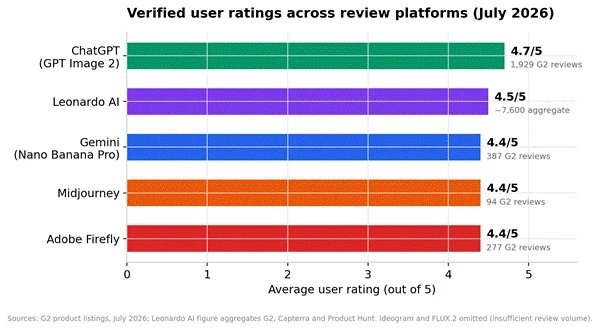
Figure 1: Verified average user ratings, July 2026. ChatGPT's rating covers the whole product, but image generation is among its most-cited features in reviews.
As of July 2026, GPT Image 2 ranks #1 on every major blind-vote leaderboard, with an Elo of 1,339 on the Artificial Analysis Image Arena from over 13,000 blind comparisons, the largest gap between first and second place that leaderboard has ever recorded. When thousands of people pick your outputs without knowing which model made them, that's not marketing. That's just winning.
Everything, honestly, but it especially shines at prompt accuracy: complex scenes with multiple subjects, specific compositions, and instructions that other models mangle. Unlike diffusion models that refine random noise, the GPT-Image family generates images token by token like a language model, which is why it follows detailed instructions so faithfully. It also handles image editing conversationally — upload a photo, describe the change, done. Marketers use it for ad concepts, founders for quick product mockups, and everyone else because it lives inside the app they already have open.
A limited number of generations come free with a ChatGPT account. ChatGPT Plus at $20/month lifts the caps substantially, and developers can hit the model via API at per-image rates (frontier image models generally run about $0.01–$0.10 per image depending on quality settings).
ChatGPT holds a 4.7/5 on G2 across 1,929 reviews, the highest rating and biggest review base of anything on this list. The honest caveat from reviewers: outputs can occasionally feel "safe" stylistically, and heavy use hits rate limits even on Plus.
It's closed-source, API-and-app only, and the $20/month gets you a whole assistant rather than an image specialist — great value if you want that, overkill if you only need images.
Nano Banana Pro is the nickname for Google DeepMind's Gemini 3 Pro Image model, and its lighter sibling Nano Banana 2 (Gemini 3.1 Flash Image) sits near the top of the arena boards at an Elo of 1,254 with nearly 2x the speed of older models. It's the only tool here shipping full 4096×4096 output as a standard tier.
Editing is the killer feature: conversational, iterative changes that preserve the rest of the image, plus best-in-class inpainting. Because it leans on Gemini's world knowledge, it's uniquely good at accurate diagrams, infographics, and images where facts matter — it earned a 93% overall score in ZDNet's image-generator evaluation largely on that strength. Social teams also love it for character consistency across a content series.
Generous free access through the Gemini app with daily limits. Google AI Pro at $20/month raises limits and unlocks the Pro-grade model; developers get it via the Gemini API in Google AI Studio.
Gemini holds a 4.4/5 on G2 (387 reviews), and reviewers specifically call out image creation as a standout feature for ease of use. Complaints center on the broader assistant, not the image model.
Stylistically it plays it straighter than Midjourney, accuracy over atmosphere. For moody concept art, look elsewhere.
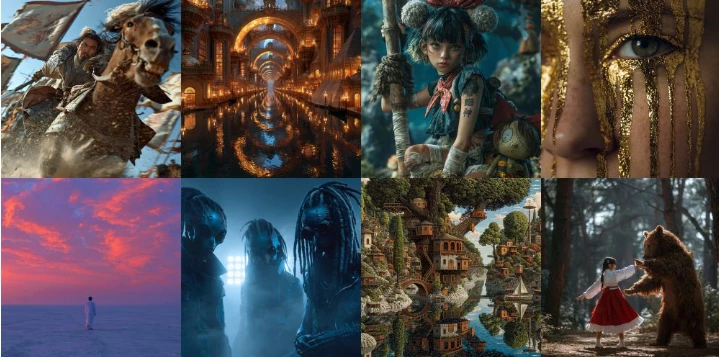
The tool that started the generative art revolution still owns one thing nobody has taken: aesthetic ceiling. V8.1 outputs consistently have that painterly, professionally composed look that makes people stop scrolling, and blind-test reviewers keep picking it for cinematic and stylized work even when other models beat it on instruction-following.
Concept art, album covers, cinematic stills, mood boards, editorial illustration, anywhere the goal is "make something beautiful" rather than "execute this exact spec." It's the favorite of artists and creative directors who treat prompting as exploration.
No free tier anymore. Four plans: Basic $10/month, Standard $30, Pro $60, Mega $120, with ~20% off annually. The catch reviewers keep flagging: you're buying GPU time, not a set image count, so heavy upscaling eats your allowance faster than expected.
4.4/5 on G2 (94 reviews). Users praise the stunning, detailed output; the recurring complaints are the learning curve, the Discord-first legacy (the web app has improved a lot), and weak text rendering, roughly 30–40% accuracy on short phrases in hands-on tests.
No API, no free tier, and poor text-in-image accuracy. If your work involves readable typography, pair it with Ideogram or skip it.
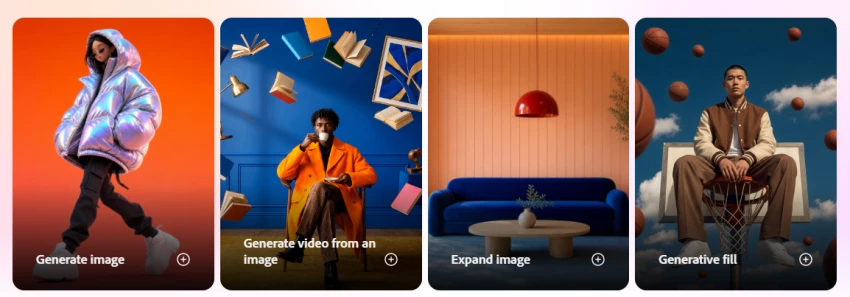
Firefly's pitch isn't image quality, it's legal safety. The model is trained exclusively on Adobe Stock, openly licensed, and public-domain content, and Adobe indemnifies paying customers against third-party IP claims over Firefly-generated images. If a client gets sued over an image you made, Adobe covers the legal costs. Nobody else on this list offers that.
Agencies and in-house teams producing paid advertising and client deliverables, plus anyone living inside Creative Cloud: Generative Fill and Generative Expand in Photoshop and text-to-vector in Illustrator have quietly become the most-used AI features in professional design workflows. Every output carries Content Credentials metadata, which enterprise compliance teams love.
Free Creative Cloud accounts get roughly 50–100 generations a month. Standalone Firefly plans start around $10/month, and it's bundled with full Creative Cloud subscriptions which is where the pricing genuinely makes sense.
4.4/5 on G2 across 277 reviews, with G2's category scores showing it leading the field on commercial rights and licensing (9.4/10). Reviewers consistently rate it easiest to learn; the equally consistent criticism is that standalone image quality trails Midjourney and Ideogram — outputs skew "safe."
If you're not in the Adobe ecosystem and don't need the legal cover, you're paying for insurance you may not use.
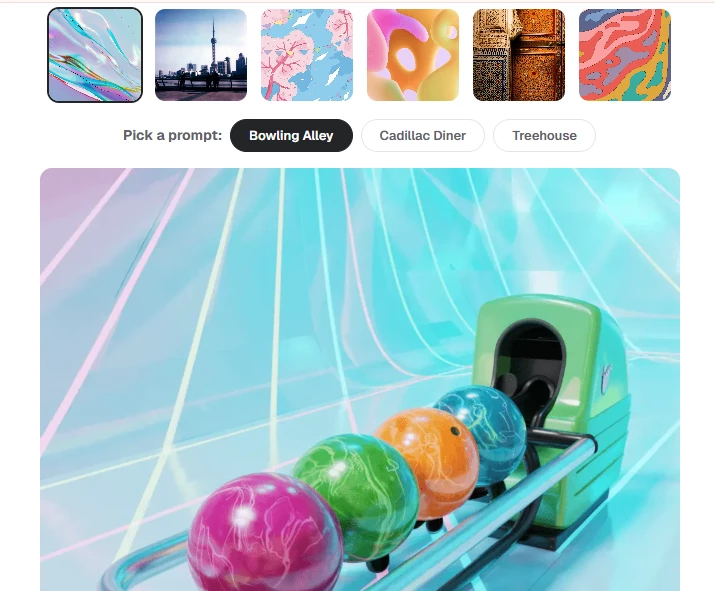
Here's a stat that settles an entire category: Ideogram renders readable text inside images with roughly 90–95% accuracy, while Midjourney manages about 30–40% on short phrases. If your image needs words, posters, social ads, packaging, app mockups, YouTube thumbnails, business cards, this is the tool, full stop.
Design-adjacent marketing work: ad creatives with taglines, event posters, logo explorations, stylized lettering. Its typography handling extends to fonts and layout in a way no competitor matches.
The cheapest paid entry on this list: a free tier covering about 10 prompts a day, with paid plans from roughly $7/month.
Ideogram has a smaller footprint on G2 and Capterra than the giants here, so there's no big verified rating to cite, but across 2026 editorial and AI-assistant recommendations it's near-universally named the best tool for design accuracy and typography. The known weaknesses from hands-on tests: human faces can look slightly off, and multi-person scenes sometimes deform.
Don't use it for portrait realism or character art. It's a specialist, and it specializes hard.
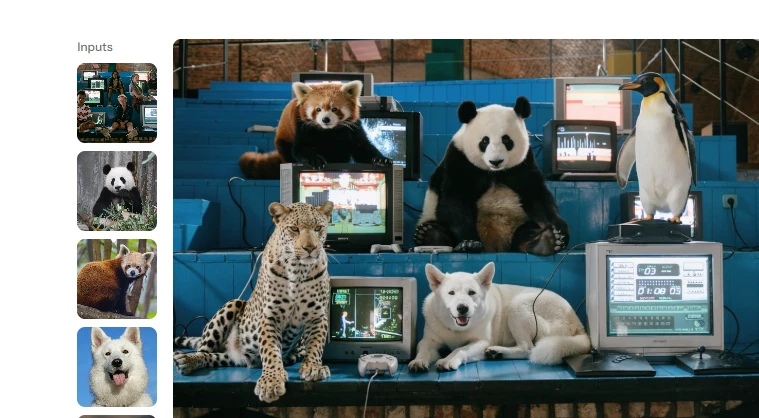
FLUX.2 is the photorealism benchmark of 2026 and the model of choice when you're building image generation into a product. It's the only top-tier option with open-weight variants you can run on your own hardware, alongside hosted [pro] and [max] tiers, and its Kontext models preserve character identity and style across edits, the thing production pipelines actually need.
Production workflows: e-commerce product imagery, programmatic image pipelines, apps with generation built in, and any team that needs their images generated on infrastructure they control (regulated industries, protected IP). For game art it's strong on environments and realistic textures.
No subscription. Pay-per-image through APIs like Replicate, fal.ai, and Together, at around $0.06 per image on the Pro tier, and the open-weight versions are free to run locally if you have the GPU.
As an API-first model, FLUX doesn't accumulate G2 reviews, its scoreboard is the arenas, where Flux variants consistently rank among the highest for photorealism in blind human comparisons. Developer sentiment across 2026 reviews treats it as the default production backend.
There's no polished consumer app. If you don't want to touch an API or a local install, use it through an aggregator platform instead.
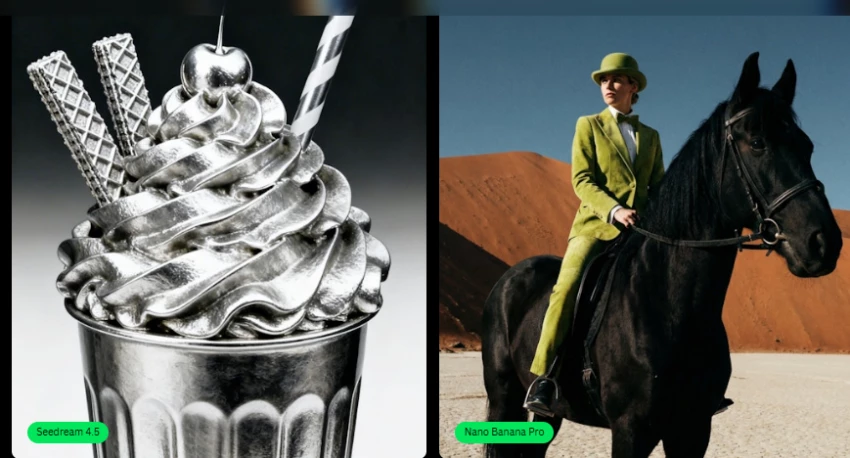
Leonardo, built by a Sydney-based team, has grown into arguably the most feature-dense image platform available without enterprise pricing: fine-tuned custom models, style references, a real-time canvas, inpainting, video generation, and access to third-party models (including FLUX and Nano Banana variants) under one roof.
Game asset creation is its home turf, the Phoenix model, asset libraries, and custom model training cover studio workflows end to end. The other big one is brand-consistent marketing at scale: one 2026 hands-on test locked a hero shot's lighting and color treatment once, then reused it across 40 banners without re-prompting from scratch. That's the job Midjourney still can't do reliably.
The most generous free tier here: 150 tokens daily, resetting every 24 hours. Paid plans run roughly $12 (Apprentice), $24 (Artisan), and $48–60 (Maestro/Ultimate) per month, sources report slightly different figures as plans evolve, so check the live pricing page. The $12 tier buys about 8,500 monthly tokens, roughly 340 images on standard models.
4.4/5 on Trustpilot from 1,200+ reviews and around 4.5/5 across G2 and Capterra, with about 90% positive sentiment. The top complaints in G2's structured review tags are "Expensive" and "Limited Credits", different models burn tokens at wildly different rates, so a free day's allowance can vanish in about 10 images on heavy models.
Feature overload is real; new users report genuine overwhelm. And watch the token math before assuming "unlimited" means what you think it means.
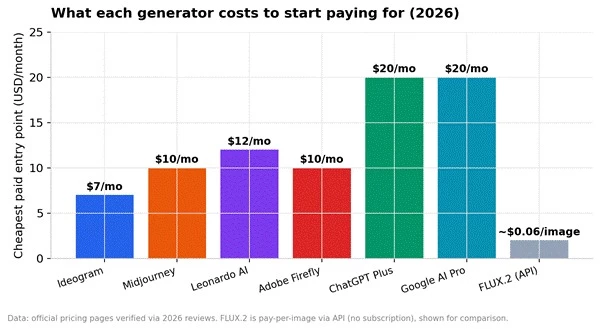
Figure 3: Cheapest paid entry point per tool. Ideogram is the budget pick, FLUX.2 skips subscriptions entirely, and the $20 tiers bundle a full AI assistant beyond images.
Quick read on value: if you only need images occasionally, the free tiers of Gemini, Leonardo, and Ideogram cover you without spending a rupee. If you'll pay for exactly one, match the tool to the use case below rather than buying on price — a $7 Ideogram plan beats a $120 Midjourney plan if your job is posters.
| Your use case | Pick this | Why |
| Marketing ads with text/taglines | Ideogram 3 | ~90%+ text accuracy; cheapest plan |
| Client work for agencies | Adobe Firefly | Legal indemnification + Content Credentials |
| Concept art & cinematic visuals | Midjourney V8.1 | Unmatched aesthetic quality |
| Product photos & app integration | FLUX.2 | Photorealism + $0.06/image API |
| Game assets & brand batches | Leonardo AI | Custom models, style references, volume pricing |
| Editing photos & infographics | Nano Banana Pro | Best conversational editing, 4K output, factual accuracy |
| One tool for everything | GPT Image 2 | #1 blind-vote quality inside ChatGPT |
There's no single "best AI image generator" in 2026, there's a best one for your job. GPT Image 2 if you want one tool that's excellent at everything. Ideogram if your images contain words. Firefly if a legal team reviews your work. Midjourney if beauty is the brief. FLUX if you're building something. Leonardo if you're producing at volume. Nano Banana if you edit more than you generate.
The good news: five of the seven have real free tiers. Spend an afternoon running the same three prompts through each, and you'll know your answer before you spend a single dollar.
Share your thoughts about this article.
Be the first to post a comment!

The same tool can be a 4.7 on one site and a 3.9 on another. Here is what is rea...
Nitin1 month ago

Here is the number worth pinning above your budget: in Gartner Digital Markets r...
Deepak Mehra1 month ago

What Artlist AI is in 2026Artlist began as a royalty-free music library. By 2026...
Deepak Mehra2 months ago

Most AI tool failures do not announce themselves. There is no crash, no angry em...
Nitin2 months ago

The best AI image generator in 2026 is Nano Banana 2 for speed, FLUX.2 for photo...
Parveen Verma2 months ago

“Useful” is a slippery word for a coding assistant. A tool can be brilliant at o...
Sakshi Dhingra2 months ago