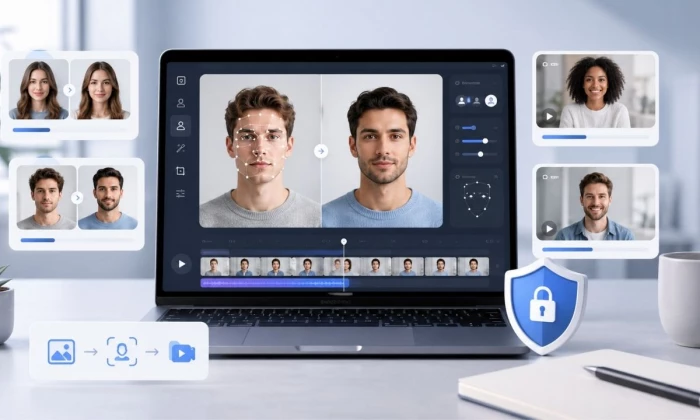
Choosing an AI face swap tool is not only about uploading two photos and clicking generate. Some tools work well for quick memes, some handle video better, some are built for marketing content, and some are too limited unless you pay. This guide compares AI face swap tools based on photo quality, video support, pricing, credits, privacy, and real-use practicality.
Most of these tools look similar on the landing page. The real differences show up in output quality, video support, watermark rules, credits, speed, realism, privacy, and safety policies. Just as important: face swapping carries real consent and legal responsibilities, so this guide treats safety as a feature, not an afterthought. Pricing and limits change often, so prices here are marked to verify, with a checked-date snapshot rather than numbers that may already be stale.
| Quick Answer: The best AI face swap tool depends on the use case. Photo-focused users should compare tools based on realism, lighting match, speed, watermark, and free limits. Video users should check clip length, resolution, credits, export quality, and processing time. Before choosing any face swap tool, review privacy terms, consent rules, pricing, commercial use rights, and whether the tool supports both images and videos. |
Here is a high-level comparison of the main tools. Photo and video support is confirmed from each tool's current site; free-plan, watermark, and pricing specifics change often, so treat them as a starting point and verify on the official page before relying on them.
| Tool | Best for | Photo | Video | Free | Main limitation |
| Akool | Marketing and video face swap | Yes | Yes | Yes | Credit usage and resolution caps to check |
| Remaker | Quick photo and video swaps | Yes | Yes | Yes | Credits used quickly on video and HD |
| Pica AI | Casual swaps plus enhancing | Yes | Yes | Yes | Free results watermarked; slower video |
| Reface | Mobile entertainment swaps | Yes | Yes | Yes | More casual than professional |
| FaceMagic | Mobile video and photo swaps | Yes | Yes | Yes | App subscription limits |
| Vidnoz | Browser-based face swap | Yes | Yes | Yes | Privacy and export limits to check |
| Deepswap | Photo and video swapping | Yes | Yes | Yes | Paid credits for HD; use official site |
| Artguru | Quick online photo swaps | Yes | Yes | Yes | Limited professional controls |
| Fotor | Simple photo editing swaps | Yes | Limited | Yes | Less video-focused |
| Pixlr | Face swap in an editor | Yes | No | Yes | Single-face photos only |
| Icons8 | Simple portrait swaps | Yes | No | Yes | Photos only; file-size cap |
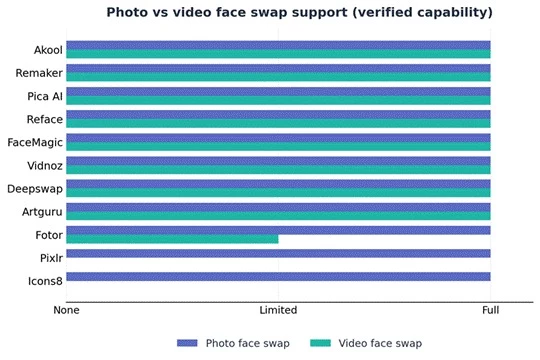
Figure 1: photo vs video support. Almost every tool handles photo swaps. Video is where they split: most support it, Fotor is limited, and Pixlr and Icons8 are photo-only. Match this to whether you mainly need images or video.
These are the main tools worth comparing, with what each is good at and where it falls short. Photo and video support is verified from current sites; pricing and free limits change often, so those stay marked to verify.
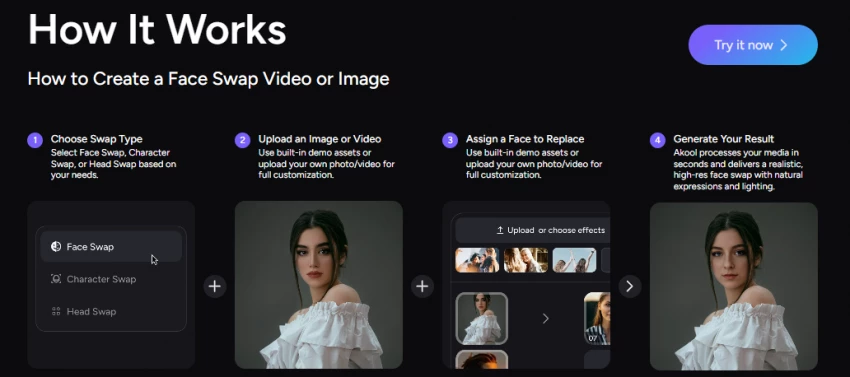
Akool is a cloud platform aimed at marketing and agency teams, with face swap for both photos and high-motion video alongside avatars, video translation, background changes, and a real-time camera mode. Its video face swap is its headline strength, preserving expressions, lighting, and lip movement well enough for ad localization and split-testing, and brands have used it for campaign content.
The free tier is genuinely usable for testing but caps output at 720P, limits face-swap uploads to 150MB and 30 seconds, allows one concurrent generation, and watermarks every export. Paid tiers remove the watermark and unlock higher resolutions, but it runs on credits that video generation consumes based on length and resolution, so test short clips first. It is more tool than a casual user needs, and the interface can feel overwhelming.
| Factor | Details |
| Best For | Marketing, ads, and video face swap at scale |
| Photo Face Swap | Yes, including group and batch swaps |
| Video Face Swap | Yes, strong on high-motion and lip sync |
| Free Plan | Yes, 720P, watermark, 1 concurrent, 150MB/30s upload |
| Paid Plan | Pro and Pro Max tiers, credit-based |
| Watermark | On free tier; removed on paid |
| Commercial Use | Personal and business license tiers |
| Best Feature | Studio-grade video face swap plus a full AI video suite |
| Main Limitation | Credit usage and tiered resolution caps need checking; learning curve |
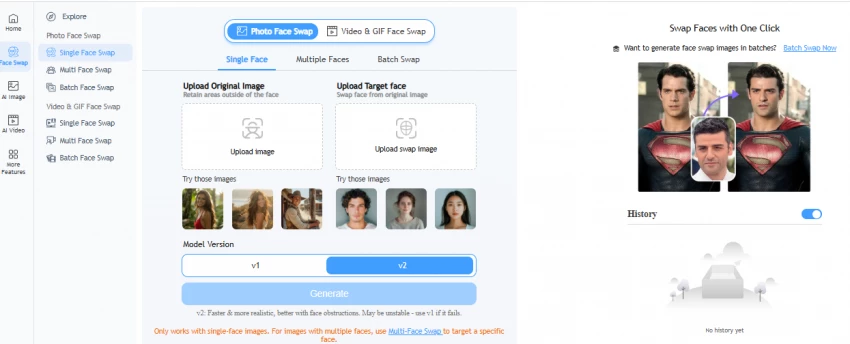
Remaker is a browser-based platform (with iOS and Android apps) built around fast, high-quality face swaps for both photos and video, including single and multi-face swaps and batch processing across many images at once. It is popular partly because free credits on signup, plus a small daily allowance, let you export without a watermark, which is unusual in this category.
Video face swap supports fairly long clips, and the platform bundles extra tools like an upscaler, background remover, and talking photo. It uses a one-time credit-purchase model rather than a subscription, and uploaded source and target images are purged from its servers within a stated window. The trade-offs: credits disappear quickly on video and HD tasks, and quality can vary depending on the source image.
| Factor | Details |
| Best For | Quick photo and video swaps, plus batch edits |
| Photo Face Swap | Yes, single and multi-face |
| Video Face Swap | Yes, longer clips supported |
| Free Plan | Yes, free credits on signup plus daily; watermark-free exports |
| Paid Plan | One-time credit packs, no subscription |
| Watermark | No watermark on exports |
| Commercial Use | Commercial use permitted per platform |
| Best Feature | Watermark-free exports and batch swapping |
| Main Limitation | Credits consumed quickly on video and HD; quality varies by source |
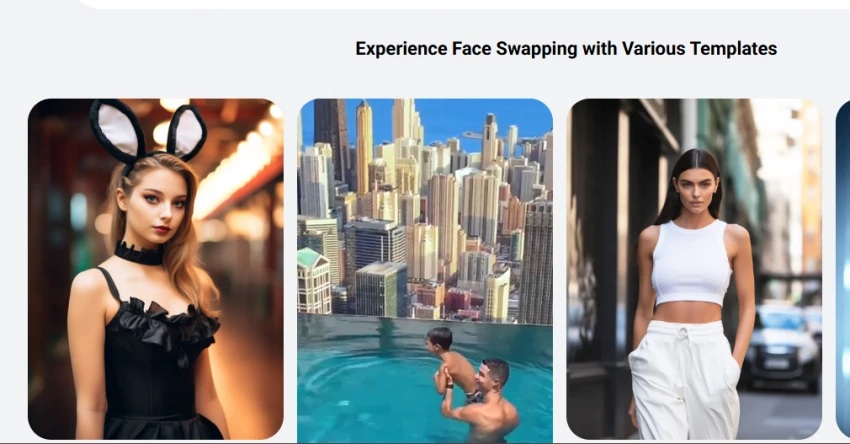
Pica AI is a simple, casual-friendly platform available in the browser and as a mobile app, combining face swap with a photo enhancer, old-photo restoration, and avatars. Photo swaps are quick and handle multiple faces in one image, and the results look clean for social use. It also does video face swap, though processing can be noticeably slower than dedicated video tools.
The catch on the free plan is the watermark: you can download results without signing in, but removing the watermark, getting faster processing, and unlocking more swaps requires a paid, credit-based plan. It is a good pick for people who want one easy app for both quick swaps and general photo touch-ups, rather than a professional video pipeline.
| Factor | Details |
| Best For | Casual photo and video swaps plus photo enhancement |
| Photo Face Swap | Yes, single and multi-face |
| Video Face Swap | Yes, but slower processing |
| Free Plan | Yes, free credits; results watermarked |
| Paid Plan | Credit-based plans |
| Watermark | On free results; removed on paid |
| Commercial Use | Yes |
| Best Feature | All-in-one swap, enhancer, and avatars |
| Main Limitation | Free output watermarked; video can be slow |
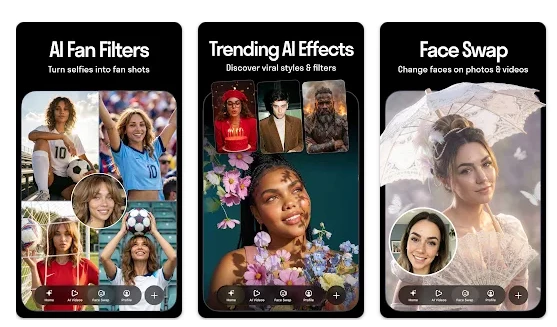
Reface is one of the best-known mobile face swap apps, focused on entertainment: dropping your face into GIFs, short clips, and meme templates, plus a live swap mode. It has been downloaded well over a hundred million times and leans into fun, viral formats rather than professional output, with extra features like AI avatars, gender swap, and AI yearbook-style photos.
It is genuinely easy to use, which is the main appeal. Output quality is fine for social sharing but can look pasted-on rather than naturally blended, and the free version typically includes watermarks and limits, with a Pro subscription and in-app purchases unlocking more. For polished marketing video, a dedicated tool is a better fit, but for quick phone-based fun, Reface is hard to beat.
| Factor | Details |
| Best For | Mobile entertainment swaps, GIFs, and memes |
| Photo Face Swap | Yes |
| Video Face Swap | Yes, short clips and live swap |
| Free Plan | Yes, with watermark and limits |
| Paid Plan | Pro subscription; in-app purchases |
| Watermark | Yes (typically on free) |
| Commercial Use | Entertainment-oriented |
| Best Feature | Huge template library and ease of use |
| Main Limitation | More casual than professional; blending can look pasted-on |
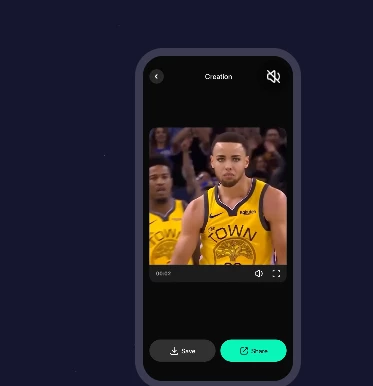
FaceMagic is a mobile-first face swap app (with a web editor) that turns a single selfie into photo, video, and GIF swaps using a library of themed characters and clips. It is built for speed and fun, letting casual users create shareable content without any editing skill. Like most app-based swappers, the free experience usually includes watermarks and usage limits, with a subscription unlocking more.
Quality is aimed at social media rather than professional delivery, and results depend heavily on a clear source face. It is a reasonable choice for quick mobile video swaps, but check the current subscription terms and watermark rules before committing, and stick to consent-based images.
| Factor | Details |
| Best For | Mobile video and photo face swaps |
| Photo Face Swap | Yes |
| Video Face Swap | Yes, plus GIFs |
| Free Plan | Yes, with watermark and limits |
| Paid Plan | Subscription |
| Watermark | Yes (typically on free) |
| Commercial Use | Yes |
| Best Feature | One-selfie swaps with themed templates |
| Main Limitation | App subscription limits; casual focus |
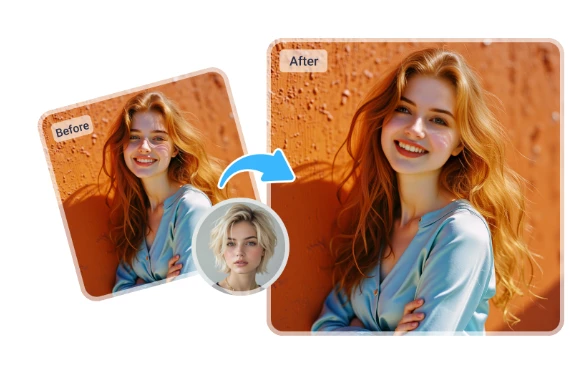
Vidnoz offers a browser-based face swapper for both photos and videos, including multiple-face swaps, and positions itself for social content, marketing, and ecommerce alongside a wider AI media suite. A useful draw is a free daily usage allowance and support for relatively long videos, which makes it beginner-friendly for testing without an immediate paywall.
Processing is straightforward with no editing skills required, and the site emphasizes data control. As with any browser tool, confirm the export limits, supported formats, and exactly what the free tier allows, and read the privacy terms before uploading faces. It is a solid starting point for casual and small-business users who want to try photo and video swaps in one place.
| Factor | Details |
| Best For | Browser-based photo and video swaps |
| Photo Face Swap | Yes, including multi-face |
| Video Face Swap | Yes, longer clips on a free daily allowance |
| Free Plan | Yes, daily free usage |
| Paid Plan | Yes |
| Watermark | Yes |
| Commercial Use | Yes |
| Best Feature | Free daily usage and long-video support |
| Main Limitation | Privacy, format, and export limits need checking |
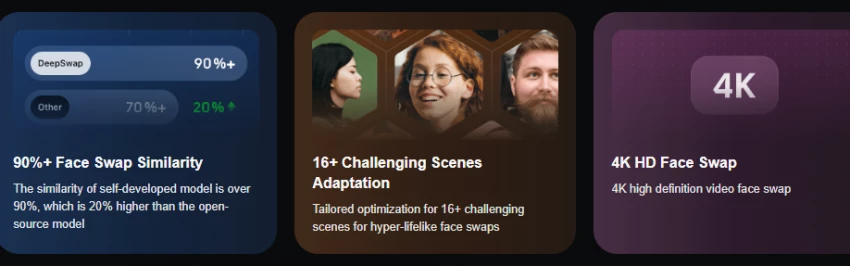
Deepswap is a well-known web-based swapper for photos, videos, and GIFs, with multi-face support and a focus on quick, realistic results. It is a common pick for swapping faces into movie or social clips. Free use is typically limited and watermarked, with paid credits unlocking higher resolution, watermark-free output, and priority processing. Two cautions matter here.
First, many lookalike and clone sites copy the Deepswap name, so use only the official site and avoid any tool advertising non-consensual or explicit features. Second, because realistic video swaps are easy to misuse, stick strictly to consent-based images and lawful, clearly-labeled creative use.
| Factor | Details |
| Best For | Photo, video, and GIF face swapping |
| Photo Face Swap | Yes, including multi-face |
| Video Face Swap | Yes, multi-face video |
| Free Plan | Limited, typically watermarked |
| Paid Plan | Credits or subscription; higher resolution |
| Watermark | Yes (typically on free) |
| Commercial Use | Yes |
| Best Feature | Fast, realistic multi-face video swaps |
| Main Limitation | Paid credits for HD; use only the official site and consent-based images |
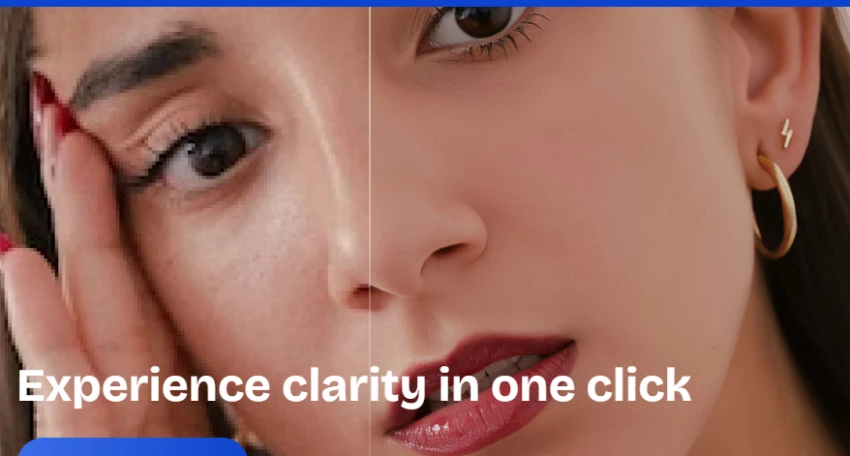
Artguru is an online face swap and AI art tool that handles photos and video, with multi-face swaps and a library of stylized presets such as characters, anime, and artistic looks, plus avatar generation.
It is aimed at quick, fun, creative edits and is friendly for beginners, with cloud processing and built-in options like art filters and skin-tone adjustment. It runs on a freemium model: new users get free credits, free output is usually watermarked, and a paid plan removes the watermark and unlocks HD and advanced tools. It is less suited to precise professional control, but for social content, themed swaps, and casual creativity it is easy and capable.
| Factor | Details |
| Best For | Quick online photo swaps and stylized presets |
| Photo Face Swap | Yes, multi-face up to several faces |
| Video Face Swap | Yes |
| Free Plan | Yes, free credits; results watermarked |
| Paid Plan | Credits |
| Watermark | On free; removed on paid |
| Commercial Use | Yes |
| Best Feature | Stylized presets and avatar creation |
| Main Limitation | Limited professional controls; HD needs paid |
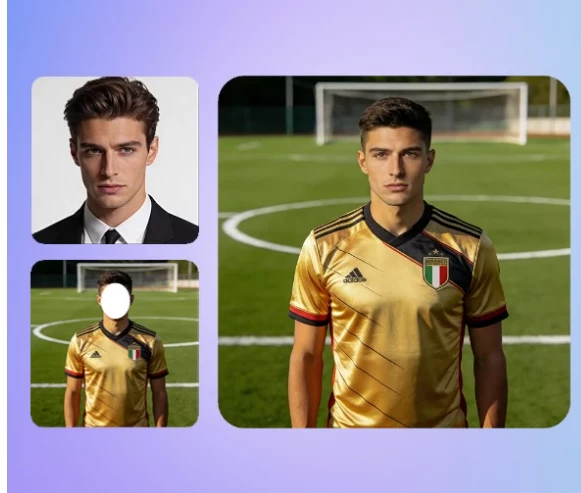
Fotor is a full online photo editor (with mobile apps) that includes a face swap feature, so it suits people who want to swap a face and then refine the image in the same place. It handles single and multiple face and head swaps for photos, plus extras like gender swap, and its built-in editor lets you fix lighting, upscale, or add backgrounds afterward.
Video is not its focus, so treat video face swap as limited and verify current support. Free use typically carries watermarks or limits, with Fotor Pro unlocking more. For still images and marketing mockups where you want editing control around the swap, Fotor is a practical, familiar choice.
| Factor | Details |
| Best For | Simple photo editing swaps inside a full editor |
| Photo Face Swap | Yes, single and multi-face plus head swap |
| Video Face Swap | Limited; verify current support |
| Free Plan | Yes, with watermark and limits |
| Paid Plan | Yes (Fotor Pro) |
| Watermark | No |
| Commercial Use | Yes |
| Best Feature | Built-in editor to refine results, plus mobile apps |
| Main Limitation | Less video-focused; advanced features behind Pro |
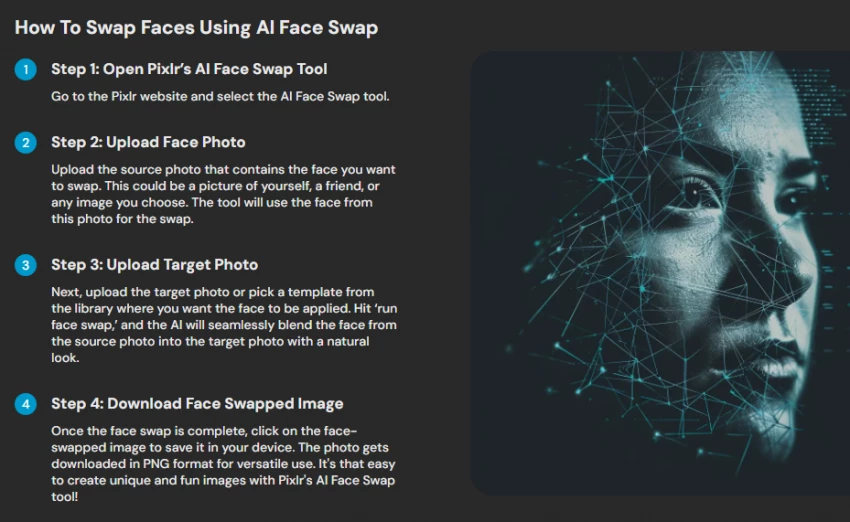
Pixlr is a browser-based photo editor with a fast, beginner-friendly face swap tool that fits into a wider editing workflow. It runs in any browser with no install and is quick for single-face photo swaps, with affordable paid plans.
Its limits are clear: it works on single-face images and does not handle multi-face swaps or video, so it is best for simple portrait edits rather than group shots or clips. Free use comes with limits, and some features sit behind a paid plan. If you already edit in Pixlr or want a no-friction single-face swap on the web, it is convenient; for video or group photos, choose a dedicated swapper.
| Factor | Details |
| Best For | Single-face photo swaps within an editing workflow |
| Photo Face Swap | Yes, single-face |
| Video Face Swap | No (photos only) |
| Free Plan | Yes, with limits |
| Paid Plan | Yes |
| Watermark | Yes |
| Commercial Use | Yes |
| Best Feature | Fast browser swap inside a full editor |
| Main Limitation | Single-face only; no video or multi-face |
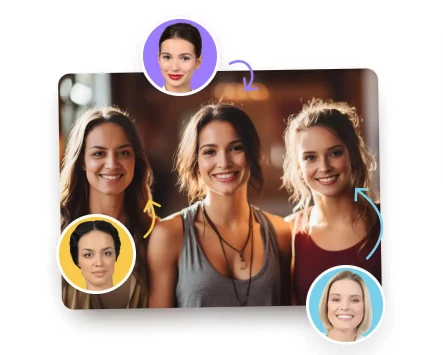
Icons8 Face Swapper is a straightforward online tool for swapping faces in still images, popular with designers for quick mockups. It handles multiple faces, group photos, side angles, and faces with accessories, and returns natural-looking results in around twenty seconds, accepting common formats up to a modest file-size cap and keeping outputs available for a limited time.
It is photo-only, with no video face swap, which keeps it simple and fast for portrait and design work. Free use is available, with paid options for more; verify current limits and rights. For light, quick image swaps where you do not need video, it is clean and reliable.
| Factor | Details |
| Best For | Simple portrait and design-friendly photo swaps |
| Photo Face Swap | Yes, including groups and angles |
| Video Face Swap | No (photos only) |
| Free Plan | Yes |
| Paid Plan | Yes |
| Watermark | Yes |
| Commercial Use | Yes |
| Best Feature | Handles group photos and angles quickly |
| Main Limitation | Photos only; file-size cap |
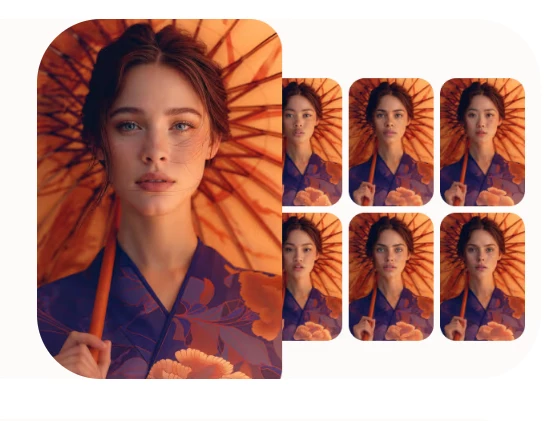
HeyGen is included here for avatar-style video workflows rather than classic face swapping. Instead of pasting one face onto another, it generates realistic talking avatars and offers video translation with lip-sync, which marketers use for localized, presenter-style content. If your real goal is a spokesperson video, a multilingual ad, or a talking-head from a script, HeyGen often fits better than a face swapper.
It is subscription-based, with free use typically limited and watermarked. Because avatar and likeness features can raise consent and impersonation questions, verify its current terms and use only approved likenesses. Treat it as an avatar and localization tool that overlaps with face workflows, not a drop-in meme swapper.
| Factor | Details |
| Best For | Avatar-style video and localization for marketing |
| Photo Face Swap | Limited (avatar from a photo, not classic swap) |
| Video Face Swap | Avatar and talking-head video plus translation and lip-sync |
| Free Plan | Limited |
| Paid Plan | Yes |
| Watermark | Yes (typically on free) |
| Commercial Use | Yes |
| Best Feature | Realistic talking avatars and video dubbing |
| Main Limitation | Not a traditional face swapper; verify likeness and consent terms |
For still images, the job is simpler, so more tools do it well. Photo swaps are usually easier and cheaper than video because the tool only processes one image instead of many frames. They cover profile-picture edits, meme images, marketing mockups, social posts, group photos, before-and-after edits, and product or person visual concepts. Browser swappers and editor-based tools are the natural fit here.
| Tool | Best photo use case |
| Remaker | Quick, watermark-free swaps |
| Fotor | Simple image editing with refinement |
| Artguru | Casual, stylized online swaps |
| Pixlr | Single-face editing workflow |
| Icons8 | Simple portrait and group swaps |
Video is harder. The face has to stay stable across every frame, so video face swaps need stronger processing and usually cost more in credits or time. These tools suit short-form videos, ad creatives, talking-head clips, meme videos, avatar-style content, localization and video-translation workflows, and social reels. Test a short clip before committing to a long export.
| Tool | Main limitation |
| Akool | Resolution caps and credits to check |
| Deepswap | HD and watermark-free need paid |
| Reface | Casual quality; watermark on free |
| FaceMagic | App subscription limits |
| Pica AI | Slower processing; watermark on free |
| Vidnoz | Export and privacy limits to check |
Matching the tool to the job matters more than chasing the single best app. Use this as a shortlist, then test the free tier.
| Use case | Best tool type | Tools to compare |
| Quick photo face swap | Online photo swapper | Remaker, Fotor, Artguru |
| Social media memes | Mobile face swap app | Reface, FaceMagic |
| Video face swap | Video-focused AI swapper | Akool, Deepswap, Pica AI |
| Marketing visuals | Professional AI video or image tool | Akool, HeyGen, Canva |
| Batch photo edits | Bulk-capable image tool | Remaker |
| Beginner-friendly use | Simple browser tool | Vidnoz, Remaker |
| Higher-quality video output | Paid video face swap tool | Akool, Deepswap |
| Budget testing | Free-plan tools | Compare free limits across tools |
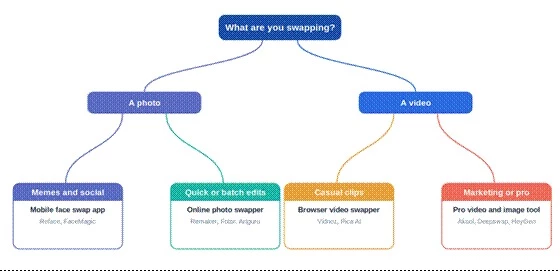
Figure 3: pick a tool by what you are swapping. Start with photo or video, then narrow by how you will use it. The named tools are starting points to compare, not fixed rankings.
| Mistake | Result | Better approach |
| Using a low-quality source image | Blurry or distorted swap | Use a clear, front-facing photo |
| Ignoring lighting | Unnatural face blend | Match lighting between images |
| Testing only one frame | Video may still flicker | Test short clips before longer exports |
| Ignoring credits | Unexpected cost | Check credit use before batch work |
| Skipping the privacy policy | Data risk | Read storage and deletion terms |
| Using faces without consent | Ethical and legal risk | Use approved images only |
| Trusting watermark-free claims | Export disappointment | Verify plan limits first |
Sometimes a face swapper is not the right tool at all. Related categories often fit better:
| Need | Better alternative |
| Professional avatar video | AI avatar tools like HeyGen or Synthesia |
| Image editing without face swapping | Photoshop, Canva, or Pixlr |
| AI-generated character image | Midjourney, Leonardo AI, or Adobe Firefly |
| Video editing | Runway, CapCut, or Premiere Pro |
| Product marketing visuals | Canva, Akool, or Creatify |
| Safe stock-style visuals | Licensed stock libraries or AI image generators |
The best AI face swap tool is not the same for every user. A casual creator may only need a simple online photo swapper, while a marketer or video editor should care more about video stability, export quality, watermark rules, and commercial rights. Photo-only tools like Pixlr and Icons8 are fine for quick image edits, app-based tools like Reface and FaceMagic suit social fun, and Akool or Deepswap lean toward higher-quality or marketing video.
Before paying, test one image and one short video, check pricing and privacy terms, and avoid any use that involves someone's face without permission. The right tool is the one that produces a natural result for your specific use case, with limits and a data policy you are comfortable with.
Share your thoughts about this article.
Be the first to post a comment!

The same tool can be a 4.7 on one site and a 3.9 on another. Here is what is rea...
Nitin1 month ago

Here is the number worth pinning above your budget: in Gartner Digital Markets r...
Deepak Mehra1 month ago

What Artlist AI is in 2026Artlist began as a royalty-free music library. By 2026...
Deepak Mehra1 month ago

Most AI tool failures do not announce themselves. There is no crash, no angry em...
Nitin1 month ago

The best AI image generator in 2026 is Nano Banana 2 for speed, FLUX.2 for photo...
Parveen Verma1 month ago

“Useful” is a slippery word for a coding assistant. A tool can be brilliant at o...
Sakshi Dhingra1 month ago